Skip to content

The Geek Page

  • Windows 10
  • Windows 11
  • Android
  • iPhone
  • Authors

How to

How to Clear Site Data for a Particular Website in Chrome

Published on: January 7, 2022 by The Dangling Pointer
Categories chrome, How to, Windows 11

How to Download and install Font from a Website In Chrome on Windows PC

Updated on: December 19, 2023 by The Dangling Pointer
Categories browser, chrome, How to, Windows 11

How to Edit Send To Context menu in Windows 11 / 10

Updated on: December 21, 2023 by Supriya Prabhu
Categories How to, Windows 11

How to Track and Configure Internet Data Usage in Windows 11

Published on: January 7, 2022 by The Dangling Pointer
Categories How to, internet, Windows 11

Fix: Error 1079 Windows Services Fail to Start Problem in Windows 11 / 10

Updated on: January 6, 2022 by The Dangling Pointer
Categories How to, Windows 10, Windows 11

How to Record Zoom Meetings in Windows 11 / 10 : 3 Methods

Published on: January 4, 2022 by Supriya Prabhu
Categories How to, Windows 11

How to fix Windows 11 Black and White Screen issue

Updated on: December 17, 2023 by Asha Nayak
Categories How to, Windows 11

How to Create Multiple Folders at Once in Windows 11

Updated on: September 16, 2025 by The Dangling Pointer
Categories How to, Windows 11

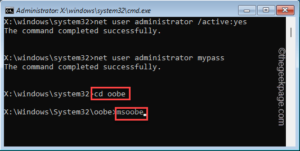
Fix: Windows could not complete this installation issue in Windows 11 / 10

Published on: December 31, 2021 by Sambit Koley
cd oobe min
Categories How to, Installation, Windows 11

How to Increase or Decrease Display Duration of Notifications in Windows 11

Published on: December 31, 2021 by The Dangling Pointer
Categories How to, Windows 11

15 Ways to Open Device Manager in Windows 11

Published on: December 30, 2021 by The Dangling Pointer
Categories How to, Windows 11

How to Know Video RAM Capacity on your Windows 11 PC

Published on: December 29, 2021 by Supriya Prabhu
Categories How to, Windows 11

How to Open File Explorer as Admin in Windows 11

Published on: December 28, 2021 by Supriya Prabhu
Categories How to, Windows 11

How to Enable and Use Find My Device Feature in Windows 11

Published on: December 28, 2021 by The Dangling Pointer
Categories How to, Windows 11

How to Open an Application as Admin by default in Windows 11

Published on: December 27, 2021 by Supriya Prabhu
Categories How to, Windows 11

How to Install Windows Subsystem For Linux in Windows 11

Published on: December 26, 2021 by Supriya Prabhu
Categories How to, Windows 11

How to Enable Delete Confirmation box in Windows 11

Published on: December 26, 2021 by Supriya Prabhu
Categories How to, Windows 11

How to Enable or Disable Mono Audio Feature in Windows 11

Updated on: January 6, 2024 by The Dangling Pointer
Categories audio, How to, Windows 11

How to Disable Voice Access from Starting Automatically in Windows 11

Published on: December 26, 2021 by Supriya Prabhu
Categories How to, Windows 11

How to Add a “Check for Updates” Context Menu Option in Windows 11 / 10

Published on: December 24, 2021 by Sharat Divya
Categories How to, Windows 10, Windows 11

How to Add the Settings App Icon to the Windows 11 Start Menu

Published on: December 23, 2021 by The Dangling Pointer
Categories How to, Windows 11
Older posts
Newer posts
← Previous Page1 … Page7 Page8 Page9 … Page20 Next →

Recent Posts

  • Fix Windows Hello “Something Happened and Your PIN Isn’t Available” Error
  • How to Fix Windows 11 Widgets Not Working
  • How to Fix Xbox App Game Install Error 0x80073cf6 on Windows 11
  • How to Fix Windows Hello Fingerprint Not Working After Reboot in Windows 11
  • Copilot Pinning Itself in the Taskbar : How to Fix
  • Constant Micro Stutter in Death Stranding 2 PC – How to Fix
  • OneDrive Files On-Demand Missing – How to Fix
  • Fix Task Manager Not Showing Full Details in Windows 11
  • Windows 11 Notification Center Opens Then Closes Instantly – How to Fix
  • “It’s Not You, It’s Me” Error with Copilot : Here is the Fix

Recommended

  • 101 Tech Tricks you don't know
  • Windows Run commands
  • Windows 10 Tips and Tricks
  • Windows Keyboard Shortcuts
  • How to Make Windows 10 Fast
© TheGeekPage 2026