Skip to content

The Geek Page

  • Windows 10
  • Windows 11
  • Android
  • iPhone
  • Authors

How to

How to safely roll back to Windows 10 from Windows 11

Published on: July 19, 2021 by Sambit Koley
Categories How to, Windows 11

How to manage disk and drives storage settings in Windows 11

Published on: July 16, 2021 by Sambit Koley
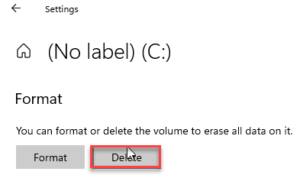
delete the drive min
Categories How to, Windows 11

How to edit and use your own Contrast theme in Windows 11

Updated on: January 8, 2024 by Sambit Koley
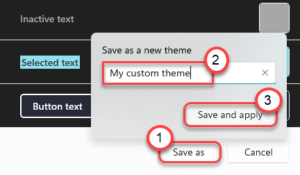
apply and save min
Categories How to, Windows 11

How to download or change wallpaper in Windows 11

Published on: July 16, 2021 by Sambit Koley
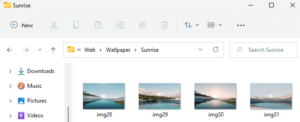
sunrise min
Categories How to, Windows 11

How to copy path of a folder in Windows 11

Published on: July 15, 2021 by Sambit Koley
copy path min
Categories How to, Windows 11

A Guide to New accessibility features in Windows 11

Published on: July 15, 2021 by Sambit Koley
mono audio min
Categories How to, Windows 11

How to remove recent files from Start Menu in Windows 11

Updated on: January 8, 2024 by Sambit Koley
remove from list min
Categories How to, Windows 11

How to enable/disable Automatically hide taskbar in Windows 11

Published on: July 9, 2021 by Sambit Koley
uncheck min
Categories How to, Windows 11

How to enable the Auto HDR on Windows 11

Published on: July 9, 2021 by Sambit Koley
Categories How to, Windows 11

How to use DNS over HTTPS connectivity feature in Windows 11

Published on: July 9, 2021 by Sambit Koley
encrypted only min
Categories How to, Windows 11

How to rename a network adapter in Windows 11

Published on: July 9, 2021 by Sambit Koley
name save min
Categories How to, Windows 11

How to use dynamic refresh rate feature in Windows 11

Updated on: January 8, 2024 by Sambit Koley
display min 2
Categories How to, Windows 11

How to use Windows Terminal in Windows 11

Updated on: September 11, 2025 by Sambit Koley
feature image min 3
Categories How to, Windows 11

How to use Power Automate in Windows 11

Published on: July 9, 2021 by Sambit Koley
play it out min 1
Categories How to, Windows 11

How to install the hidden Aero Lite theme in Windows 11

Published on: July 9, 2021 by Sambit Koley
aero rename min
Categories How to, Windows 11

How to disable Snap Layout feature in Windows 11

Published on: July 6, 2021 by Sambit Koley
snap windows on min
Categories How to, Windows 11

How to download and install Windows 11 via Insider Program

Published on: July 6, 2021 by Sambit Koley
get started min
Categories How to, Windows 11

Top 5 hidden Features of Notepad in Windows 10 / 11

Updated on: January 13, 2023 by Sambit Koley
log file proof
Categories How to, Windows 10

How to Clear All Event Logs in Windows 10 / 11

Updated on: December 20, 2023 by Ansh R
clear log event viewer
Categories How to, Windows 10, Windows 11

How to Edit Right Click Context Menu in Windows 10 / 11

Updated on: December 21, 2023 by Admin
right click context menu
Categories How to, Windows 10, Windows 11

How to add Downloads & network to start menu in windows 11/10

Updated on: September 10, 2021 by Admin
start menu
Categories How to, Personalization, Windows 11
Newer posts
← Previous Page1 … Page19 Page20

Recent Posts

  • Storage Spaces ‘Reduced Resiliency’ With Healthy Drives [Fixed]
  • The Real Reason Your Group Policy Changes Keep Reverting
  • Restored Hyper-V Virtual Machine Not Starting? 5 Fixes
  • VirtualBox Can’t Insert Virtual Optical Disk? 4 Fixes
  • M.2 SSD Not Showing Up in Windows 11? 5 Fixes
  • Auto HDR Looks Washed Out on Mini-LED? 4 Fixes
  • Office Not Opening After Update? 7 Fixes That Work
  • Antigravity IDE Not Opening on Windows 11? 3 Fixes
  • App Readiness Service Greyed Out? 4 Fixes
  • CMD ‘Run as Administrator’ Access Denied? 5 Fixes

Recommended

  • 101 Tech Tricks you don't know
  • Windows Run commands
  • Windows 10 Tips and Tricks
  • Windows Keyboard Shortcuts
  • How to Make Windows 10 Fast
© TheGeekPage 2026