Skip to content

The Geek Page

  • Windows 10
  • Windows 11
  • Android
  • iPhone
  • About

Windows 11

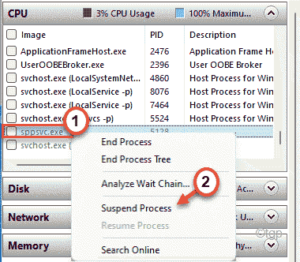
Fix: Microsoft Software Protection Platform Service high CPU usage in Windows 11

Updated on: January 8, 2024 by Sambit Koley
sppsvc suspened min
Categories Performance, Windows 11

How to Enable BitLocker for Use with USB Drives

Published on: October 6, 2021 by Namratha Nayak
Categories USB, Windows 11

Fix Device encryption is temporarily suspended in Windows 11/10

Updated on: December 21, 2023 by Anusha Shenoy
Categories Windows 11

How to enable HDR in Windows 11

Published on: October 6, 2021 by Supriya Prabhu
Categories How to, Windows 11

Fix System Process Taking Massive Amounts of RAM on Windows 11/10

Published on: October 6, 2021 by Anusha Shenoy
Categories Performance, Windows 11

How to Save and Restore your Windows Session ?

Published on: October 5, 2021 by Sharat Divya
Categories How to, Windows 11

How to Restart the Audio Driver in Windows 11

Updated on: December 20, 2023 by The Dangling Pointer
Categories audio, driver, How to, Windows 11

How to Connect to a Hidden Wi-Fi Network in Windows 11

Published on: October 5, 2021 by The Dangling Pointer
Categories How to, Wi-Fi, Windows 11

How to Enable or Disable Online Speech Recognition in Windows 11

Updated on: December 20, 2022 by Anusha Shenoy
Categories How to, Windows 11

How to Disable Error Reporting in Windows 11

Updated on: December 21, 2023 by The Dangling Pointer
Categories How to, Windows 11

How to download and do a clean install of Windows 11

Published on: October 5, 2021 by Sambit Koley
progress min
Categories Installation, Windows 11

Fix: Runtime broker High CPU usage

Published on: October 5, 2021 by Sambit Koley
disable the background min
Categories Windows 11

How to Search for Large Files on Windows 11

Updated on: December 19, 2023 by Supriya Prabhu
Categories How to, Windows 11

Fix System Restore Point Error Code 0x80042308 on Windows 11/10

Published on: October 5, 2021 by Namratha Nayak
Categories Windows 11

Create a Shortcut and Keyboard Hotkey to Mute / Unmute System Volume in Windows 11/10

Updated on: December 20, 2023 by The Dangling Pointer
Categories audio, How to, Windows 11

How To Fix Mail App Not Syncing Automatically in Windows 11/10

Updated on: December 20, 2023 by Anusha Shenoy
Categories Mail, Windows 11

Fix: Its Time To Update Your Device Error in Windows 11

Published on: October 4, 2021 by Sambit Koley
webx min
Categories Windows 11

How to Fix System Error 8646 when resetting Microsoft Account Password

Updated on: December 23, 2022 by Anusha Shenoy
Categories Accounts, Windows 11

How to Change Refresh Rate in Windows 11

Published on: October 4, 2021 by Madhuparna
Advanced display Choose refresh rate
Categories Display, How to, Windows 11

How to Restore Windows 11 Session after a reboot

Published on: October 4, 2021 by Asha Nayak
Categories Windows 11

Fix Profile not deleted completely, Error- The directory is not empty Error on Windows 11/10

Published on: October 4, 2021 by Asha Nayak
Categories Windows 11
Older posts
Newer posts
← Previous Page1 … Page100 Page101 Page102 … Page153 Next →

Recent Posts

  • Thunderbolt 4 Dock Not Working After Windows 11 26H2 Update – How to Fix
  • DWM.exe Keeps Crashing in Windows 11 – 4 Fixes to Try
  • Fix Edit Clip in Audition Error 0xc0000142 in Premiere Pro
  • Point-in-Time Restore Missing in Windows 11 WinRE? Fix
  • Live Captions Stuck on Setup in Windows 11? 4 Fixes
  • Mouse Going to Second Monitor While Gaming? 5 Fixes
  • Photoshop 2026 Closes After Launch With Error 0xc00000fd – Fix
  • Fix USB Audio Interface Code 10 and No Sound (Windows 11)
  • USB Keeps Disconnecting With DRIVER_POWER_STATE_FAILURE Error in Windows 11 – Fix
  • Word or Excel Stuck on Saving? How to Fix It

Recommended

  • 101 Tech Tricks you don't know
  • Windows Run commands
  • Windows 10 Tips and Tricks
  • Windows Keyboard Shortcuts
  • How to Make Windows 10 Fast
© TheGeekPage 2026