Skip to content

The Geek Page

  • Windows 10
  • Windows 11
  • Android
  • iPhone
  • Authors

how to

How to open Recycle Bin in Windows 10 when it is not on Desktop

Published on: February 25, 2021 by Anusha Shenoy
Categories how to, Windows 10

How to Add / Remove Quota tab from Drive properties on Windows 10

Updated on: February 26, 2021 by Supriya Prabhu
Categories how to, Windows 10

How to Run as administrator in windows 10

Updated on: February 12, 2021 by Supriya Prabhu
Categories how to, Windows 10

How to know whether a process is running as administrator in Windows 10

Updated on: February 12, 2021 by Supriya Prabhu
Categories how to, Windows 10

Create a shortcut and a keyboard hotkey to Turn Off Monitor in Windows 10

Published on: February 12, 2021 by Anusha Shenoy
Categories how to, Windows 10

How to manage list of allowed / blocked apps in Windows Defender Firewall

Updated on: December 21, 2023 by Supriya Prabhu
Categories how to, security, Windows 10

How to delete the Font Cache on Windows 10 / 11

Updated on: December 21, 2023 by Supriya Prabhu
Categories how to, Windows 10, Windows 11

How to shift system default folders ( like Desktop or Downloads ) to other drive in Windows 10

Published on: February 8, 2021 by Supriya Prabhu
Categories how to, Windows 10

How to open Control Panel in Windows 10

Published on: February 6, 2021 by Supriya Prabhu
Categories how to, Windows 10

How to fetch tree directory structure of a folder through Command Prompt

Published on: February 6, 2021 by Supriya Prabhu
Categories command prompt, how to, Windows 10

How to know the directX version installed in Windows 10

Published on: February 5, 2021 by Supriya Prabhu
Categories how to, Windows 10

How to edit the default language that Cortana uses in Windows 10

Published on: February 5, 2021 by Supriya Prabhu
Categories how to, Windows 10

How To Connect two Windows 10 computers with Bluetooth

Published on: February 5, 2021 by Anusha Shenoy
Categories Bluetooth, how to, Windows 10

How To Schedule Creation of System Restore Point in Windows 10 Automatically

Published on: February 5, 2021 by Anusha Shenoy
Categories how to, Windows 10

What is USB Selective Suspend and How To Enable or Disable it

Updated on: December 19, 2023 by Anusha Shenoy
Categories how to, USB, Windows 10, Windows 11

How To Change time after which display turns off in Windows 10

Published on: February 5, 2021 by Anusha Shenoy
Categories Display, how to, Windows 10

How to Change the Default “New folder” Name for newly created folder

Published on: February 5, 2021 by Anusha Shenoy
Categories how to, Windows 10

How to stop HDD from getting turned off after passing default idle time in Windows 10

Updated on: February 5, 2021 by Supriya Prabhu
Categories how to, Windows 10

How to set notepad default encoding to ANSI or UTF-8 in Windows 10 / 11

Updated on: January 20, 2023 by Supriya Prabhu
Categories how to, Windows 10

How to Change Maximum Storage size of Recycle Bin in Windows 10

Published on: February 2, 2021 by Anusha Shenoy
Categories how to, Windows 10

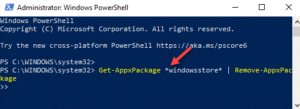
How to Reinstall Microsoft Store App on Windows 10 / 11

Updated on: December 14, 2023 by Madhuparna
Windows PowerShell Admin Run command to remove windows store Enter
Categories how to, store, Windows 10, Windows 11
Older posts
Newer posts
← Previous Page1 … Page5 Page6 Page7 … Page17 Next →

Recent Posts

  • How to Fix Windows Hello Not Accepting PIN Due to Keyboard/Shift Bug (Working Fix)
  • How to Fix Windows Hello PIN Not Working After Update
  • Claude Desktop No Longer Starts on Windows – Bug in Version 1.1.4173
  • Fix Windows Hello “Something Happened and Your PIN Isn’t Available” Error
  • How to Fix Windows 11 Widgets Not Working
  • How to Fix Xbox App Game Install Error 0x80073cf6 on Windows 11
  • How to Fix Windows Hello Fingerprint Not Working After Reboot in Windows 11
  • How to Fix Windows 11 Login Screen Not Showing Sign-In Options (PIN/Password Missing)
  • Copilot Pinning Itself in the Taskbar : How to Fix
  • Constant Micro Stutter in Death Stranding 2 PC – How to Fix

Recommended

  • 101 Tech Tricks you don't know
  • Windows Run commands
  • Windows 10 Tips and Tricks
  • Windows Keyboard Shortcuts
  • How to Make Windows 10 Fast
© TheGeekPage 2026