Skip to content

The Geek Page

  • Windows 10
  • Windows 11
  • Android
  • iPhone
  • Authors

how to

Desktop Icons Not Moving Issue in Windows 10 / 11 Fix

Updated on: December 18, 2023 by Madhuparna
Move icons freely
Categories how to, Windows 10, Windows 11

How to Calibrate Your Windows 10 Monitor Colors

Published on: April 7, 2020 by Madhuparna
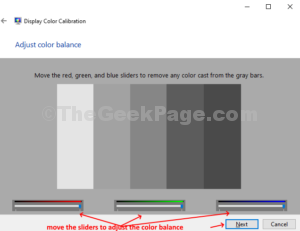
Adjust Color balance move sliders Next
Categories how to, Windows 10

Reduce Background Noise of Built-in Microphone in Your Windows 10 / 11

Updated on: December 21, 2023 by Madhuparna
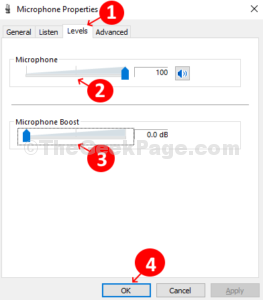
Microphone Properties Levels tab Microsphone Slider Up Microphone Boost Slider Dow
Categories audio, how to, Windows 10, Windows 11

Fix TeamViewer Mic and Audio Sound Not Working Issue on Windows 10 / 11

Updated on: December 18, 2023 by Madhuparna
Audio Conferencing Voice Playback Speakers Standard Playback Device Voice Input Default
Categories how to, Windows 10, Windows 11

Make a shortcut to Kill Not Responding Programs instantly using Taskkill.bat

Updated on: January 6, 2024 by Madhuparna
Notepad Type Taskkill command 1
Categories how to, Windows 10, Windows 11

How to End Processes in Windows 10 Using Taskkill

Updated on: September 2, 2020 by Madhuparna
Execute command notepad.exe Enter notepad closes 1
Categories how to, Windows 10

How to enable Automatic Active Hours in Windows 10

Published on: April 4, 2020 by Madhuparna
Enable Automatic Active Hours
Categories how to, Windows 10

How to Limit Windows Defender CPU Usage on Windows 10

Updated on: January 8, 2024 by Madhuparna
Categories how to, Windows 10

How to disable Touchpad Support of Windows 10

Published on: April 4, 2020 by Madhuparna
Scroll down to Touchpad option Turn Off Touchpad
Categories how to, Windows 10

How to Play Picture Slideshow in Windows 10 from a folder

Updated on: April 6, 2020 by Madhuparna
Select Photo Picture Tools Slideshow
Categories how to, Windows 10

How to Set Apps or Files to Launch Automatically During Startup in Windows 10

Updated on: January 8, 2024 by Madhuparna
Drag and Drop shortcuts to Startup folder that you want to be launched automatically on Startup
Categories how to, Windows 10

How to Delete Cortana’s Search History in Windows 10?

Published on: April 4, 2020 by Madhuparna
On the right click on the clear button under each activity or click on Clear history on upper right
Categories how to, Windows 10

How to make Windows 10 notifications duration longer

Published on: April 3, 2020 by Madhuparna
Ease of Access Display Show notifications for 1
Categories how to, Windows 10

How to Use Share Charm in Windows 10

Published on: April 2, 2020 by Madhuparna
Sahre it with any of the suggested apps available
Categories how to, Windows 10

Disable Low disk Space warning in windows 10

Published on: April 1, 2020 by Madhuparna
Double click on the new value change the Value Data to 1
Categories how to, Windows 10

How to set Windows 10 to Auto Change Time Zones Based on Location

Published on: April 1, 2020 by Madhuparna
Under Time and Language click on Date and Time on the left and then turn the slider on the right
Categories how to, Windows 10

How to Turn Off Search Suggestions in Microsoft Edge

Published on: April 1, 2020 by Madhuparna
In the next window turn the slider off next to Show me search and site suggestions using my typed characters 1
Categories how to, Windows 10

How to by default paste unformatted text in Microsoft Word

Updated on: January 4, 2024 by Madhuparna
Under Word options click on Advanced under cut copy and paste select Keep Text
Categories how to, Windows 10

How to Start, Stop or Restart Print Spooler in Windows 10 / 11

Updated on: September 6, 2025 by Madhuparna
Right click again on Spooler and click on Restart to restart Print Spooler service
Categories how to, Printer, Windows 10, Windows 11

How to Delete System Restore Points in Windows 10

Updated on: December 18, 2020 by Madhuparna
Enter the command ht enter and watch the creation time and shadow copy id
Categories how to, Windows 10

How to Remove User Profile in Windows 10 without Deleting the Account

Updated on: December 19, 2023 by Madhuparna
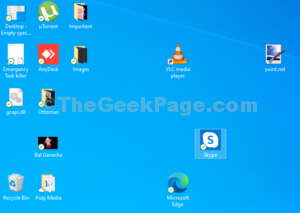
In the User Profiles window select the user profile you want to delete click on Delete button
Categories how to, Windows 10
Older posts
Newer posts
← Previous Page1 … Page14 Page15 Page16 Page17 Next →

Recent Posts

  • How to Fix Windows 11 RDP Keeps Disconnecting After 25H2/24H2 Update
  • How to Fix Windows Hello Not Accepting PIN Due to Keyboard/Shift Bug (Working Fix)
  • How to Fix Windows Hello PIN Not Working After Update
  • Claude Desktop No Longer Starts on Windows – Bug in Version 1.1.4173
  • Fix Windows Hello “Something Happened and Your PIN Isn’t Available” Error
  • How to Fix Windows 11 Widgets Not Working
  • How to Fix Xbox App Game Install Error 0x80073cf6 on Windows 11
  • How to Fix Windows Hello Fingerprint Not Working After Reboot in Windows 11
  • How to Fix Windows 11 Login Screen Not Showing Sign-In Options (PIN/Password Missing)
  • Copilot Pinning Itself in the Taskbar : How to Fix

Recommended

  • 101 Tech Tricks you don't know
  • Windows Run commands
  • Windows 10 Tips and Tricks
  • Windows Keyboard Shortcuts
  • How to Make Windows 10 Fast
© TheGeekPage 2026