Skip to content

The Geek Page

  • Windows 10
  • Windows 11
  • Android
  • iPhone
  • Authors

Madhuparna

I find passion in writing Tech articles around Windows PC and softwares

How to Set Apps or Files to Launch Automatically During Startup in Windows 10

Updated on: January 8, 2024 by Madhuparna
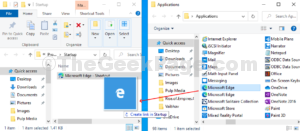
Drag and Drop shortcuts to Startup folder that you want to be launched automatically on Startup
Categories how to, Windows 10

How to Delete Cortana’s Search History in Windows 10?

Published on: April 4, 2020 by Madhuparna
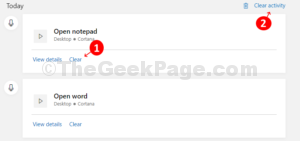
On the right click on the clear button under each activity or click on Clear history on upper right
Categories how to, Windows 10

How to make Windows 10 notifications duration longer

Published on: April 3, 2020 by Madhuparna
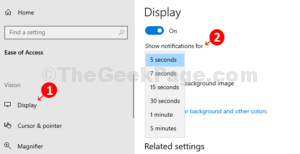
Ease of Access Display Show notifications for 1
Categories how to, Windows 10

How to Use Share Charm in Windows 10

Published on: April 2, 2020 by Madhuparna
Sahre it with any of the suggested apps available
Categories how to, Windows 10

Disable Low disk Space warning in windows 10

Published on: April 1, 2020 by Madhuparna
Double click on the new value change the Value Data to 1
Categories how to, Windows 10

How to set Windows 10 to Auto Change Time Zones Based on Location

Published on: April 1, 2020 by Madhuparna
Under Time and Language click on Date and Time on the left and then turn the slider on the right
Categories how to, Windows 10

How to Turn Off Search Suggestions in Microsoft Edge

Published on: April 1, 2020 by Madhuparna
In the next window turn the slider off next to Show me search and site suggestions using my typed characters 1
Categories how to, Windows 10

How to Unblock Adobe Flash Player in Google Chrome

Updated on: December 20, 2023 by Madhuparna
Click on the slider button nxt to Block sites from running Flash
Categories chrome, Windows 10

How to by default paste unformatted text in Microsoft Word

Updated on: January 4, 2024 by Madhuparna
Under Word options click on Advanced under cut copy and paste select Keep Text
Categories how to, Windows 10

How to Start, Stop or Restart Print Spooler in Windows 10 / 11

Updated on: September 6, 2025 by Madhuparna
Right click again on Spooler and click on Restart to restart Print Spooler service
Categories how to, Printer, Windows 10, Windows 11

How to Delete System Restore Points in Windows 10

Updated on: December 18, 2020 by Madhuparna
Enter the command ht enter and watch the creation time and shadow copy id
Categories how to, Windows 10

How to Remove User Profile in Windows 10 without Deleting the Account

Updated on: December 19, 2023 by Madhuparna
In the User Profiles window select the user profile you want to delete click on Delete button
Categories how to, Windows 10

Stay Connected to Internet in Sleep mode of Windows 10 / 11

Updated on: December 18, 2023 by Madhuparna
Find and expand Networking Connectivity in Standby and Enable both options
Categories how to, Windows 10

How to Hide Windows 10 Desktop Icons

Published on: March 27, 2020 by Madhuparna
Categories how to, Windows 10

How to change Windows Text Color in Windows 10/11

Updated on: February 3, 2023 by Madhuparna
Select the color of your choice and note the Red Green Blue value
Categories how to, Windows 10, Windows 11

Activate Automatic Registry Backup in Windows 10 PC

Published on: March 26, 2020 by Madhuparna
Name the DWORD Value and set the Value Data as 1
Categories how to, Windows 10

How to Set Your Windows 10 PC to Wake Up From Sleep Automatically

Updated on: November 17, 2020 by Madhuparna
Configure the power option to finally set the auto wake up
Categories how to, Windows 10

How to Bring back Missing Power Plans in Windows 10 / 11

Updated on: September 11, 2025 by Madhuparna
Reboot PC to restore the power plans
Categories Power Options, Windows 10, Windows 11

How to Know GPU and Graphics Card Model of your Windows 10 PC

Published on: March 25, 2020 by Madhuparna
Click on display tab under it view the Graphics card model
Categories how to, Windows 10

Get back Desktop Gadgets on Windows 10

Updated on: August 2, 2020 by Madhuparna
Click on Add Gadgets to open the gadgets page drag and drop gadgets 1
Categories how to, Windows 10

Turn off Auto Complete suggestions in File Explorer of Windows 10/11

Updated on: January 8, 2024 by Madhuparna
Name the new string value as AutoSuggest entter value as No
Categories how to, Windows 10, Windows 11
Older posts
Newer posts
← Previous Page1 … Page29 Page30 Page31 … Page38 Next →

Recent Posts

  • Local Security Authority Protection Is Off Warning – How to Fix
  • WSL Sudo Stopped Working on Windows 11 [Top Fixes]
  • Intel BE200 Wi-Fi 7 Keeps Dropping – 6 Fixes
  • Notepad Opening in New Windows Instead of Tabs – How to Fix
  • Fix Bluetooth Audio Stuttering in Chrome/Edge (Windows 11)
  • Fix Windows 11 25H2 Blank Screen & Cursor Freeze (NPU Bug) – How to Fix
  • Fix Windows 11 Voice Clarity Muffling in USB Microphones [Fixed]
  • Kerberos Event 4769 RC4 Failures – How to Fix
  • Custom Folder Icons Keep Resetting on Windows 11 – How to Fix
  • Capability Access Manager Eating 500GB storage on Windows 11 – Here’s the Fix

Recommended

  • 101 Tech Tricks you don't know
  • Windows Run commands
  • Windows 10 Tips and Tricks
  • Windows Keyboard Shortcuts
  • How to Make Windows 10 Fast
© TheGeekPage 2026