Skip to content

The Geek Page

  • Windows 10
  • Windows 11
  • Android
  • iPhone
  • Authors

How to

How to guide for technology related tips and tricks

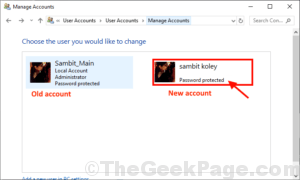
How to change already existing Administrative account in Windows 10

Updated on: August 11, 2020 by Sambit Koley
new account click
Categories How to, Windows 10

How to completely disable Windows resizing and snap in Windows 10

Published on: January 28, 2020 by Sambit Koley
Categories How to, Windows 10

How to show or hide Input Indicator and Language Bar in Windows 10

Published on: September 30, 2019 by Sanket Jha
Categories How to, Windows 10

How to Restart explorer.exe process in Windows 10

Published on: September 12, 2019 by Sanket Jha
Categories How to, Windows 10

How to change priority of WiFi Networks in Windows 10 / 11

Updated on: December 21, 2023 by Sanket Jha
Categories How to, Wi-Fi, Windows 10, Windows 11

How to use Sticky Notes – A complete guide

Updated on: December 30, 2021 by Zainab
Categories How to, Windows 10, Windows 11

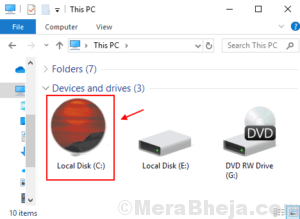
How to change the default Drive Icons with a different image in Windows 10/11

Updated on: March 1, 2023 by Zainab
sun icon 1
Categories How to, Windows 10, Windows 11

How to check use of disk space by Programs/Apps

Updated on: July 2, 2022 by Zainab
Categories How to, Windows 10

How to use Snip & Sketch App in Windows 10 – A complete Guide

Published on: September 4, 2019 by Zainab
Categories How to, Windows 10

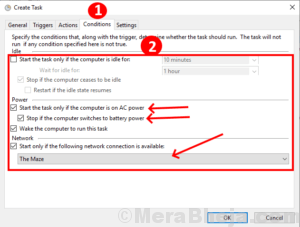
How to Create advanced tasks in Task Scheduler for windows 10

Updated on: September 1, 2019 by Zainab
11 conditions
Categories How to, Windows 10

How to restore your Firewall settings to default in Windows 10

Published on: August 29, 2019 by Zainab
Categories How to, Windows 10

How to change the size of Desktop Icons in Windows 10

Published on: August 28, 2019 by Zainab
Categories How to, Windows 10

How to use Focus Assist to deactivate Windows 10 notifications for specific time interval

Updated on: August 28, 2019 by Zainab
Categories How to, Windows 10

How to use Microsoft One Drive on Windows 10

Updated on: August 10, 2019 by Sai Nandini
sync 1
Categories How to, Windows 10

How to Fix PS4 controller not connecting problem

Published on: April 23, 2019 by Admin
Categories How to

How to Delete a Service Permanently in Windows 10

Updated on: January 8, 2024 by Admin
delete service from registry editor windows 10
Categories How to, Windows 10

Take Ownership of a File / Folder through Command Prompt in Windows 10/11

Updated on: September 22, 2021 by Admin
cmd ownership
Categories How to, Windows 10, Windows 11

How To Boost Weak WiFi Signal On Windows 10 , 11

Updated on: May 9, 2022 by Harshwardhan
wireless prformance max
Categories How to, Wi-Fi, Windows 10, Windows 11

How To Fix Slow Boot problem in Windows 10 / 11

Updated on: December 20, 2023 by Harshwardhan
choose what power button do Copy
Categories How to, Windows 10, Windows 11

Create pin prompt at startup in Windows 10

Published on: July 29, 2018 by karan
Account protection
Categories How to, Windows 10

How To Create Your Own Text To Speech Converter Using Notepad

Updated on: January 4, 2024 by The Dangling Pointer
5enterText 1
Categories How to, Tips, Windows 11
Older posts
Newer posts
← Previous Page1 … Page4 Page5 Page6 … Page18 Next →

Recent Posts

  • WSL2 Ignores Your wsl.conf Boot Commands – How to Fix
  • Windows 11 Won’t Let You Screenshot – Here’s the Fix.
  • Storage Spaces ‘Reduced Resiliency’ With Healthy Drives [Fixed]
  • The Real Reason Your Group Policy Changes Keep Reverting
  • Restored Hyper-V Virtual Machine Not Starting? 5 Fixes
  • VirtualBox Can’t Insert Virtual Optical Disk? 4 Fixes
  • M.2 SSD Not Showing Up in Windows 11? 5 Fixes
  • Auto HDR Looks Washed Out on Mini-LED? 4 Fixes
  • Office Not Opening After Update? 7 Fixes That Work
  • Antigravity IDE Not Opening on Windows 11? 3 Fixes

Recommended

  • 101 Tech Tricks you don't know
  • Windows Run commands
  • Windows 10 Tips and Tricks
  • Windows Keyboard Shortcuts
  • How to Make Windows 10 Fast
© TheGeekPage 2026