A service that logged in fine yesterday suddenly can’t. And your Security log is filling up with Event ID 4769 failures.
Dig into one and the ticket encryption type reads 0x17. That’s RC4. The old encryption Microsoft has been switching off. So the account is still asking for something the domain no longer hands out.
Why This Happens
Here’s the deal. Kerberos is how Windows domains prove who you are. It hands out tickets, and each ticket is locked with an encryption type.
For years the default was RC4. It’s old and weak, so Microsoft has been turning it off across recent updates. The safer replacement is AES.
But there’s a catch. If a service account was set up before AES was a thing, it might still only have RC4 keys. Once the domain stops accepting RC4? That account is locked out. Hence the 4769 with type 0x17.
And here’s the annoying twist. Ticking the AES box alone doesn’t generate the AES keys. The account’s password has to be cycled before those keys actually exist.
So the fix is really two moves. Give the account AES. Then force it to build the new keys. Let’s confirm the cause first, then work through it.
Fix 1 – Confirm It’s Really RC4
Don’t guess. Check that the failures are tied to RC4 before changing anything, so you’re fixing the right thing.
1 – On the domain controller, open PowerShell.
2 – Run this to pull the relevant events:
Get-WinEvent -LogName Security | Where-Object {$_.Id -eq 4769}
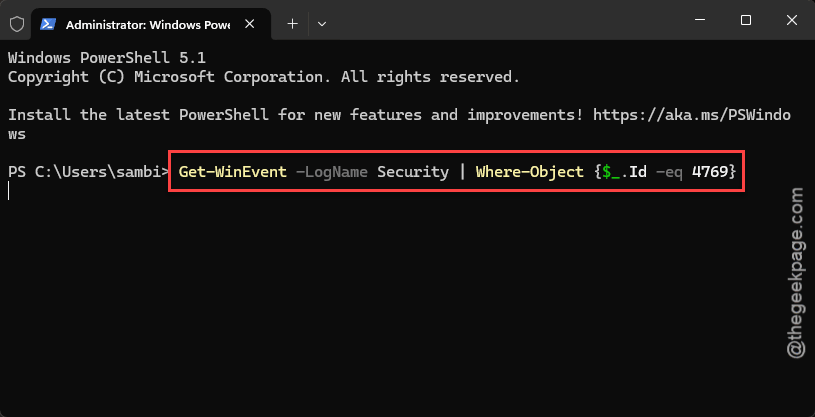
3 – Open a failed entry and look at the Ticket Encryption Type.
4 – A value of 0x17 means RC4. That confirms it. If you see 0x12, that’s AES256 and your problem is elsewhere.
Check if this works.
Fix 2 – Turn On AES for the Account
Now upgrade the service account so it’s allowed to use AES instead of the dead RC4 handshake.
1 – Open Active Directory Users and Computers.
2 – Find the service account that’s failing.
3 – Right-click it and choose Properties.
4 – Click the Account tab.
5 – Scroll down the Account options list and check This account supports Kerberos AES 256 bit encryption.
6 – Click Apply, then OK.
Fix 3 – Reset the Account Password
This is the step people skip, and then wonder why it’s still broken. Checking the AES box does nothing until the password is cycled — that’s what actually builds the new AES keys.
1 – Back in Active Directory Users and Computers, right-click the same account.
2 – Choose Reset Password.
3 – Type a new password. Make it a strong one, since service account passwords rarely change.
4 – Click OK to apply.
The account now has real AES keys, not just permission to use them.
Fix 4 – If a Service Runs Under That Account
Changed the password in Fix 3? Then any service using that account is now running with a password it doesn’t know. You have to feed it the new one, or it’ll fail to start.
1 – On the server running the failing service, press Windows + R, type services.msc, and press Enter.
2 – Find the failing service, right-click it, and choose Properties.
3 – Click the Log On tab at the top.
4 – Re-enter the new password in both boxes.
5 – Click Apply, then restart the service.
Fix 5 – Clear the Old Kerberos Tickets
Quick and important. The client might keep reusing a cached RC4 ticket even after everything else is fixed. Wipe them so it has to request fresh AES ones. Open Command Prompt as administrator and run klist purge. That empties the ticket cache. The next login pulls a brand-new ticket.
Fix 6 – Allow AES Domain-Wide in Group Policy
If AES was never explicitly enabled as an allowed type across the domain, tickets can still stumble. This policy makes sure both AES flavors are on the approved list.
1 – Open Group Policy Management by running gpmc.msc.
2 – Go to Computer Configuration, then Policies, then Windows Settings, then Security Settings, then Local Policies, then Security Options.
3 – Open Network security: Configure encryption types allowed for Kerberos.
4 – Check both AES128_HMAC_SHA1 and AES256_HMAC_SHA1.
5 – Click OK.
6 – Open an elevated command prompt and run gpupdate /force to push the change out now.
How to Prevent This
– Audit your service accounts for RC4-only reliance before Microsoft disables it, not after. Getting ahead of it saves the fire drill.
– Whenever you enable AES on an account, reset the password in the same sitting. The keys don’t exist until you do.
– Keep a list of which services run under which domain accounts. When a password changes, you’ll know exactly what to update.
– Roll out the Kerberos encryption Group Policy across the domain so new accounts get AES from day one.
People Also Ask
What does Event ID 4769 mean?
It’s a Kerberos service ticket request logged on your domain controller. A successful one is routine. A failure with Ticket Encryption Type 0x17 means an account tried to use RC4, the old encryption Microsoft is phasing out. That mismatch is what’s blocking the login.
How do I fix a Kerberos authentication error?
For the RC4 version: enable AES on the service account in Active Directory, then reset its password so the AES keys actually generate. Update any service running under that account with the new password, and run klist purge to clear stale tickets. That covers the whole chain.
How do I disable Kerberos RC4 encryption safely?
First make sure every account and service already supports AES, or you’ll lock things out. Enable AES on each account, cycle passwords, and confirm no more 0x17 tickets appear in your 4769 events. Only then restrict encryption to AES128 and AES256 in Group Policy.