Skip to content

The Geek Page

  • Windows 10
  • Windows 11
  • Android
  • iPhone
  • About

How to send files from PC to Phone via Bluetooth in windows 10

Updated on: July 11, 2020 by Admin
phone pc bluetooth
Categories How to, Windows 10

How to change start menu and taskbar color in windows 10

Updated on: March 25, 2021 by Admin
Categories How to, Windows 10

Turn on/off Transparency in start menu, taskbar of windows 10

Updated on: March 31, 2016 by Admin
Categories How to, Windows 10

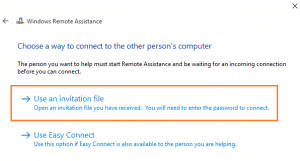
How to invite someone to remote assistance in Windows 10

Updated on: November 6, 2020 by Admin
use attachment invitation
Categories How to, Windows 10

10 Things you must disable in windows 10

Updated on: January 1, 2016 by Admin
hand 710667 640
Categories How to, Windows 10

How to trim videos using windows 10 Photos app

Updated on: September 7, 2019 by Admin
Categories How to, Windows 10

Shuffle windows 10 Desktop wallpaper every few minutes

Updated on: August 4, 2019 by Admin
Categories How to, Windows 10

How to End Process in Task Manager of Windows 10

Updated on: January 6, 2024 by Admin
Categories How to, Windows 10

How to disable apps running in background in windows 10

Updated on: December 18, 2015 by Admin
turn off background apps
Categories How to, Windows 10

Prevent windows 10/11 rebooting in sleep mode to install update

Updated on: December 19, 2023 by Admin

Categories Update, Windows 10, Windows 11

How to enlarge Thumbnail preview in windows 10 taskbar

Updated on: March 31, 2016 by Admin
thumbnail preview
Categories How to, Windows 10

How to place any icon on Taksbar : Windows 10

Updated on: August 17, 2016 by Admin
item taskbar 1
Categories How to, Windows 10

How to auto save Screenshots to Onedrive by Printscreen

Updated on: August 17, 2016 by Admin
onedrive
Categories How to, Windows 10

Solved ! Upgrade to Windows 10 Failed error

Updated on: March 31, 2016 by Admin
Categories How to, Windows 10

Top 10 Best Free video Cutting Softwares

Updated on: September 6, 2025 by Admin
cutting 150066 640
Categories Freeware

How to apply screensaver in Windows 10

Updated on: August 17, 2016 by Admin
screensaver
Categories How to, Windows 10

How to view internet data used in windows 10

Updated on: August 17, 2016 by Admin
Categories How to, Windows 10

How to create another user for your windows 10

Updated on: March 31, 2016 by Tarun
Categories Windows 10

How to revert to previous windows version from Windows 10

Updated on: December 18, 2015 by Tarun
Categories Random

How to disable flash in edge Browser

Updated on: March 31, 2016 by Admin
Categories edge

How to bring back missing preview of photos in windows 10

Updated on: June 4, 2021 by Admin
preview
Categories How to, Windows 10
Older posts
Newer posts
← Previous Page1 … Page349 Page350 Page351 … Page357 Next →

Recent Posts

  • Monster Hunter Wilds Fatal D3D Error (Device Removed / Device Hung)
  • Fix Borderlands 4 SHiFT Stuttering and Network Desync Error
  • ChatGPT App Stuck on a Spinner in Windows? 8 Fixes That Work
  • Fix Dune: Awakening Out of Video Memory Storm Crash
  • Fix Gears of War E-Day Error LowLevelFatalError and Xbox App Crash
  • Fix Ollama App Not Starting Server on Windows 11 (0.40.6)
  • Fix Open WebUI Tool Calling and Ollama Connection Bugs (Win11)
  • Fix USB Audio Interface Code 10 and No Sound (Windows 11)
  • Fix Domain Trust Relationship Lost on Windows 11 (Cred Guard)
  • Fix Black Screen and Explorer Crash on Virtual Desktops

Recommended

  • 101 Tech Tricks you don't know
  • Windows Run commands
  • Windows 10 Tips and Tricks
  • Windows Keyboard Shortcuts
  • How to Make Windows 10 Fast
© TheGeekPage 2026