A greyed-out Cocreator button looks like a broken app. Most of the time it’s a locked door. Paint checks something about you or your PC, doesn’t like the answer, and switches the button off. Classic Microsoft. You get no message and no hint about which check failed. Just grey.
Where This Comes From
Cocreator has more gatekeepers than a nightclub.
First, your account. Cocreator checks in with Microsoft’s cloud for credits, even when the drawing happens on your own PC. So a local Windows account gets nothing, and an expired sign-in gets the same treatment.
And then hardware. The newer Cocreator needs a Copilot+ PC with an NPU, which is a chip built for AI work. If the NPU’s driver crashes, or Windows puts it to sleep to save power, the feature goes dark. Ridiculous, but here we are.
But sometimes it’s none of that. You just have an old copy of Paint, because Windows ships with a version from before the AI features existed.
Fix 1 – Sign Out of Paint and Back In
Start here, even if you’re sure you are signed in. Sign-in tokens expire in the background.
1 – Open Paint.
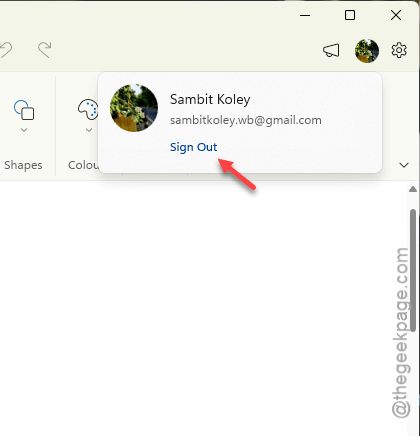
2 – Tap the profile icon in the top right corner of the window.
3 – Select Sign out.
4 – Close Paint completely.
5 – Open Paint again.
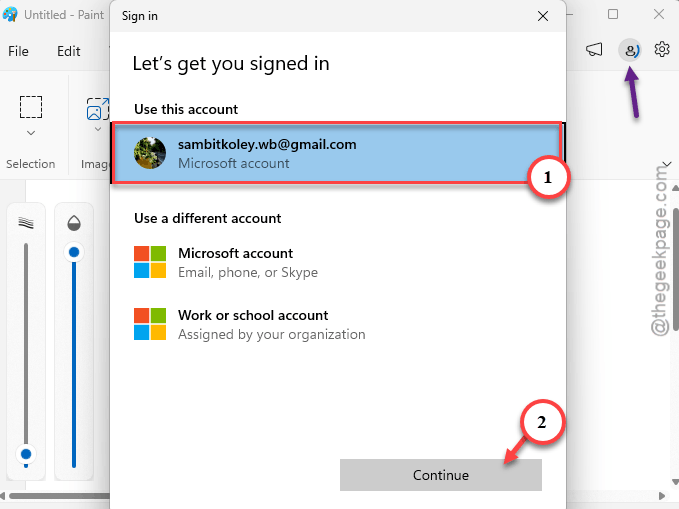
6 – Click the profile icon and select Sign in.
7 – Enter your Microsoft account details, if asked.
Using a local Windows account with no Microsoft account at all? That’s your answer right there. Cocreator will not work without one.
Fix 2 – Update Paint From the Microsoft Store
Windows comes with a plain old Paint. The AI version has to be pulled from the Store. And of course nothing tells you that.
1 – Open the Microsoft Store app.
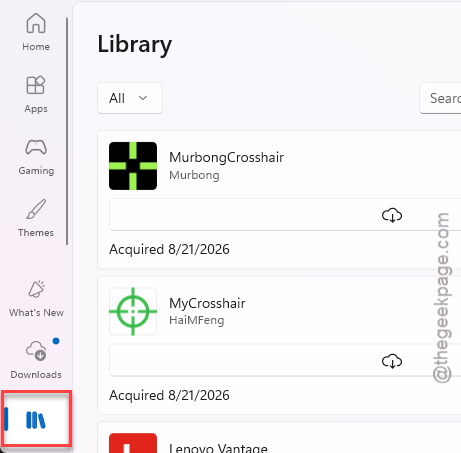
2 – Click Library in the bottom left corner.
3 – Click Get updates.
4 – Wait for Paint to finish updating.
The Co-creator feature is avaible on MS Paint version 11.2311 or higher.
Fix 3 – Set Your Region to United States
The region lock is the one that catches people outside the US. And it has nothing to do with where you actually are. Paint only reads a Windows setting.
1 – At first, press the Windows + I to open Settings.
2 – Go to the Time & language in the left sidebar.
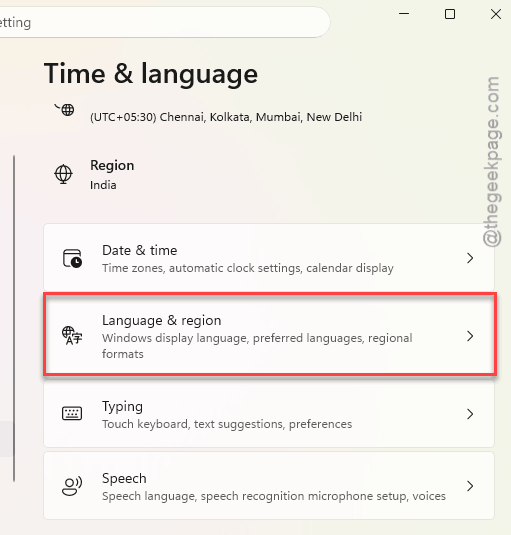
3 – Click Language & region.
4 – Under Region, open the Country or region drop-down and pick United States.
5 – Under Language, make sure English (United States) is installed.
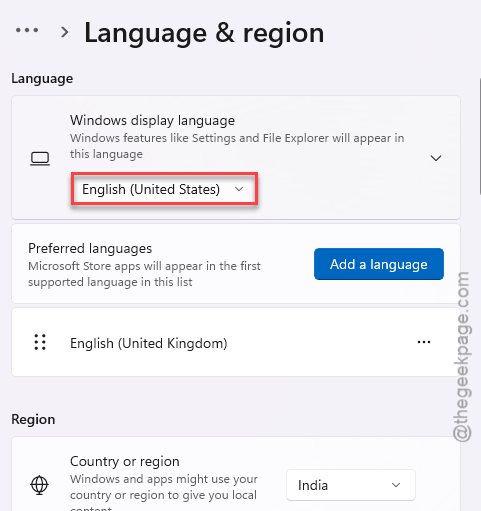
6 – Move it to the top of your preferred languages list.
7 – Restart your computer.
Open Paint afterwards. The button should be clickable now.
Funny detail: one user wanted Cocreator gone, set their region to an EU country, and it vanished. So yes, the switch works in both directions.
Fix 4 – Repair or Reset the Paint App
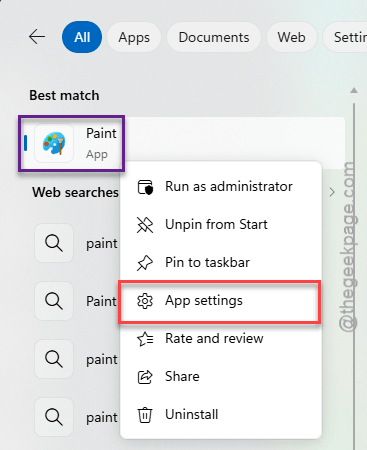
1 – Open the Start menu and type Paint.
2 – Right-click Paint in the results and select App settings.
3 – Scroll down to the Reset section.
4 – Click Repair.
5 – Open Paint and check the button.
6 – Repair keeps your app data, so try it first. Still grey? Go back and click Reset this time.
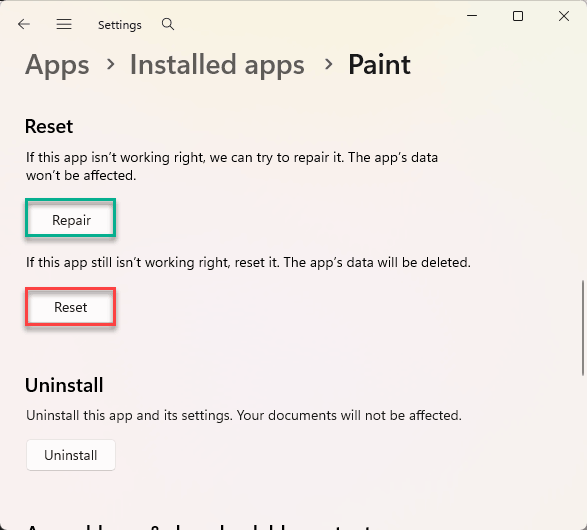
That one wipes Paint’s settings back to default (your saved pictures are not touched).
Fix 5 – Wake Up the NPU Driver
This one applies to Copilot+ PCs. If your machine has no NPU at all, skip to the last two fixes, because a standard PC shows the local Cocreator as unavailable no matter what you do here.
1 – Right-click the Start button and select Device Manager.
2 – Expand Neural processors. On some PCs the NPU sits under System devices instead.
3 – Find your NPU. It will be named something like Snapdragon Hexagon, Intel AI Boost, or AMD IPU.
4 – If it has a small black down-arrow on its icon, right-click it and select Enable device.
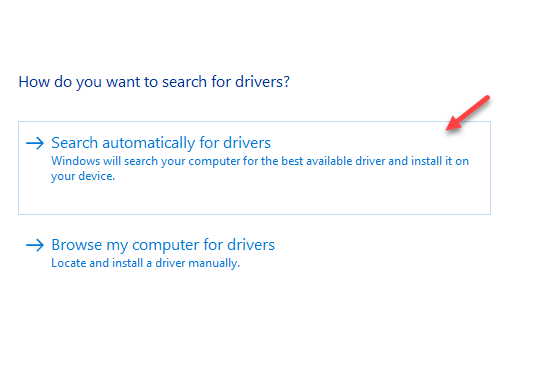
5 – If it is already enabled, right-click it and select Update driver.
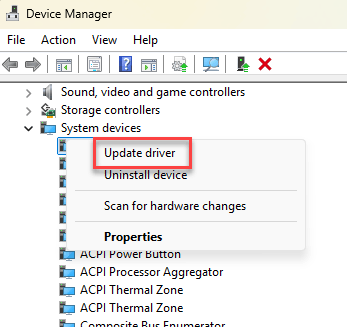
6 – Choose Search automatically for drivers.
7 – Restart your PC.
Fix 6 – Join the Release Preview Channel
Microsoft rolls features out slowly. Painfully slowly. Your PC can pass every check and still be waiting in line. So the Release Preview channel jumps you one build ahead, and it is the calmest of the Insider channels.
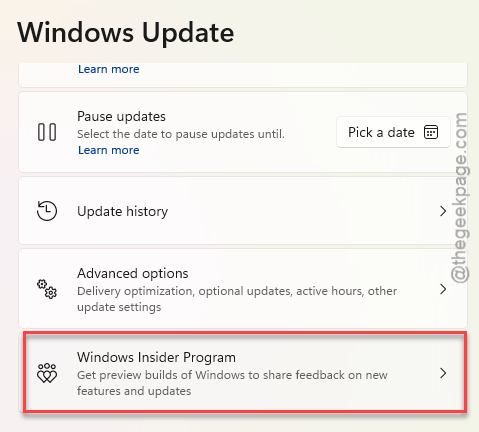
1 – Open Settings and go to Windows Update.
2 – Click Windows Insider Program.
3 – Click Get started and link your Microsoft account.
4 – Select the Release Preview channel.
5 – Go back to Windows Update and click Check for updates.
6 – Install the build it offers and restart.
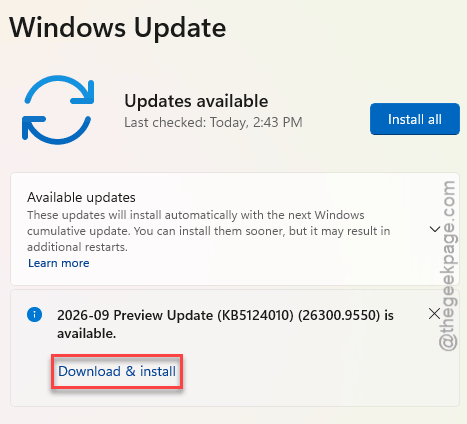
Then check Paint again (you can leave the Insider program later from the same page).
Fix 7 – Force the Button On With ViVeTool
Last one, and it’s unofficial. ViVeTool is a free community tool that flips hidden Windows feature switches. It gets around Microsoft’s staged rollout.
1 – Download ViVeTool from GitHub.
2 – You should extract it to this address:
C:\ViVeTool
3 – Press the Windows key, type cmd, right-click Command Prompt, and select Run as administrator.
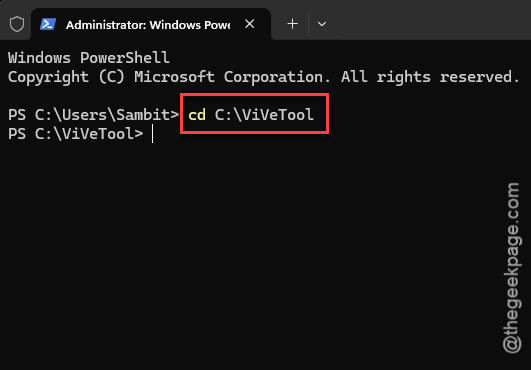
4 – Type this code, and press Enter.
cd C:\ViVeTool
5 – Later, type this code next, and press Enter.
vivetool /enable /id:47688503
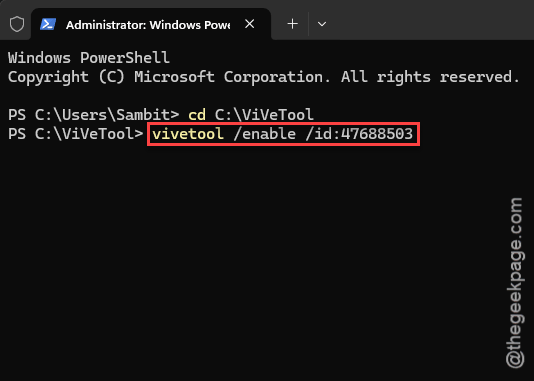
6 – Restart your PC.
But don’t expect miracles on unsupported hardware. The button may show up and still refuse to make anything.
Avoiding This Next Time
- Stay signed in to Paint with a Microsoft account. A local account will never get Cocreator. Period.
- Let the Store update your apps automatically, because Paint’s AI features arrive there and not through Windows Update.
- Changed your region for a game or a deal? Change it back, or the button goes grey again.
Quick Answers
Why is Cocreator greyed out in Paint?
Paint failed one of its checks. Usually it’s the sign-in, because Cocreator needs an active Microsoft account. The region is next. The feature is locked to certain countries and wants English as the main language. An outdated Paint or a sleeping NPU driver will grey it out too.
Does Paint Cocreator need a Copilot+ PC?
The current Cocreator does. It uses an NPU, a chip made for AI work, to process images on the PC itself. Standard PCs show it as greyed out or unavailable. And even on a Copilot+ PC, you still have to be signed in with a Microsoft account.
Does Cocreator work without a Microsoft account?
No. Cocreator checks your Microsoft account for cloud credits every time, even when the image is made on your own PC. A local Windows account can’t pass that check. Click the profile icon in the top right corner of Paint, choose Sign in, and restart the app afterwards.
Which regions support Paint Cocreator?
Microsoft limits Paint’s AI features to certain regions. The United States has full support, and the UK and Australia are on the list too.