If your Apple Watch is showing up this message ‘Too many Passcode Attempts’ message while tyring to reset the Apple Watch. Every Apple Watch users know that they can’t reset their Apple Watch without entering the correct Apple Watch passcode during the resetting process. But, if you mistakenly type too many wrong passcodes, it won’t let you reset the Apple Watch at all. Don’t worry. There are some solutions you can apply to input the correct passcode and reset the Apple Watch.
Fix 1 – Reset the Apple Watch while charging
The easiest and quickest resolution to this issue to put the Apple Watch on charge, and then, proceed to resetting the process.
Step 1 – At first, you must put the Apple Watch on charge.
Step 2 – While the Apple Watch is charging, press and hold the side button to go to the Power console.
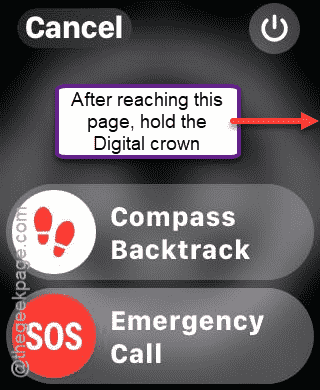
Step 3 – In the Power console page, tap and hold the digital crown button.
Step 4 – You will get to the Erase page. Tap the Reset button once.
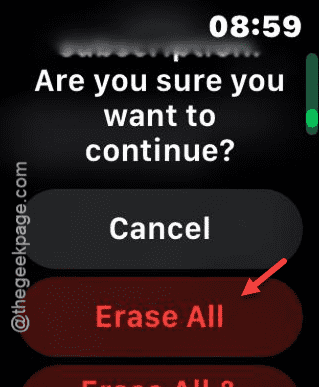
Step 5 – Next, tap the Reset option again to confirm the resetting step on the Apple Watch.
Step 6 – Once the Apple Watch is reset, use the iPhone to pair it up. Scan the Apple Watch with your iPhone when it asks you to do so.
This way, you can easily reset the Apple Watch without any issues.
Fix 2 – Reset the Apple Watch using the Watch app
Apart from the usual resetting procedure on the Apple Watch, you can reset the watch directly from the Watch app.
Step 1 – Load up the Watch app.
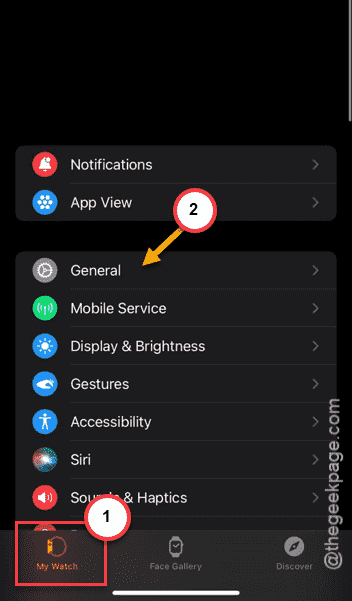
Step 2 – Now, proceed to the My Watch app.
Step 3 – Go to the General settings.
Step 4 – Later, scroll down to find the Reset settings and open it up from there.
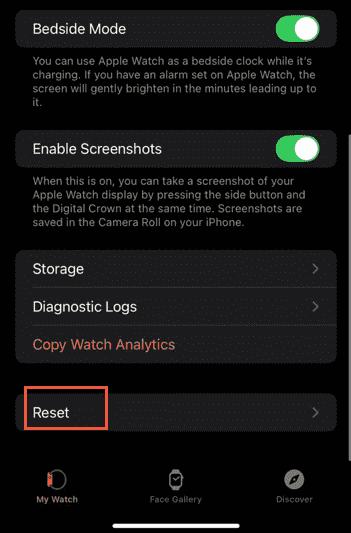
Step 5 – Then, tap the Erase Apple Watch Content and Settings option.
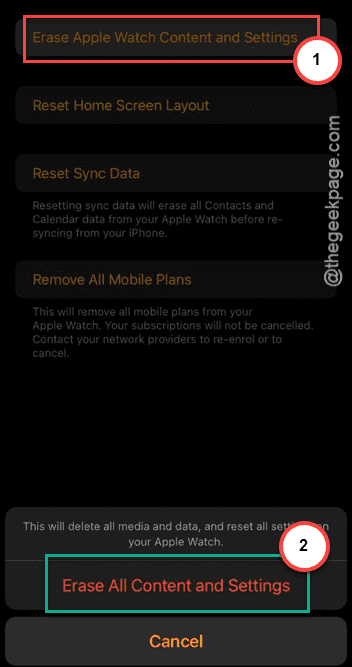
Now, follow the rest of the steps on screen and complete the resetting process.
Why I have to input passcode to reset Apple Watch?
Apple requires the user to input the 6-digit passcode while resetting Apple devices like, iPhone, Apple Watch. This security measure is applied on the devices to protect your data, prevention of theft. No one, without the knowledge of your passcode, can not erase and reset the Apple Watch or your iPhone. So, in case of any theft or other scenarios, your data is safe in your device. After executing the reset, Apple devices put themselves in an activation lock, which requires the user’s Apple ID and password to rule out any misuse.
What happens after 10 failed passcode attempts?
If someone continuously input wrong passcode consecutively 10 times, the device will be permanently locked and the data stored on the device becomes inaccessible. The only way to use the device is to erase all the data stored and reset it to factory settings. This is done to protect your device from theft or other breach of data incident.