Seeing this “Too many passcode attempts on Apple Watch” prompt on your Apple Watch and wondering how to fix it? The users who have faced this problem won’t be able to unlock their devices unless they fix the device first. The Apple Watch automatically prompts you to reset the device to use it. Here is the discussion that should let you know the reason for this issue, and it’s immediate remediation.
Why you are getting ‘Too many passcode attempts’ error message on your Apple Watch?
There is any provision of Face ID on your Apple Watch. The 4–digit passcode on the Apple Watch serves as the only sentry to keep away unauthorized interactions on the device. But, if the user or anyone else keeps on entering the wrong passcode on the device, it warns them with a timer. After the specified time period, you can re-enter the passcode.
But, if you exhaust all the attempts, the passcode error prompt shows up on the device, along with the option of resetting the watch. When you reach this particular step, there is no other way is left but to reset the Apple Watch.
Fix – Reset the watch
You have to reset your Apple Watch to the default settings. Doing this will remove all the watch data from the device.
NOTE – Resetting the watch means all the data on the device will be erased. Usually, the watch doesn’t hold any critical information that is not already synced through the iCloud.
Step 1 – Connect the Apple Watch to the charger.
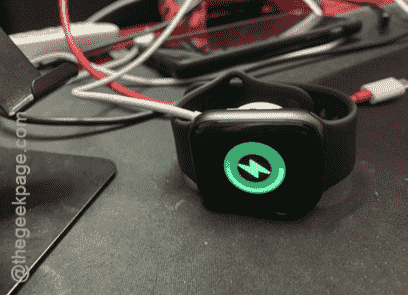
Step 2 – While it is charging, just hold down the side button on the watch.
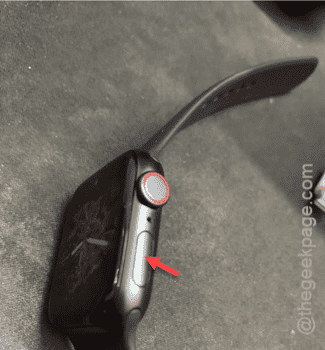
Step 3 – If you hold down to it, you will see the ‘Power off‘ console.
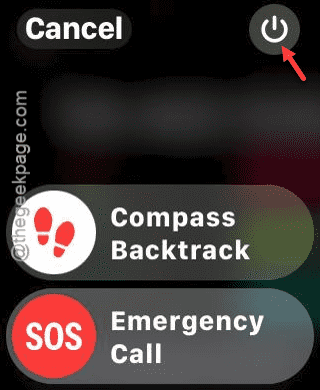
Step 4 – But this time, you have to press and hold down the crown on your watch.
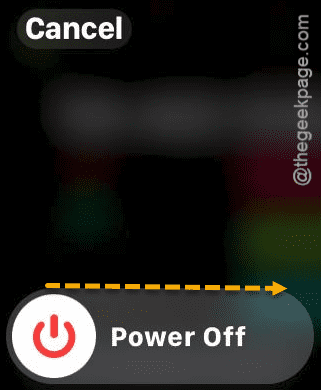
Step 5 – You will see the Reset option has appeared on the watch screen.
Step 6 – Scroll down through the Reset page and tap the “Erase” option there to erase everything on the watch.
This will initiate the resetting procedure on the watch. You have to reconfigure and set up the watch afresh once the resetting process is complete.
Just be careful while unlocking the Apple Watch and you won’t face this problem again.