Having problem with the dealer in Schedule 1? The weed selling game has become extremely popular among the gamers since it’s inception in the Steam store. But, there are some reports where the Dealer seems not to be in line with the user demands. This can ruin the entire gaming experience, as the dealer is the most powerful NPC in Schedule 1. These fixes will help you fix this problem.
Fix 1 – Kill the dealer
You can kill your existing dealer. The game’s AI follows this unique way, where if you kill the dealer and sleep the night off, Schedule 1 generates another dealer the following day. You can contact the new dealer the next day and continue with your progress.
This process doesn’t affect your existing inventory or progress. All of your ‘hard-earned’ stuff in the game remains constant.
Fix 2 – Wait for a new dealer inquiry
Some users have discovered this unique workaround for this problem.
Step 1 – In Schedule 1, you get messages or alerts from new dealer all the time.
Step 2 – The next time you get any such messages, assign them directly to the dealer.
Step 3 – Dealer will take it up automatically.
This way, your dealer will becomes operational once again.
Fix 3 – Clear Steam cache
Sometimes the existing Steam cache can cause this trouble.
Step 1 – At first, load up the Steam client.
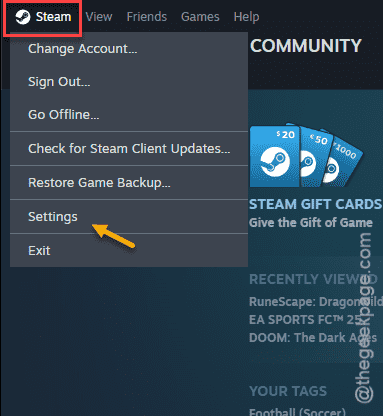
Step 2 – Next, tap the “Steam” on the menu-bar.
Step 3 – Later, tap the “Settings” from the same page.
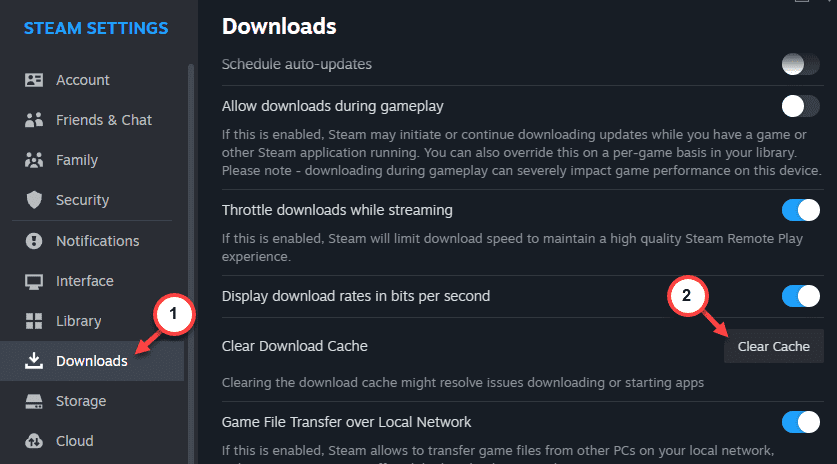
Step 4 – Go to the “Downloads” category.
Step 5 – Use the “Clear Download cache” option to clear the download cache.
After clearing the cache, retry playing the Schedule 1 once again.
Fix 4 – Find a potential new dealer
The game has a certain mechanism where potential new dealers always contact the gamer. You may find new potential dealers in the map.
Step 1 – In Schedule 1 game, tap the “M” button to load up the menu.
Step 2 – Find any new “Potential new dealers” on the map.
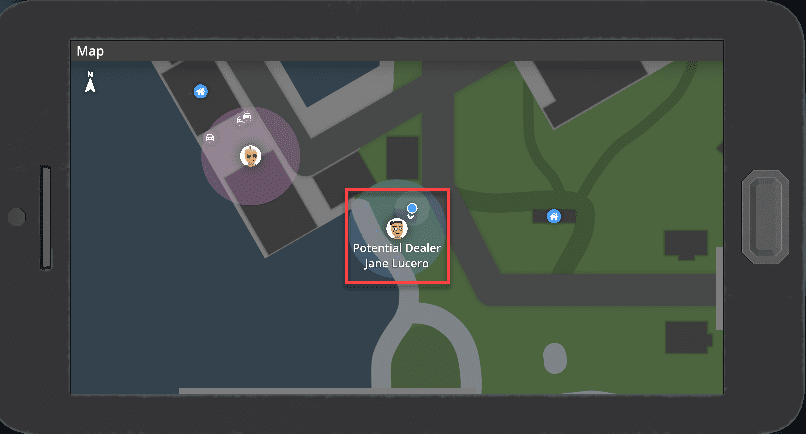
Step 3 – Reach out to the location of the new potential dealer.
Step 4 – You can now spend some to get a new dealer.
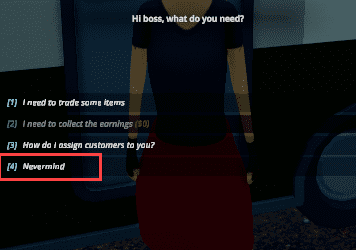
This way, you can get a new dealer and continue the game.
Fix 5 – Verify the game files
If you are playing Schedule 1 offline and facing problems with the dealer, this problem may arise.
Step 1 – Load up the Steam app.
Step 2 – Go to the “Library” panel.
Step 3 – Find “Schedule 1” in your library.
Step 4 – Right-click the game there and tap “Properties” tab.
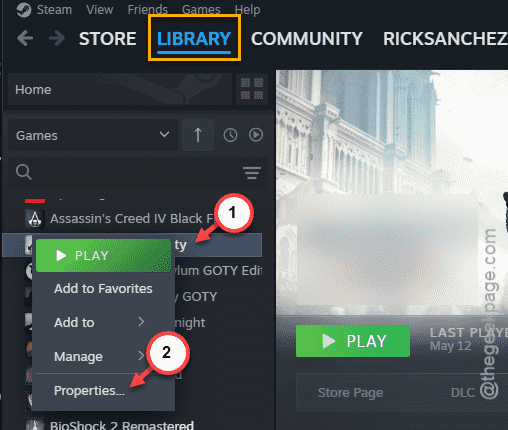
Step 5 – Go to the “Installed files” tab.
Step 6 – Use the “Verify integrity of game files” option.
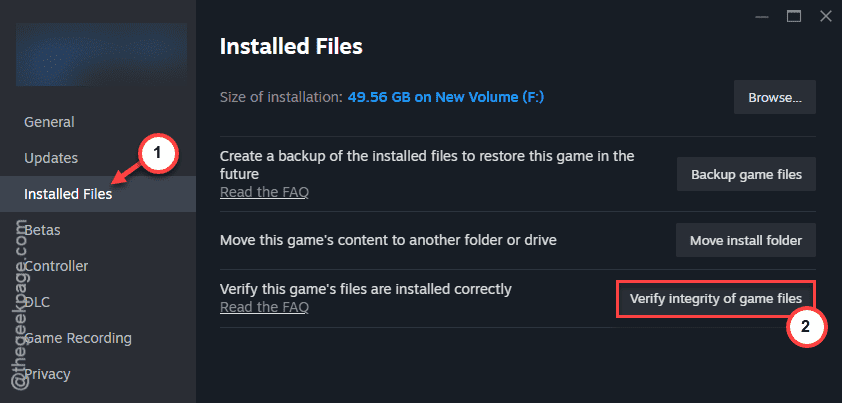
Wait until all the game files are properly verified. After this, you can just relaunch the Schedule 1 and play the game.
You won’t get any problem from the dealers in the game.