Does the red badge on your Apple Watch not disappearing from the device? The red badge on specific applications on your Apple Watch only appears if you have some unread messages on your device. Some users have found it quite distracting, while others have simply ignored this particular issue. If you also find it annoying and want to get rid of it, you have come to the right place. Here is the simplest explanation behind this oddity, followed by a perfect countermeasure that you can implement to fix the issue.
Why the red badges are not going away from apps on my Apple Watch?
The red badges on the Apple Watch is nothing but a simple notification symbol. If the user has any unread messages, this does show up directly on the top of the app icon on the watch. Though it allows the user to apprehend whether they are missing on any unread messages just from a simple glance at the watch screen, it can be quite distracting sometimes. Then there is the issue of ‘1 unread message’ on the watch, where it false flags an already seen message as an unread one.
The solution to this particular issue can be resolved with a very simple resolution. You can just read all those unread messages directly from your Apple Watch. This is the simplest solution if there are only a handful of unread messages for you. Otherwise, you can ask Siri to read all of your unread messages. Siri will read aloud all the unread messages and reduce the count eventually to nil. This way, the red badge next to the app icon will be gone from the Apple Watch in no time.
Fix 1 – Use Siri to read the unread messages
You may command Siri to read all the unread messages on your Apple Watch.
Step 1 – Just hold the digital crown on your Apple Watch until it invokes Siri on the watch.
Step 2 – Then, say this command to Siri ~
Hey Siri, read all my unread messages
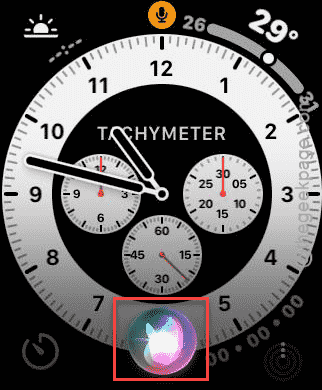
Now, Siri will start to read aloud all of your unread messages one-by-one. You don’t need to pay attention to it or hear all of them. Just keep the device aside and let it play!
This way, Siri will read out all of your unread messages from the watch. Once it is done, the red badge will disappear from your watch screen.
Fix 2 – Read the unread messages manually
But, if the Siri method fails, or you have just one or two unread messages, you can just manually go through them from your watch.
Step 1 – Load up the full list of app’s list on the watch. Open the Messages app in there.
Step 2 – Then, tap the arrow button to reach the main Messages section.
Step 3 – Tap the Unread Messages panel.

You will see the list of unread messages there.
Step 4 – Go through the entire list of messages and make sure there are no unread messages left in there.
Once you are done, the red badge issue with the unread messages will be fixed.
See if this works out for you.