Calls getting blocked on your iPhone automatically? There is a particular setting on your iPhone that can mute any incoming call from a number of unknown origin. But, apart from this particular settings, there are other modes where the incoming call can get blocked, and even at your unknowing. These solutions can fix the problem.
Fix 1 – Disable the Silence Unknown Callers feature
iPhone can silence all your calls if the dialer is not listed in your contact list.
Step 1 – Open the Settings. When you get to there, scroll down and click to open the “Phone” option.
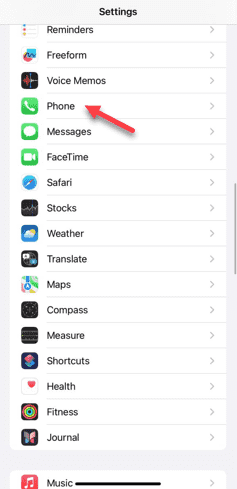
Step 2 – When you have opened the Phone settings, scroll down and find the “Silence Unknown Callers” option. Open it up.

Step 3 – You will find it turned on your iPhone. This feature does automatically silence all of your calls from unknown person.
Step 4 – You must turn this off.

Once you have disabled the feature, none of the phone calls will get automatically called off or silenced.
Ask someone to give you a mock call and see whether the call is getting blocked or not.
Fix 2 – Don’t put the phone in Focus Mode
There are some Focus Modes (like Do Not Disturb) that can auto-silence your calls. So, you should pause the Focus mode on your iPhone.
Step 1 – You can track the Focus Modes directly from the Control Center.
Step 2 – Just a simple swipe from the top of the display and the Control Center should appear.
Step 3 – In the Control Center, you will find the “Focus Mode” there.
Step 4 – If any of the focus modes are enabled, it will show up there. Simply, tap that to disable any effective focus mode in there.

Step 5 – Additionally, you may just hold the Focus mode button there to explore more Focus Mode options.
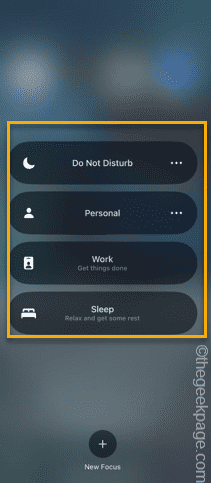
After you have disabled the focus mode, none of your phone calls will get blocked.