Mid-mission. Screen locks up. Audio loops. Then either the game crashes or your whole PC freezes and you have to force restart. Absolute nightmare.
Helldivers 2 has some nasty freezing issues on Windows 11. Mostly GPU-related. But there are solid fixes.
Why This Happens
In the most cases, this problem happens because the GPU driver is timing out. If the Timeout Detection and Recovery(TDR) feature of the GPU sometimes does not respond within a few seconds, Windows may kill the graphics driver. Game freezes. Sometimes the whole system locks up.
Uncapped frame rates make this worse. The GPU gets hammered, the driver stalls, and TDR kicks in. And corrupted shader caches from previous updates pile on top of that. Sometimes, the anti-cheat (GameGuard) occasionally conflicts with some of the Windows 11 security features, that may have caused this issue.
Fix 1 – Cap FPS to 60 in NVIDIA Control Panel
Setting the Helldivers 2 to run with unlimited FPS pushes the GPU way too hard. Capping it gives the driver breathing room.
Steps for NVIDIA users:
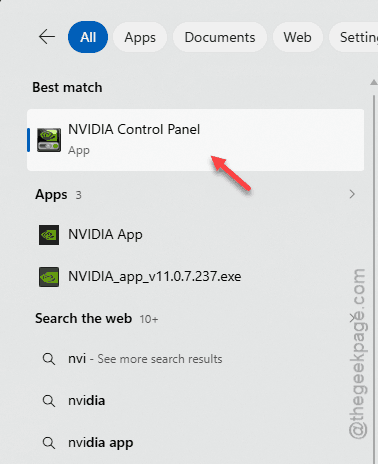
1 – At first, right-tap on the desktop and tap NVIDIA Control Panel. Use the search box to open it up.
2 – Go to 3D Settings on the left. Click Manage 3D Settings.
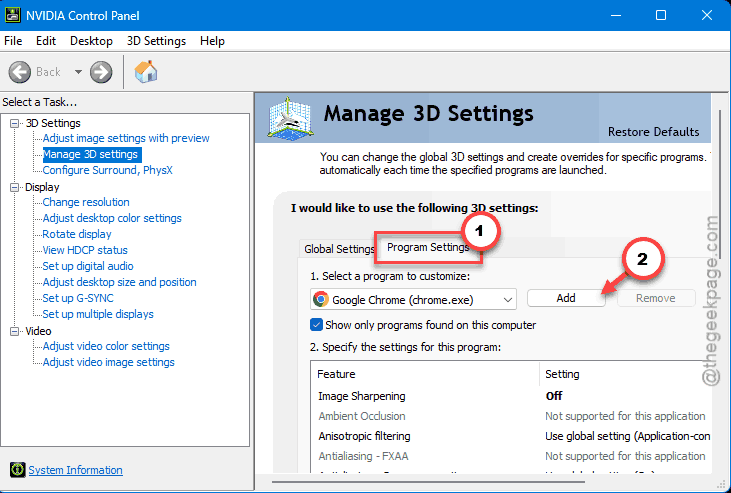
3 – Click the Program Settings tab at the top.
4 – Select Helldivers 2 from the dropdown. If it is not listed, click Add and find helldivers2.exe.
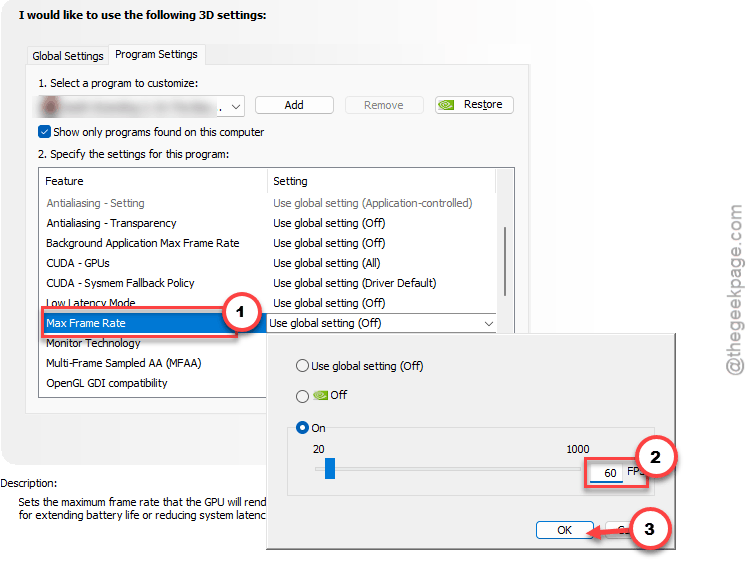
5 – Scroll down to Max Frame Rate.
6 – Now, set it to On. Input 60 in there.
7 – Tap Apply to save the changes.
Steps for AMD users:
1 – Open AMD Software: Adrenalin Edition.
2 – Go to the Gaming tab. Select Helldivers 2.
3 – Enable Radeon Chill.
4 – Set both Min and Max FPS to 60.
And if you do not want to rely on third-party tools, you can limit the FPS in the game instead.
Fix 2 – Increase the TDR Delay
This tells Windows to wait longer before killing the GPU driver. An old fix. Still works.
1 – Press Windows + R. Type regedit and press Enter.
2 – Go to this path in the left panel:
HKEY_LOCAL_MACHINE\SYSTEM\CurrentControlSet\Control\GraphicsDrivers
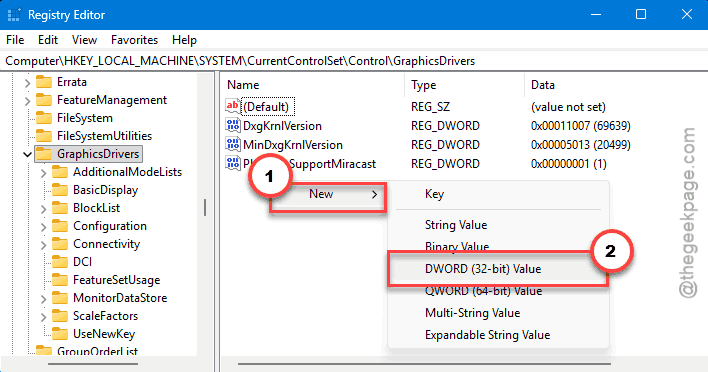
3 – Then, right-click on the empty space on the right side.
4 – Choose to select New and then DWORD (32-bit) Value.
5 – Name it TdrDelay.
6 – Double-click it. Set Value data to 10. Make sure Decimal is selected.
7 – Click OK.
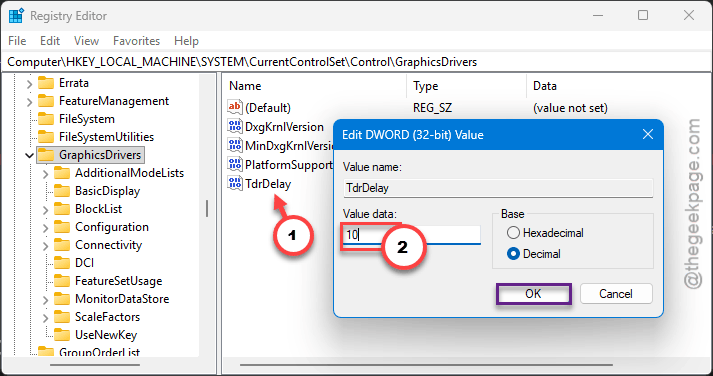
8 – Reboot your PC.
This provides the GPU 10 seconds instead of the regular timer. So temporary stalls will not trigger a full freeze anymore.
Fix 3 – Clear Shader and DirectX Cache
Corrupted caches cause random stutters that escalate into full freezes.
1 – Close Helldivers 2 completely.
2 – Open File Explorer. Go to %appdata%\Arrowhead\Helldivers2\shader_cache in the address bar.
3 – Delete everything inside.
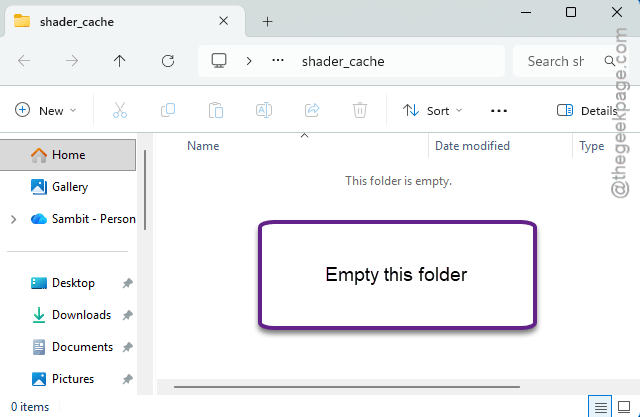
4 – Now clear the DirectX shader cache too. Open Settings (press Windows + I).
5 – Go to System, then Storage.
6 – Click Temporary Files.
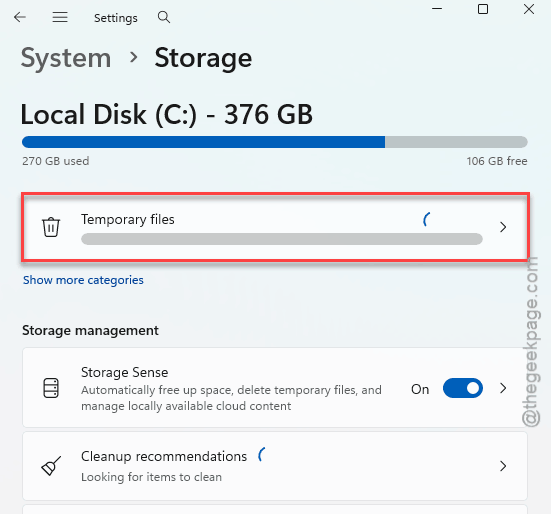
7 – Check the box next to DirectX Shader Cache.
8 – Click Remove.
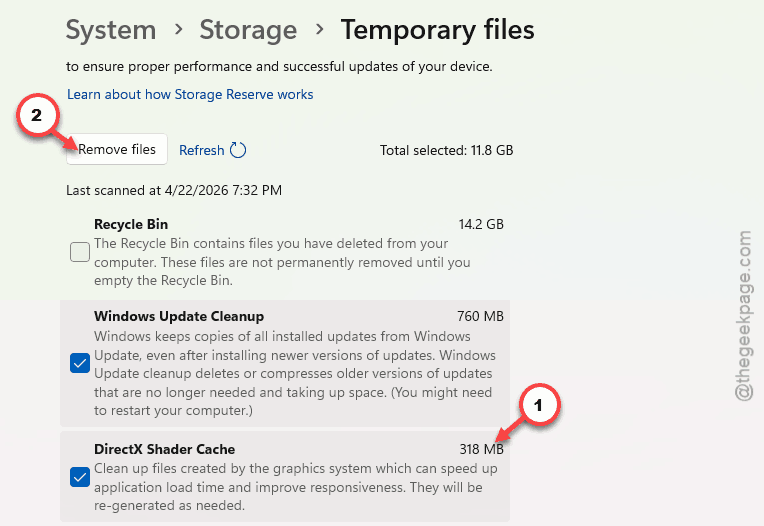
Both caches gone. Launch the game. First load will be slower — that is normal. But the freezing should stop.
Fix 4 – Reinstall the Anti-Cheat
GameGuard (the anti-cheat) can conflict with Windows 11 security. Reinstalling it clears out corrupted files.
1 – Open File Explorer.
2 – Go to your Steam library folder. Usually something like:
D:\SteamLibrary\steamapps\common\Helldivers 2\bin
3 – Delete the GameGuard folder inside bin.
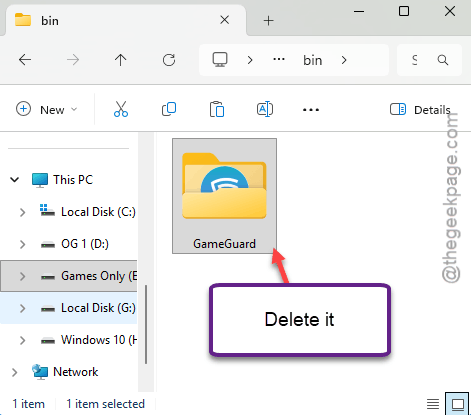
4 – Now go to:
D:\SteamLibrary\steamapps\common\Helldivers 2\tools
5 – Run gguninst.exe to fully uninstall GameGuard.
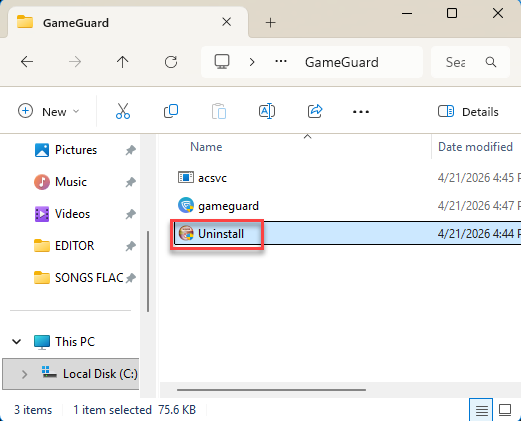
6 – Open Steam. Right-click Helldivers 2 and verify game files.
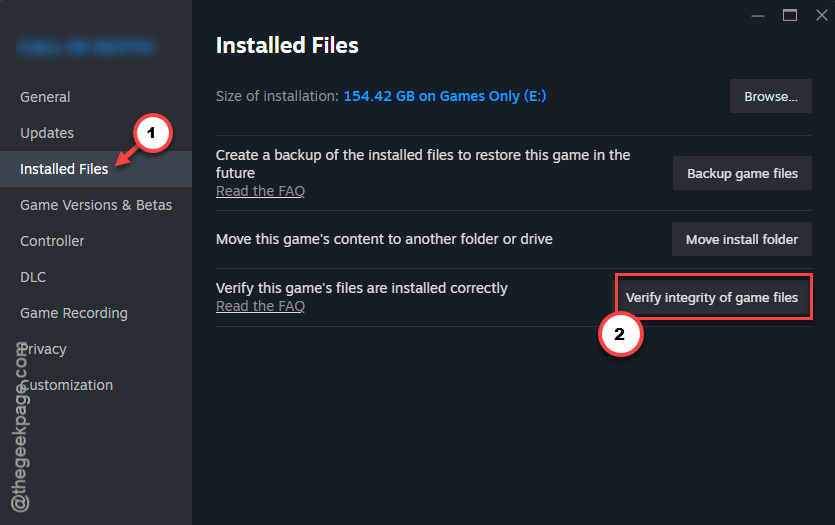
7 – Steam will redownload GameGuard fresh.
Fix 5 – Set Display Mode to Fullscreen
Borderless windowed mode causes more freezes than fullscreen. Switch it.
1 – Launch Helldivers 2.
2 – Open Options and go to Graphics.
3 – Set Display Mode to Fullscreen.
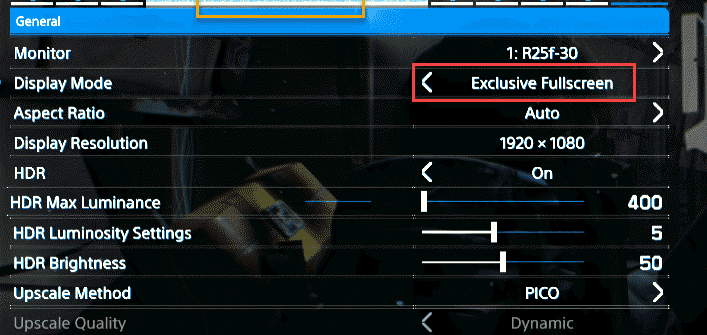
4 – While you are there, set Frame Rate Limit to 60.
5 – Turn VSync to Off.
Done. Fullscreen gives the game exclusive access to the GPU. Less competition from other apps means fewer freezes.
How to Prevent This
- Always cap FPS to 60 in this game. Uncapped is not worth the instability.
- Delete shader_cache after every game update. Prevents stale data from causing freezes.
- Keep GPU drivers current. Especially after major game patches.
- Use Fullscreen mode. Borderless windowed is more likely to trigger TDR timeouts.
People Also Ask
How do I fix Helldivers 2 freezing my PC?
Cap your FPS to 60 first. That stops the GPU from overloading. Then you have to delete the shader cache folder. This should help you fix the issue.
Why does my PC keep freezing when playing games in Windows 11?
Usually a GPU driver timeout. Windows terminates the driver if it the driver stalls for too long. You should not update the GPU drivers or limit the game’s FPS. If it still does not fix it, you can also increase the TDR delay in the system registry.
Why is Helldivers 2 so laggy all of a sudden?
Probably a corrupted shader cache from a recent update. Delete the shader_cache folder in AppData. Also check if your FPS is uncapped — set it to 60. And update your GPU drivers. That combo fixes it for most people.