Another new Windows feature, another way to crash File Explorer. This time it’s Share to Android. Typical.
You pick a file. You click Share and choose your phone. And Explorer freezes, flashes, and restarts. Your file goes nowhere.
Explorer isn’t really the one at fault. A small background app called Cross-Device Experience Host draws that Share window, and when its cache goes bad it drags Explorer down with it. A stale Phone Link sign-in does the same damage (the window waits on your phone forever, then Explorer times out). Not great.
Fix 1 – Reset Cross-Device Experience Host
Start with the app that draws the window. And don’t worry, a reset only clears that app’s own data.
1 – Press Windows + I to open Settings.
2 – Click Apps in the left sidebar.
3 – Click Installed apps.
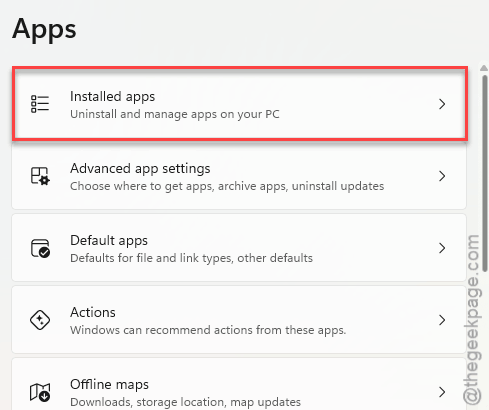
4 – Type ‘Cross-Device’ in the search box at the top.
5 – Click the three dots (⋯) next to Cross-Device Experience Host.
6 – Select Advanced options.
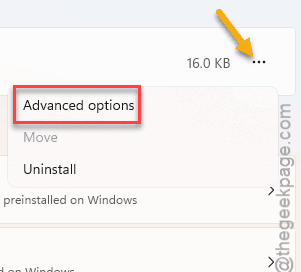
7 – Scroll down to the Reset section and click Reset.
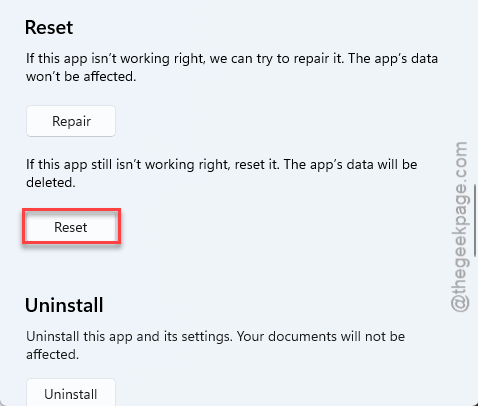
Wait for the checkmark next to the button. Then try sharing again.
Fix 2 – Re-Pair Your Phone in Phone Link
Old sign-in token. The Share window keeps waiting for a phone that never answers. So wipe the pairing and start fresh.
1 – Open the Phone Link app on your PC.
2 – Click the gear icon to open Settings.
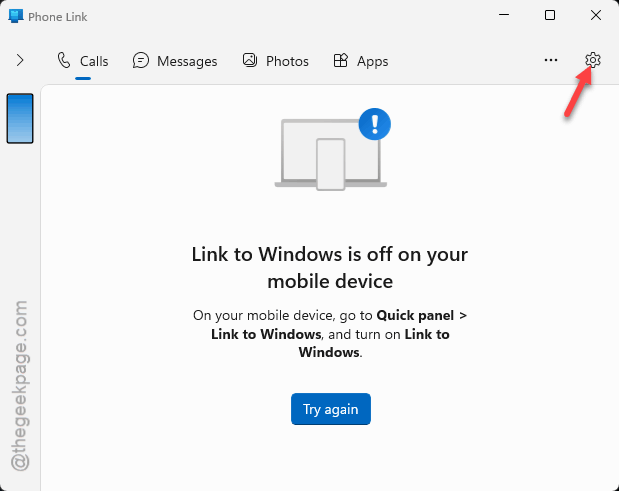
3 – Go to My Devices.
4 – Click the three dots next to your Android phone.
5 – Select Remove.
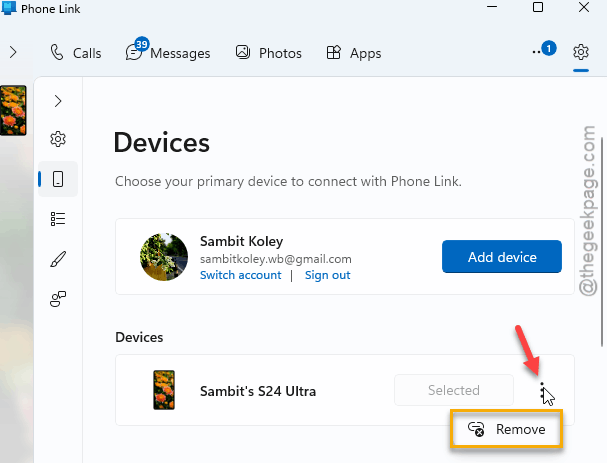
6 – Open the Link to Windows app on your phone.
7 – Scan the QR code shown on your PC to pair again.
Takes about two minutes.
Fix 3 – Turn Off Nearby Sharing for Now
The Share window scans for Bluetooth devices and Android phones at the same time. Sometimes the two scans trip over each other. So switch one off.
1 – Open Settings, click System settings.
2 – Go to the Share settings.
3 – Change it from Everyone nearby to Off.
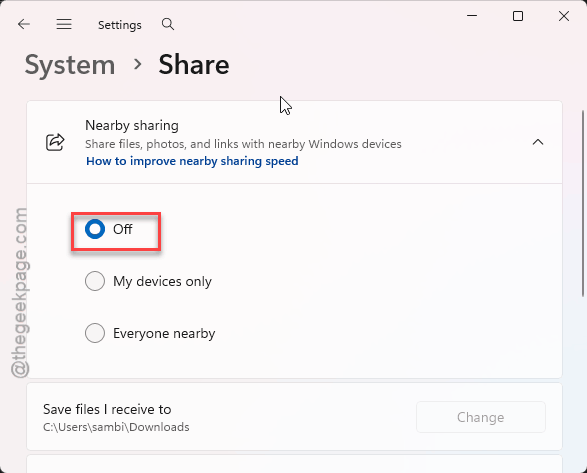
4 – Now try the Share to Android button again.
Worked? Leave it off (unless you actually send files to other PCs with it).
Fix 4 – Clear the Share History in the Registry
The Share window remembers your recent contacts and devices. If one of those entries is corrupted, the menu crashes the moment it tries to load.
That list lives in the registry (the settings database Windows runs on). So be careful in there, and delete only what these steps name.
1 – Press Windows + R.
2 – Type regedit and press Enter.
3 – Click Yes on the permission prompt.
4 – Paste this path into the address bar at the top and press Enter:
HKEY_CURRENT_USER\Software\Microsoft\Windows\CurrentVersion\Explorer\ShareUI
5 – Delete the subkeys and values inside the ShareUI folder. Do not delete the ShareUI folder itself.
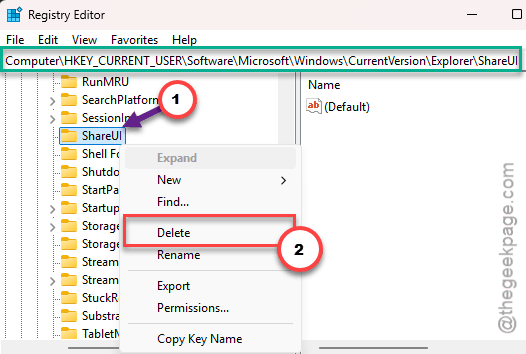
6 – Press Ctrl + Shift + Esc to open Task Manager.
7 – Right-click Windows Explorer in the list and select Restart.
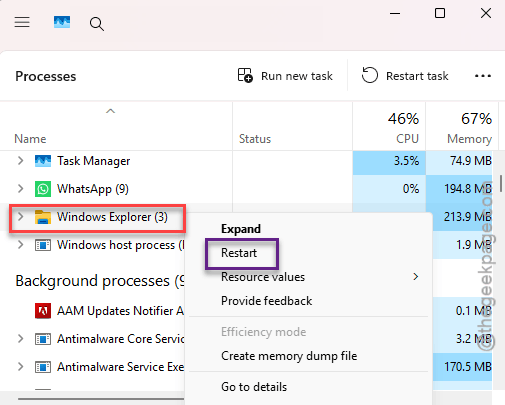
The taskbar blinks out for a second. Normal.
Fix 5 – Reinstall Phone Link With PowerShell
Nothing so far? Rip it out and put it back. Heavy-handed, but it rebuilds the phone pieces of the Share window.
1 – Right-click the Start button and select Terminal (Admin).
2 – Type this code, and press Enter.
Get-AppxPackage Microsoft.YourPhone -AllUsers | Remove-AppxPackage
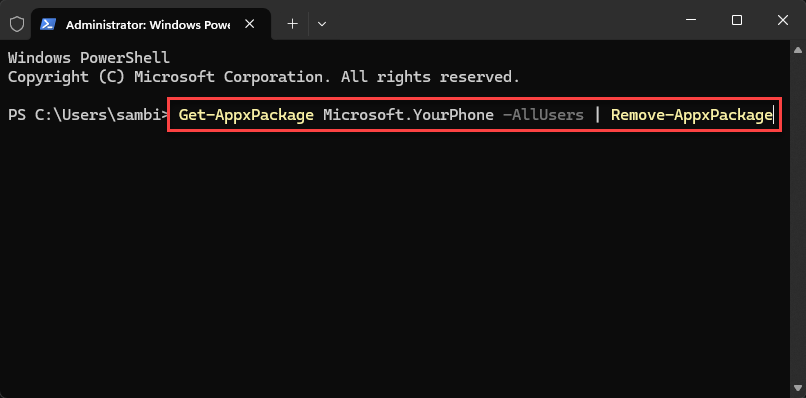
3 – Restart your computer.
4 – Open the Microsoft Store.
5 – Search for ‘Phone Link’ and install it again.
And you will need to pair your phone once more afterward, same as in Fix 2 (steps 6 and 7).
Keep It From Coming Back
- Keep Phone Link on your PC and Link to Windows on your phone updated. Old versions fall out of step.
- Swapped phones? Re-pair right away. Don’t wait for the crash.
- Never use Nearby sharing? Then leave it off. One less scan.
People Also Ask
Why does File Explorer crash when I share to Android?
It’s usually not Explorer’s fault. The Share window is drawn by a background app called Cross-Device Experience Host. When its cache is corrupted, or your Phone Link pairing has gone stale, the window hangs and Explorer restarts. Resetting that app under Settings, Apps, Installed apps is the first thing to try.
Will resetting Cross-Device Experience Host delete my files?
No. Reset only clears that app’s own data and cache. Your photos and documents stay right where they are. But you might have to pair your phone again afterward, which takes a couple of minutes in Phone Link.