You try to sign in. Instead of the PIN field: “Something happened and your PIN isn’t available. Click to set up your PIN again.” But that doesn’t work either. Corrupted Windows Hello state. Can lock you out completely if you don’t have a password backup.
Why This Happens
Basically? The NGC folder — where your PIN data lives — got corrupted. Could be a failed update. Could be a TPM issue. Could be a power loss during a credential write.
And there’s a registry value called DevicePasswordLessBuildVersion. When it’s set to 2, Windows hides the password option entirely. Only shows PIN. Which is now broken. So you’re stuck with no way in.
Frustrating. But fixable from recovery mode. So yeah.
Fix 1 – Use Recovery Mode to Fix the Registry
This brings back the password login from recovery.
1 – On the login screen, hold the Shift key on your keyboard.
2 – Click the Power icon in the bottom right.
3 – Click Restart (while still holding Shift).
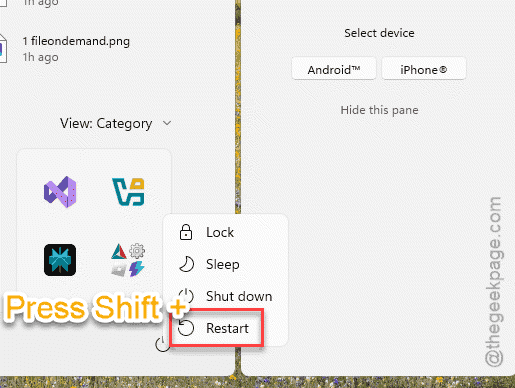
4 – Click Troubleshoot.
5 – Click Advanced options.
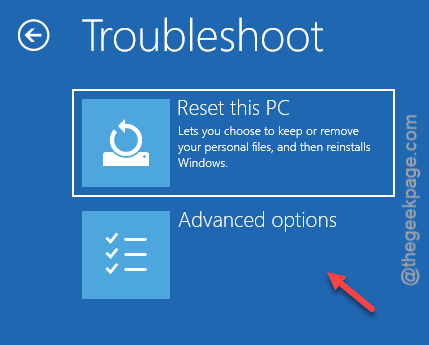
6 – Click Command Prompt.
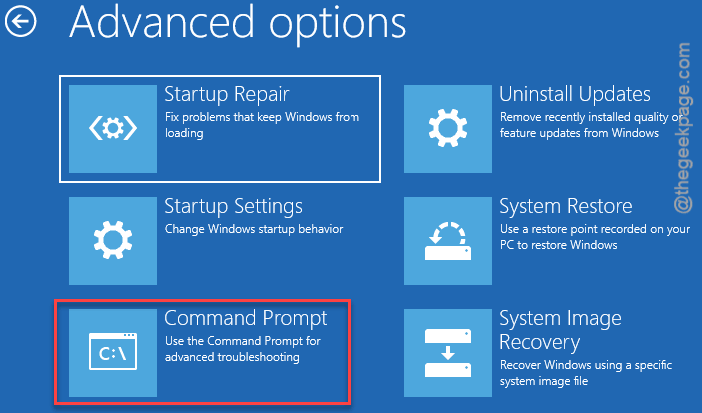
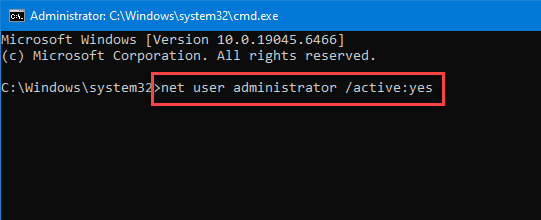
7 – Type this command and press Enter to enable the hidden admin account:
net user administrator /active:yes
8 – Type regedit and press Enter.
9 – In the left panel, click HKEY_LOCAL_MACHINE.
10 – Click File at the top menu.
11 – Click Load Hive.
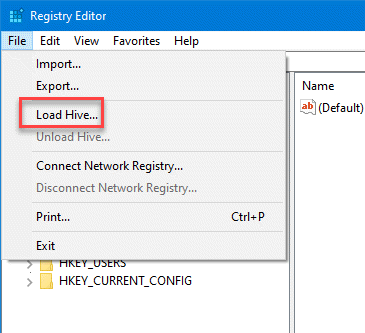
12 – Go to C:\Windows\System32\config\SOFTWARE and open it.
13 – When prompted for a name, type msoftware
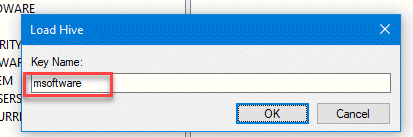
14 – In the left panel, go to:
HKEY_LOCAL_MACHINE\msoftware\Microsoft\Windows NT\CurrentVersion\Passwordless\Device
15 – On the right side, find DevicePasswordlessBuildVersion.
16 – Double-click it.
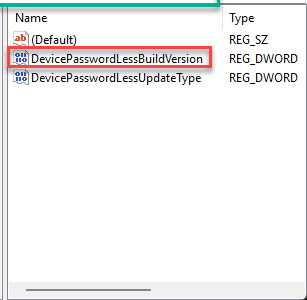
17 – Change the value from 2 to 0.
18 – Click OK.
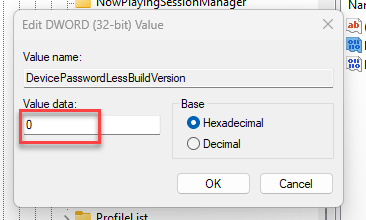
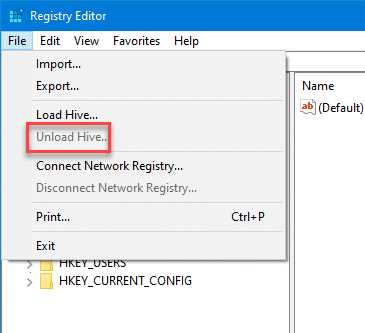
19 – Click File > Unload Hive.
20 – Close all windows.
21 – Click Continue to restart.
And now the password field should appear on the login screen. Sign in with your Microsoft account password. Then set up a new PIN.
Fix 2 – Delete the NGC Folder from Recovery
If changing the registry alone didn’t bring back sign-in options, also delete the corrupted PIN data.
1 – Boot into recovery again (Shift + click Restart from login screen).
2 – Open Command Prompt from Advanced Options.
3 – Type this command and press Enter:
icacls C:\Windows\ServiceProfiles\LocalService\AppData\Local\Microsoft\NGC /T /Q /C /RESET
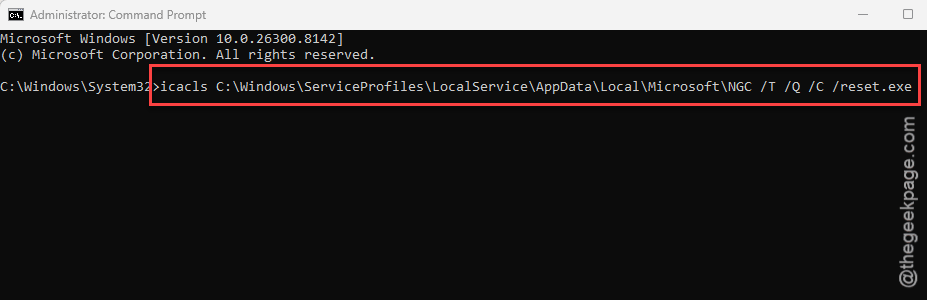
4 – Then type explorer.exe and press Enter to open File Explorer.
5 – Go to:
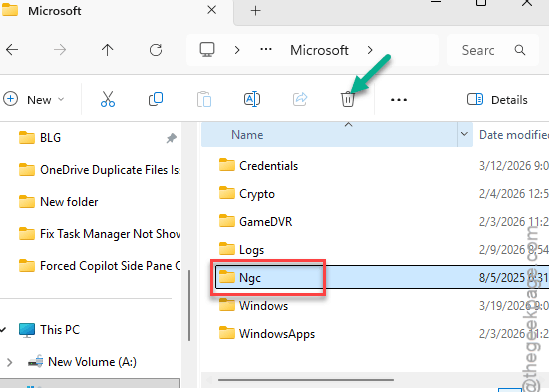
C:\Windows\ServiceProfiles\LocalService\AppData\Local\Microsoft\
6 – Delete the NGC folder.
7 – Restart.
Windows recreates NGC fresh. Sign in with your password. Set up a new PIN through Settings > Accounts > Sign-in options.
Fix 3 – Sign In with the Admin Account
If you enabled the admin account in Fix 1, you can use it to get in.
1 – On the login screen, look for Administrator in the bottom left corner.
2 – Click it.
3 – Sign in (no password by default).
4 – From the admin account, fix the registry and NGC folder using the steps above.
5 – After fixing, disable the admin account: open Command Prompt as admin and type:
net user administrator /active:no
How to Prevent This
- Always have your Microsoft account password memorized.
- Don’t let DevicePasswordLessBuildVersion stay at 2 without a working PIN.
- After updates, test your PIN before rebooting.
- Create a password reset disk or recovery USB.
People Also Ask
What does “Something happened and your PIN isn’t available” mean?
Usually means the NGC folder where Windows stores your PIN data got corrupted. Boot into recovery mode, delete the NGC folder, and change the DevicePasswordLessBuildVersion registry value to 0 so the password field appears. Then set up a new PIN.
How do I fix my PIN on Windows 11 if I can’t log in?
Hold Shift and click Power > Restart from the login screen to enter recovery mode. Open Command Prompt, reset NGC folder permissions with the icacls command, or delete the folder entirely. Change the PasswordLess registry value to 0. Restart and sign in with your password.
How do I reset my Windows Hello PIN?
Go to Settings > Accounts > Sign-in options. Under PIN (Windows Hello), click Remove, then Add to create a new one. If you can’t get in at all, use recovery mode to delete the NGC folder first, which clears the old corrupted PIN data.