Can’t find the ECG app on your Apple Watch? The ECG app shows up your heart rhythm directly, utilizing the electronic sensor data captured by the electrodes on the watch. There are certain scenarios like the lack of ECG sensor, region-based restrictions, where users may face problem finding the ECG app on their watch. Here is a more detailed troubleshooting guide for your help.
Fix 1 – Check the Age Limit before performing ECG
Apple prohibits users below age 22 from using the ECG app. This particular restriction is placed to avoid the miscalculation in heart rate rhythm in young individuals below the age of 22. So, if your Apple ID shows the age below 22, Apple Watch may not allow you to use the ECG App.
Even if you can use that, the result of the ECG app won’t be useful.
Fix 2 – Check your Apple Watch for ECG Sensor Compatibility
The ECG App, along with the custom electrical heart sensor on the Apple Watch, was first introduced in Apple Watch 4 back in 2018.
Step 1 – Confirm you are using Apple Watch 4 or later.
Step 2 – Next, whether you are not using Apple Watch SE, as they don’t support the ECG function.
If your watch does support the ECG function, go to the next solution.
Fix 3 – Check ECG App Feature Availability in your region
There are certain watchOS 26 (or former watchOS) features are not available for all the regions across the world. Though ECG App is available in almost all the regions, but there are some exceptions.
Step 1 – You can get the entire list of availability of ECG App based on region.
Step 2 – Check whether your country/region belongs to this list or not.
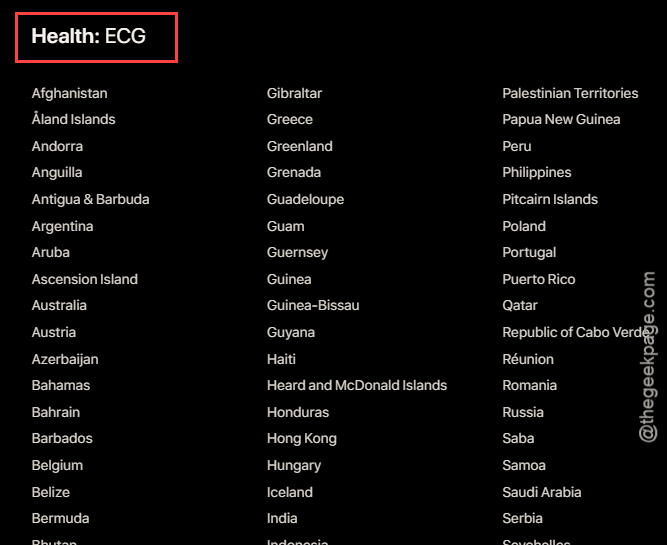
Step 3 – Keep in mind that several other ECG related services like, AFib History, Irregular Rhythm Notification is may also be restricted in your region.
If your region has the support for the ECG App and its related peripherals, you must look for the next solution to fix that.
Fix 4 – Reset all the iPhone Settings
If your Apple Watch supports ECG, but you can’t find the function there, a clean reset might help.
Step 1 – To do that, go to the iPhone Settings.
Step 2 – Next, go this way –
General > Transfer or reset iPhone
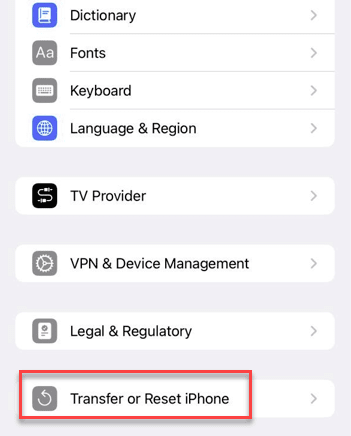
Step 3 – Tap the Reset All Settings option there.
Step 4 – After this, tap the Reset All Settings to confirm the resetting process.
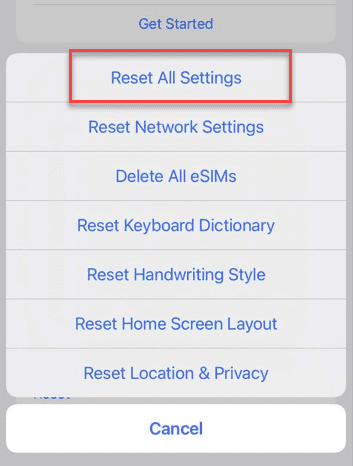
Resetting all the settings on iPhone do take a while. So, give it sometime, and it shall be complete within a few minutes. Try to find the ECG app and use it on the Apple Watch.
FAQs –
Here are some commonly asked questions for the users who are having problem finding the ECG app on their Apple Watch-
1. Why can’t I find the ECG app on my Apple Watch?
The ECG app is not intended for use for the users below 22 years old. However, ECG app feature is not available in all the countries or regions. Be sure to check whether the watchOS 26 allows ECG App or related features in your region from the Apple Feature availability page.
2. Is my Apple Watch compatible with the ECG App?
Apple Watch 4 or later models of the Apple Watch supports the ECG function natively. Other than the main series models, Apple Watch SE series does not have support of ECG App. Check your Apple Watch version to know you can use it for ECG purposes or not.