Another patch, another round of “thanks for the fixes, where did my frame pacing go.” Patch 1.13 was supposed to smooth Crimson Desert out. Instead, plenty of PCs picked up stuttering, freezing, and hitching that wasn’t there before. The game isn’t broken forever — a few toggles bring it back.
What Patch 1.13 Broke
The big one: VRR. The patch broke how the game scales with Variable Refresh Rate (the monitor tech that syncs refresh to your frame rate). So you stutter even at high FPS. Which is impressive, in the worst way. Stutter at 120 frames? That’s this bug.
Beyond that, shader files compiled before the patch clash with the new build. Ultrawide monitors lose their frame pacing after an alt-tab. And Bluetooth controllers poke the engine at just the wrong rhythm. Each gets its own fix below.
Fix 1 – Turn Off VRR and Hardware-Accelerated GPU Scheduling
1 – Press Windows + I to open Settings.
2 – Go to System, then Display.
3 – Click Graphics.
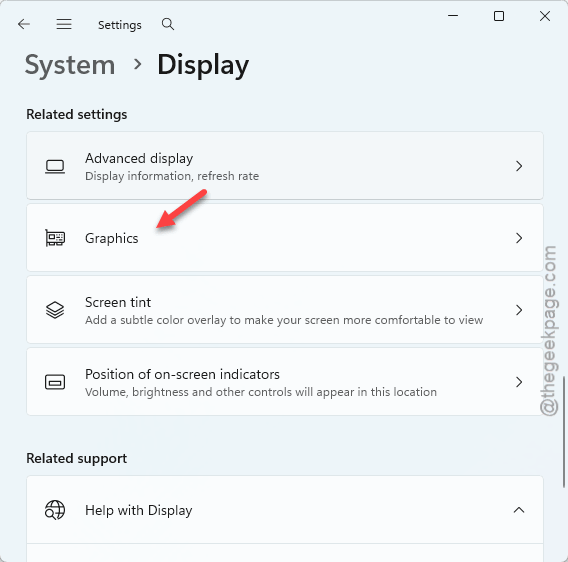
4 – Click Advanced graphics settings (some builds call it Change default graphics settings).
5 – Toggle Variable refresh rate off.
6 – Toggle Hardware-accelerated GPU scheduling off as well.
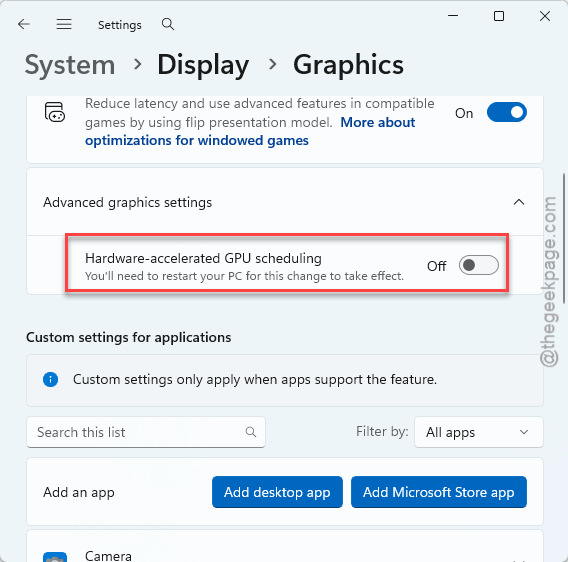
7 – Restart your PC and launch the game.
Yes, VRR is half the reason you bought that monitor. Turn it back on once a future patch repairs the scaling — this is a 1.13 problem, not a forever problem.
Fix 2 – Delete the Old Shader Caches
Shaders compiled under the old build stutter under the new one. So wipe them and let the game rebuild fresh — players report the stutter completely gone after doing exactly this and restarting.
1 – Press Windows + R, type %localappdata%, and press Enter.
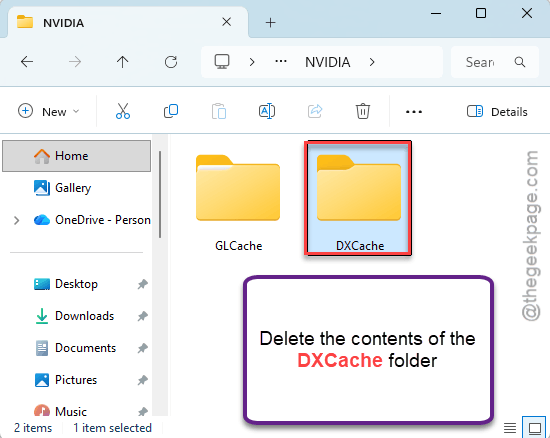
2 – Open the NVIDIA folder, then DXCache.
3 – Select everything inside (press Ctrl + A) and delete it.
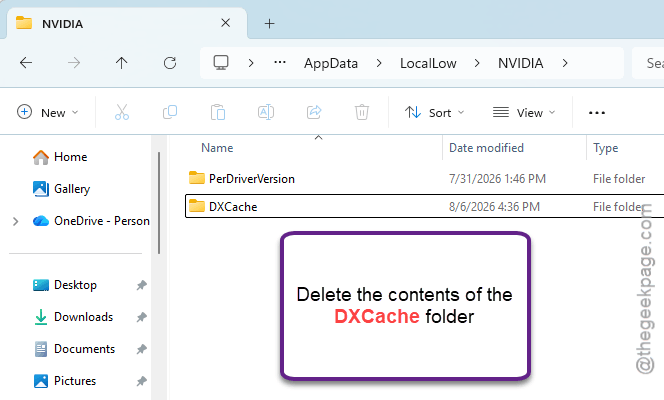
4 – Click AppData in File Explorer’s address bar, then open LocalLow > NVIDIA > DXCache. Delete the contents there too, if there are any.
5 – Go to C:\Program Files (x86)\Steam\steamapps and open the shadercache folder. Delete its contents.
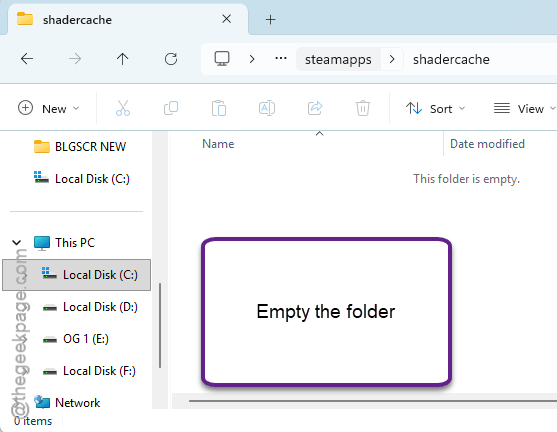
6 – Restart your PC and launch the game.
The first launch runs rough while shaders rebuild (a few minutes of choppiness). That’s the rebuild, not the bug. And then it settles.
Fix 3 – Step-Scale Your Resolution Back Up
Ultrawide monitor, and you alt-tabbed recently? The backend resolution breaks quietly. And frame pacing goes with it.
1 – In the game’s graphics settings, drop the resolution to 1920×1080 and set the display mode to Windowed.
2 – Apply the change.
3 – Switch the display mode to Full Screen.
4 – Raise the resolution one step at a time, applying each change, until you’re back at your native resolution.
Tedious? Absolutely. But it rebuilds the frame pacing properly. So alt-tab less while 1.13 is current, or make peace with the ritual.
Fix 4 – Plug the Controller In
Quick one. Bluetooth controller polling hitches the 1.13 engine, and a cable bypasses the whole mess.
1 – Open Settings, go to Bluetooth & devices, and disconnect your controller.
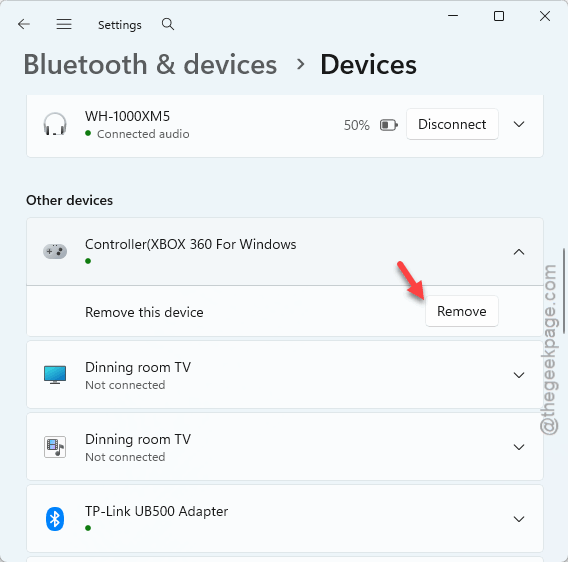
2 – Turn the controller off.
3 – Plug it into the PC with a USB data cable.
4 – Launch the game and check for hitches.
So keep it wired until a patch note says otherwise. Charge-and-play beats stutter-and-pray.
Fix 5 – Cycle DLSS and Ray Reconstruction
The upscaling pipeline hangs onto a micro-stutter cache. Resetting it flushes the junk out.
1 – In the game’s graphics settings, turn DLSS and Ray Reconstruction off entirely.
2 – Switch the display mode to Borderless at 1080p and apply.
3 – Switch back to Fullscreen at your native resolution.
4 – Turn DLSS and Ray Reconstruction back on.
Sounds like a rain dance. It kind of is. But it resets the upscaling pipeline, and it works.
People Also Ask
Why is Crimson Desert stuttering on my PC?
Patch 1.13 broke the game’s Variable Refresh Rate scaling, which causes stutter regardless of frame rate. Old pre-patch shader caches and Bluetooth controller polling pile on. Turning VRR off in Windows graphics settings and wiping the shader caches clears it for most players.
Is Crimson Desert’s stuttering fixed yet?
Not at the engine level — 1.13 introduced the VRR bug and it’s still present. The workarounds hold up well, though: VRR off, fresh shader caches, wired controller. Keep an eye on the next patch notes before switching VRR back on.