Having some problems with the CarPlay on your new iPhone 17 series? There are multiple reports pouring in from Reddit threads, Apple Community posts where the iPhone 17 users are having issues with the CarPlay and Wi-Fi problems. While the problem can originate from any local issues, it seems the primary reasons in this case are the bugs in the iOS 26 and Bluetooth connection issues with the Apple Watch. Here are some fixes that should help you resolve this problem.
Fix 1 – Install the Latest Patch of iOS 26
Get the latest version of the iOS 26 installed on your iPhone to fix this issue.
Step 1 – Proceed to the iPhone Settings. Next, load up the General section.
Step 2 – Then, go to the Software Update part.
Step 3 – Install the latest iteration of iOS 26 available for your device.
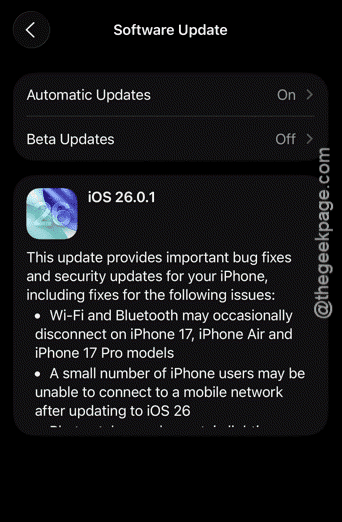
There is a high chance that this bug fix update should take care of the CarPlay issue that you are having on iOS 26 on iPhone 17.
Fix 2 – Disconnect and Remove the VPN
Usage of VPN may lead to some connectivity issues in Apple CarPlay.
Step 1 – Open the iPhone Settings. You will find the VPN & Device Management settings in the General section.
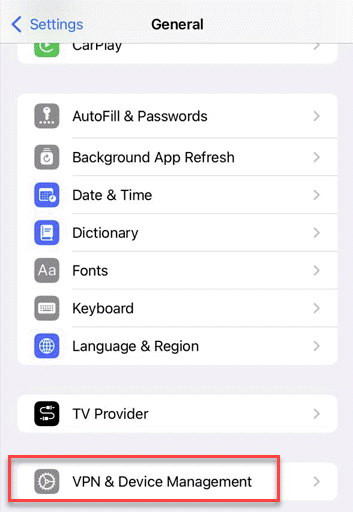
Step 2 – Open the VPN settings, next.
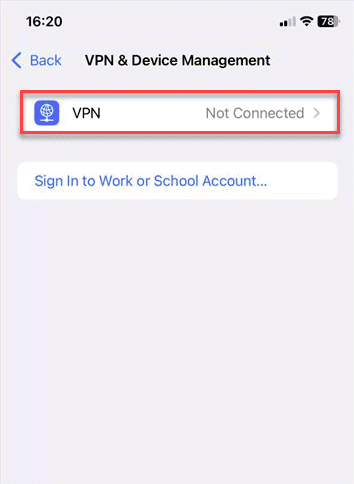
Step 3 – If your iPhone is already connected through a VPN, disconnect it.
Step 4 – Disable the VPN completely, and remove it, if needed.
After disabling the VPN services, try using CarPlay again.
Fix 3 – Remove unnecessary device pairing in CarPlay
While setting up and using the CarPlay using iPhone 17, refrain from connecting your Apple Watch via Bluetooth to your iPhone. This occurrence has been reported by many iPhone 17 users where the CarPlay is working just fine while the users are not using the Apple Watch alongside it.
Step 1 – Turn off the Bluetooth function on the Apple Watch. Tap the crown button once and go reach the Settings page on Apple Watch.
Step 2 – Find the Bluetooth function on the Apple Watch and disable it from there.
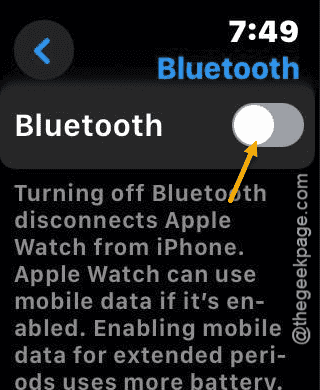
Step 3 – Now, get into your car and the CarPlay should be activated normally.
Just don’t use the Bluetooth functionality of the Apple Watch while you are driving. The CarPlay should work just fine.
Why the CarPlay is not working with iPhone 17?
CarPlay works an extended part of your iPhone when you are inside your car. But, if the CarPlay system is not working with your iPhone 17, it can due to various factors such as temporary iOS 26 bugs, Wi-Fi or Bluetooth disconnection. However, according to the recent reports, this is a problem linked to some bugs in the first stable build of iOS 26. Apple has already rolled out the iOS 26.0.1 patch to fix it.