Can’t see the videos on your iPhone? Normally, you should not have any problem playing videos on your device. But, a handful of users have faced this problem. So, if you are getting any lag or jittering issues while playing videos on the iPhone, you can troubleshoot it following these extensive list of solutions.
Fix 1 – Turn off the Content Restrictions
The Content Restrictions can restrict the video from playing on your iPhone.
Step 1 – Open the Settings page on the iPhone.
Step 2 – Then, tap the “Screen Time” panel.
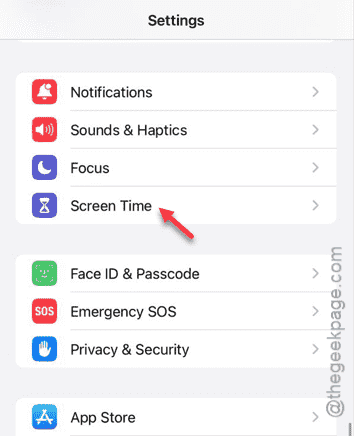
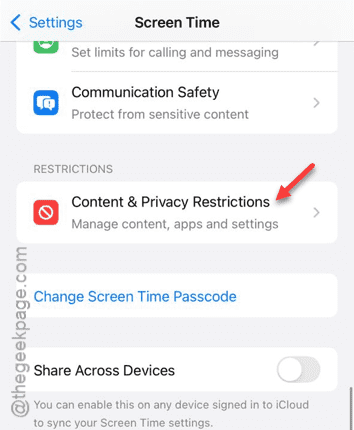
Step 3 – Thereafter, open the “Content Privacy & Restriction ” option.
Step 4 – Turn off the “Content & Privacy Restrictions” module.
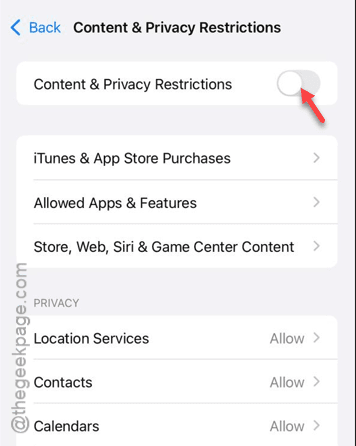
You may have to input your Apple Passcode there to verify it.
After disabling the restrictions, you can play the videos.
Fix 2 – Download Photos locally
Download the Photos and videos locally.
Step 1 – Open the Settings and reach the “Apps” tab.
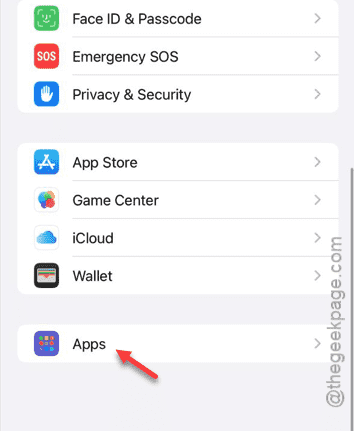
Step 2 – Tap the “Photos” application.
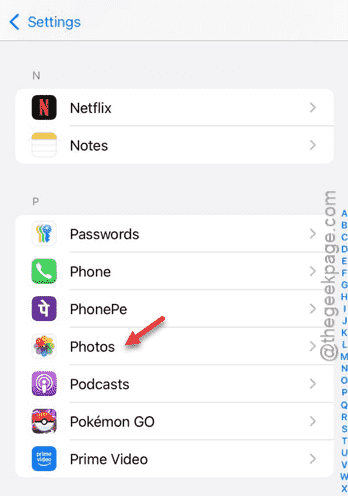
Step 3 – In the Photos app, choose the “Download and Keep Original” option.
This should download original files locally instead of storing them on iCloud. This will eliminate any possibility of lag or dependency on the Wi-Fi or network.
You won’t face the problem with the videos anymore.
Fix 3 – Turn off the Auto Play Videos and Live Photos
Disable the autoplay function of the videos and live photos on the iPhone Settings.
Step 1 – In the iPhone Settings page, open the “Apps” option.
Step 2 – After this, tap the “Photos” app.
Step 3 – Scroll down and disable the “Auto-Play Motion” option in there.
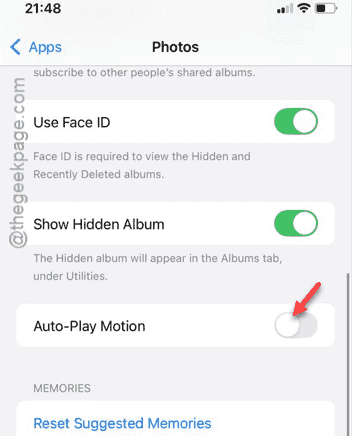
After disabling this feature, try to play the video in there. Check if this works.
Fix 4 – Try the force restart method
If you have got this far, you should try the force-restarting the device.
Step 1 – At first, tap the Volume Up button on your iPhone.
Step 2 – Just press and release the Volume Down button as well.
Step 3 – Then, press the Power button until the iPhone restarts. You can release the Power button after you have seen the Apple Logo on the screen.
When you force restarted the device, the videos will be playing on your device. Check if this works or not.