Can’t stop or snooze the alarm sound on your Apple Watch? While having the alarms ring up right on your wrist is a good idea to break you out of your sleep, it can be disastrous if you can’t put it off at all. You will have to bother with that continuous nagging sound till you disarm it.
Why I can’t disarm the alarms on my Apple Watch?
The alarms that you have set up on your iPhone gets automatically synced to your iPhones. So, when you have set up an alarm on your iPhone, your watch automatically rings up at the right time.
But, there are some times when you can’t just put off the alarm on your Apple Watch. So, if you are facing a series of problem with the alarms, you can follow these steps to fix the problem on your device.
Fix 1 – Turn off the Alarm manually
Your iPhone is connected to your Apple Watch. So, the alarm can be turned off completely from your iPhone.
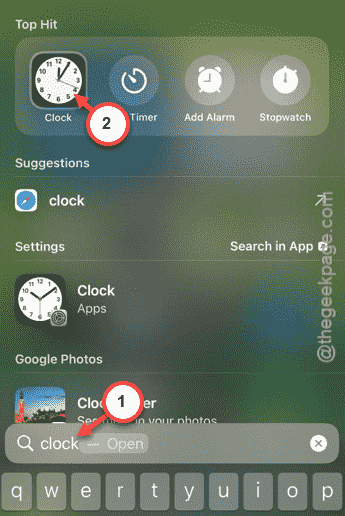
Step 1 – To do this, search for the “Clock” app using the spotlight.
Step 2 – Then, open up the “Clock” app from there.
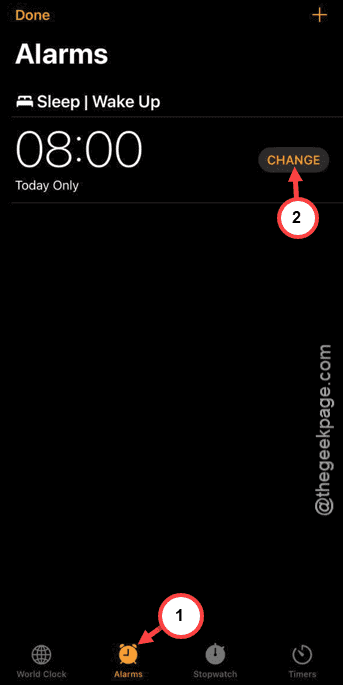
Step 3 – Go to the “Alarms” tab.
Step 4 – Tap the “Change” to load up the alarm settings.
Step 5 – Turn off the “Alarm” toggle from there.
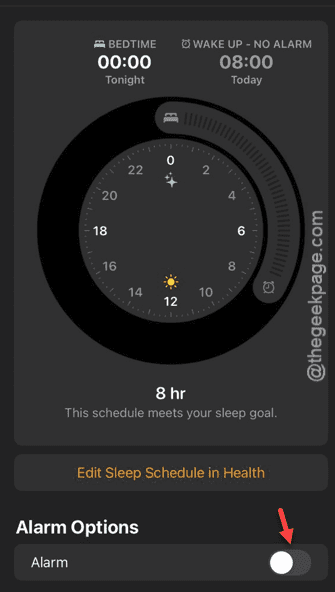
Once you have disabled the alarm, your Apple Watch won’t ring it up.
Fix 2 – Restart your Apple Watch
There is another workaround that can helpful for you when you need it the most.
Step 1 – It is very easy for you to restart the wearable. Start by pressing the side button on the watch.
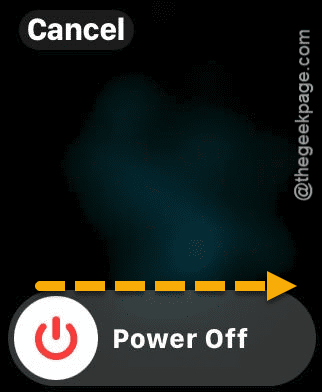
Step 2 – If you have pressed it enough, you will see the Power button there.
Step 3 – Tap it once to open the power console.
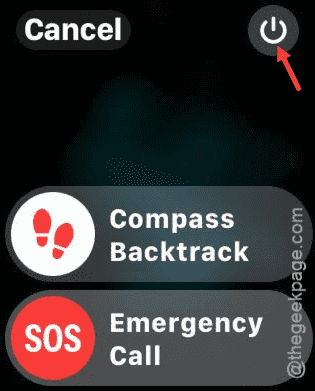
Step 4 – After this, drag the “Power Off” console to power off the watch.
Step 5 – Give it a few seconds and then press-hold the side button on the watch to restart the device.
Once it is restarted, the problem with the Apple Watch alarm system will get fixed. See if this works out for you!