The sound of getting a new email on our iPhone instantly demands our attention. But, after updating to iOS 18.4 some iPhone users have complained that there are no notification sounds on their iPhones while receiving a new email. This is a very concerning situation for the users, which they have escalated to multiple forums. If you are also experiencing the same issue, these solutions should help you fix the issue.
Fix 1 – Uninstall and reinstall the app
The main fix to troubleshoot this case is to uninstall the Mail app and reinstall the same. Then, manually configuring the notification sound for the Mail app from the Settings.
Phase 1 –
At the first stage, we are going to uninstall the mail application from the iPhone and reinstall the same from the App Store.
Step 1 – Look for the Mail app in the app List on your iPhone.
Step 2 – Then, hold the Mail app there and tap Delete App to remove the app from your device.
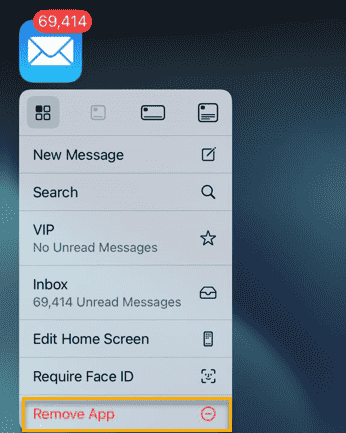
Step 3 – Once you have removed it, reach the App Store on your device.
Step 4 – Search for the Mail app and reinstall it on the device.
Wait until the Mail app until it is reinstalled on the device. Once you are done, close the App Store and proceed to the next part of the solution.
Phase 2 –
Now, we will configure the notification sound for the mail application from the iPhone settings page.
Step 1 – Open the iPhone Settings.
Step 2 – Next, go to the Notifications tab.
Step 3 – Find the Mail app and open it up from there. In the Mail app, tap the Customize Notifications option.
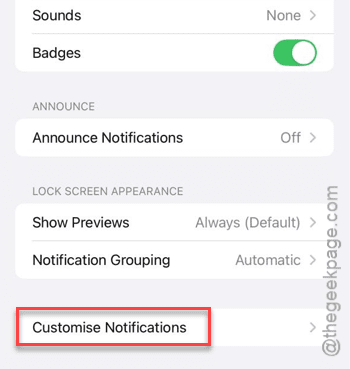
Step 4 – In the Customize Notifications page, open the Remind Me option there.
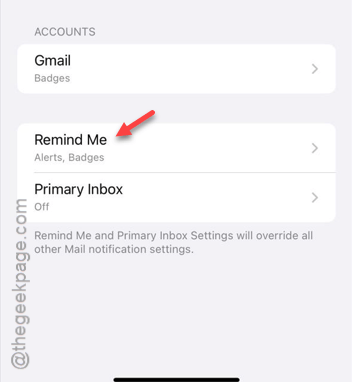
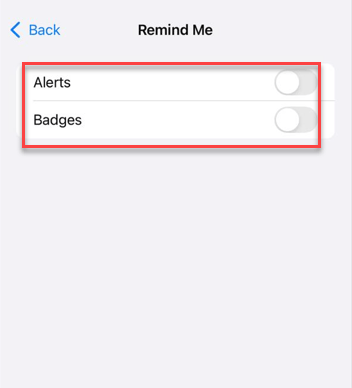
Step 5 – Turn off the Alerts and Badges option.
Step 6 – Return to the Primary Inbox section and load it up.
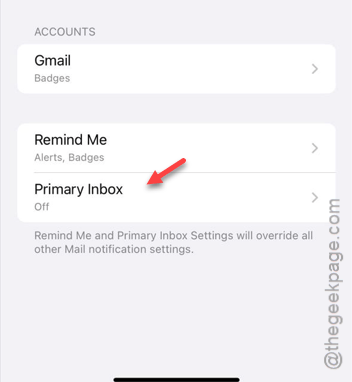
Step 7 – Turn off all the toggles in there.
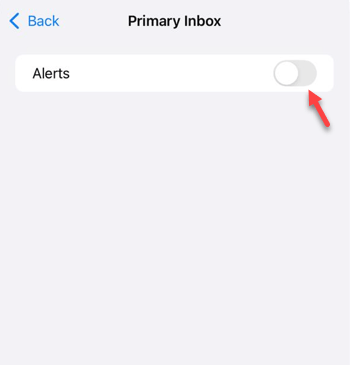
This will fix the email notification problems on Mail app on the iPhone.
Fix 1 – Turn on the lock sound
iOS 18 has come with several changes in the Settings console of your iPhone. There is a chance that lock sound is disabled for your device.
Step 1 – At first, load up the Settings console.
Step 2 – Next, open up the Sounds & Haptics panel.
Step 3 – Turn on the Lock Sound feature on the iPhone.
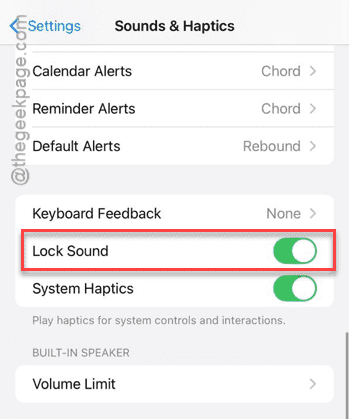
This can fix the email notification sound problem that you are currently facing on your device.
Hope these fixes have helped you solve the issue.