Seeing a white vertical line on the screen of your Apple Watch? While there is a chance that the white line that you are seeing is a result of the display issue, where the hardware fault has caused the problem, there are sometimes the watchOS may incur the problem. So, we recommend just a simple restart of the watch that should fix the problem for you. But, if that doesn’t help, you may follow the other solutions to resolve the issue.
Fix 1 – Try the force-restart procedure
If a normal restart hasn’t helped you out, you should try to force-restart the Apple Watch.
Step 1 – You can just press-hold the side button and digital crown.
Step 2 – Only let go off the buttons after the Apple Logo shows up on the screen.
Step 3 – After the watch finally restarts, you won’t see the vertical line on the watch screen.
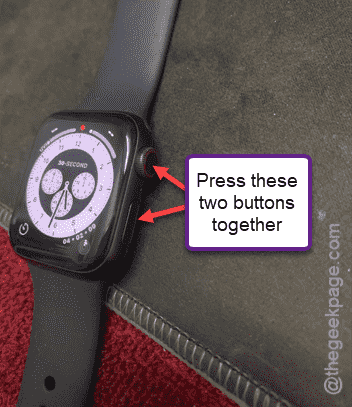
See if this works out for you.
Fix 2 – Turn off Assistive Touch
You may turn off the Assistive Touch feature on the Apple Watch.
Step 1 – In the Watch app, go to the “My Watch” tab.
Step 2 – Next, open up the “Accessibility” panel.
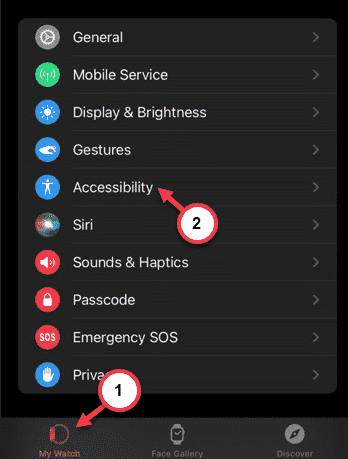
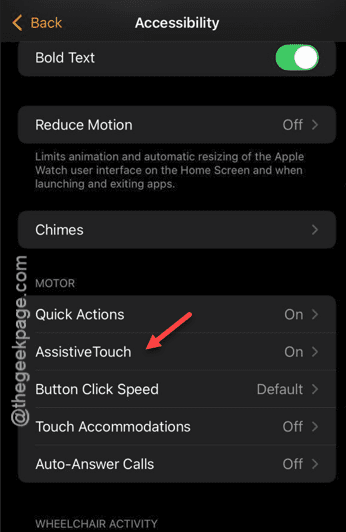
Step 3 – Later, open up the “Assistive Touch” option there.
Step 4 – Turn off the Assistive Touch in there.
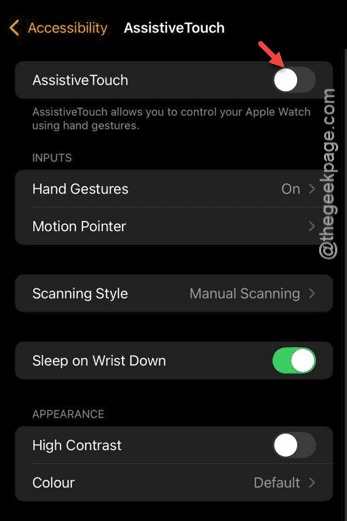
After turning off the Assistive Touch, you won’t see the vertical lines again on the watch screen.
Fix 3 – Update the watch
Use the latest version of the Apple Watch.
Step 1 – You have to open up the Watch app.
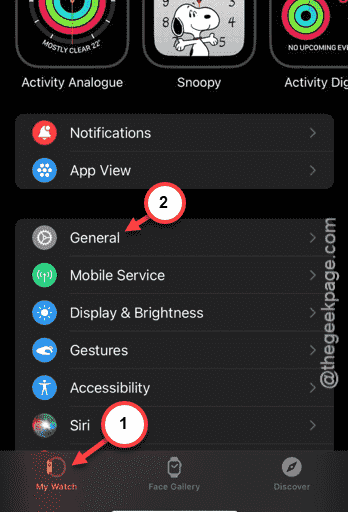
Step 2 – On the Watch app, go to the “My Watch” tab.
Step 3 – In there, you should open up the “General” section.
Step 4 – Tap to open up the “Software Update” feature.
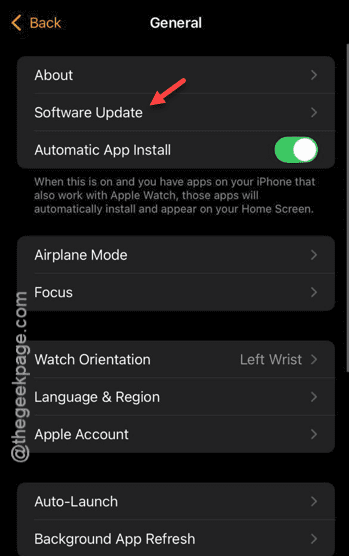
Step 5 – If an update is pending, the watchOS update will be installed.
After the update is installed, there won’t be any more lines on the display.
Fix 4 – Problems with older Apple watches
This issue has been reported by the users who use the older Apple Watches like Watch Series 4 or earlier version. If this is a hardware problem, normal rebooting of the watch won’t fix the vertical white line issue. There might be a problem with the watch display or digitizer itself. You may consult an Apple authorized service center and get it repaired.
It will better to get a new version of the watch than to repair the older one.