Does your Apple Watch keep on answering incoming calls automatically? The freedom to be able to answer your incoming calls directly from your wrist, without the influence of your iPhone, is not an easy thing to ignore. But, you don’t want to waste this advantage with your incoming calls getting answered automatically by the watch.
Why your Apple Watch keeps answering incoming calls automatically?
The cellular+GPS version of the Apple Watch can easily be used to answer your incoming calls. But, the calls on the wearable can only be answered using the incoming call button directly from the dialer on the watch. So, there is no way your calls getting answered by your watch.
The part of the Apple Watch that answers the calls automatically is nothing but an accessibility feature on the device. The particular feature that enables this is known as the ‘Auto-Answer Calls’. While this feature is enabled, the calls can get answered automatically by your Apple Watch.
Fix 1 – Turn off Auto-Answer calls on Apple Watch
You can turn off the Auto-Answer calls feature directly on the Apple Watch.
Step 1 – At first, hit the digital crown on the watch.
Step 2 – Next, tap the “Settings” to open it up.
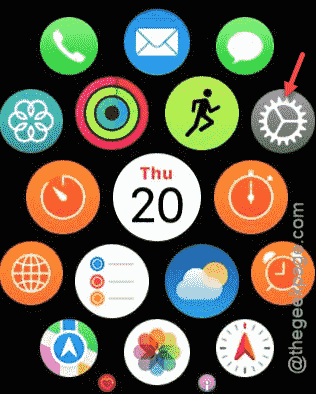
Step 3 – In the Settings panel, reach the “Accessibility” suite of settings.
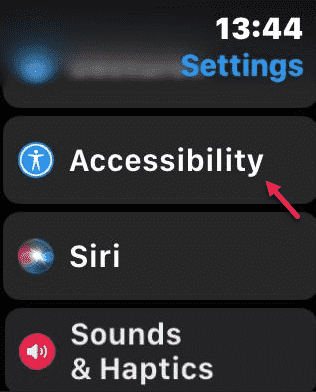
Step 4 – In the Accessibility page, find the “Auto Answer” option there and open it up from there.
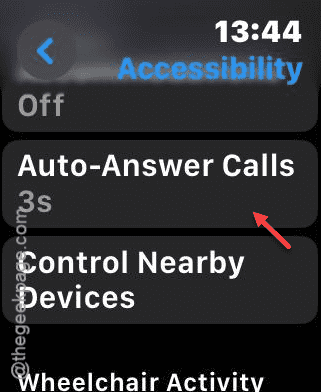
Step 5 – You can just turn it off from there.
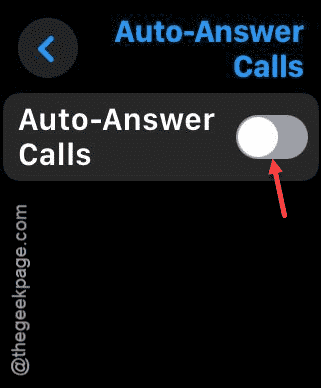
After you have turned it off, your Apple Watch won’t respond to the calls automatically.
Fix 2 – Disable the Auto-Answer calls on Watch app
Apart from the path that you may follow on your Watch, you may use the Watch app to do the same to get the same results.
Step 1 – To do this, you must load up the Watch app, first on your iPhone.
Step 2 – After going to the Watch app, go to the “My Watch” section of the app.
Step 3 – Go to the “Accessibility” feature.
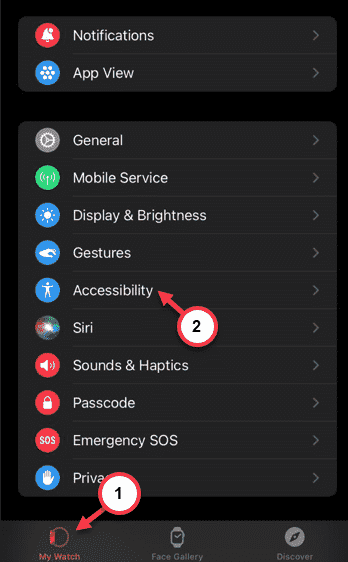
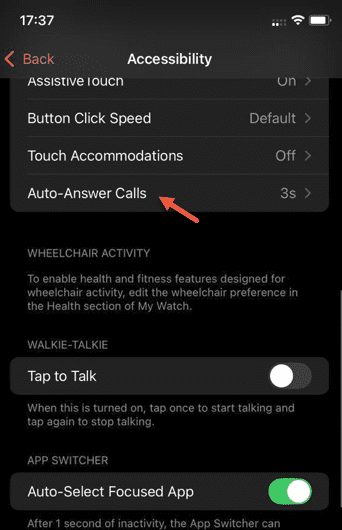
Step 4 – In the Accessibility tab, open the “Auto-Answer Calls” option.
Step 5 – Disable the “Auto-Answer Calls” option there.
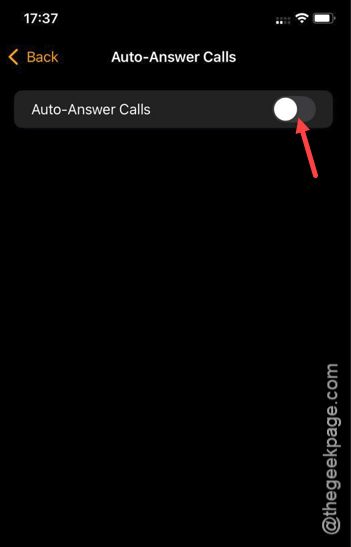
After disabling the auto-answer calls option, you can expect the watch to behave normally. It won’t answer your calls on its own.
https://www.youtube.com/watch?v=vMZliAM57LY&ab_channel=TheGeekPage