Not receiving any WhatsApp notifications on your Apple Watch? The notification system on the Apple Watch works flawlessly as it delivers the message notifications directly on your wrist. So, you can directly read and respond to your WhatsApp notifications. But, if there are any problems in that system, you can fix it following these solutions.
Why am I not getting any WhatsApp notifications on Apple Watch?
The WhatsApp alerts that you get on the Apple Watch gets mirrored directly from your iPhone. If something disrupts that synchronization chain, you will stop getting those WhatsApp notifications on your watch.
Apart from that, there may be some problems in the WhatsApp settings as well. You can solve this if you just follow these steps on your iPhone.
Fix 1 – Change the Notifications settings
You have to change the notification settings, particularly for the WhatsApp settings on the iPhone.
Step 1 – To do this, just go ahead and open up the iPhone Settings panel.
Step 2 – Load up the “Notifications” panel.
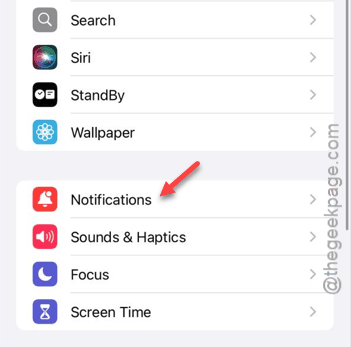
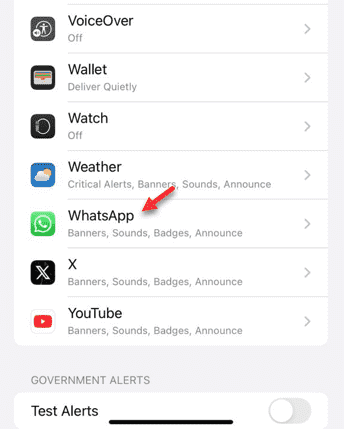
Step 3 – When you reach the Notifications page, you will find the apps list. So, tap to open up the “WhatsApp” from the list.
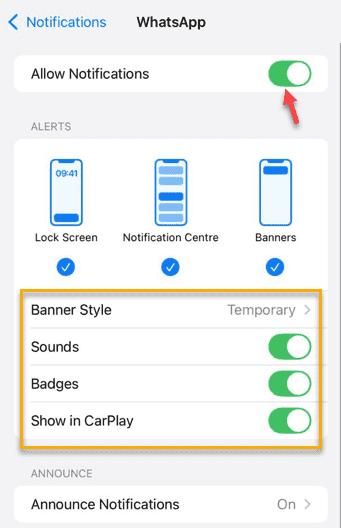
Step 4 – At first, make sure the “Allow Notifications” option is turned on.
Step 5 – You should be able to find all of your WhatsApp notification settings right there. Enable all the settings you see there.
Step 6 – Now, go to the “WhatsApp Notification Settings” option.
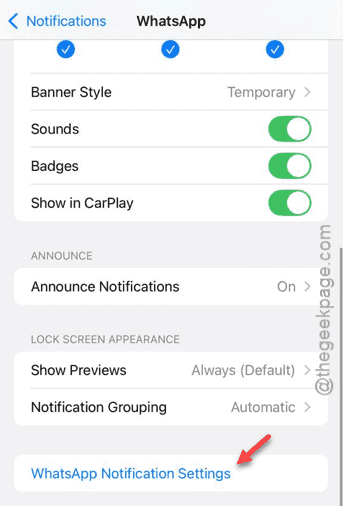
Step 7 – When you get to the WhatsApp settings page, ensure all the options are enabled there.
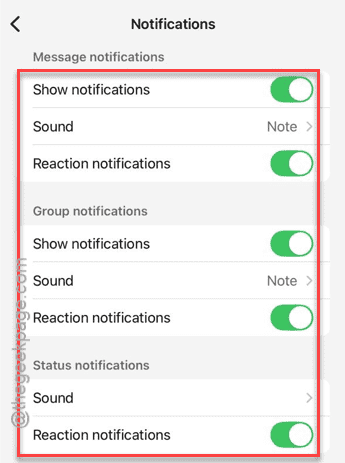
This should be enough for the WhatsApp notifications to work on your Apple Watch.
Fix 2 – Set the Mirror iPhone Alerts option
Your Apple Watch mirrors the WhatsApp alerts directly from your iPhone.
Step 1 – Open up the “Watch” app on your iPhone.
Step 2 – Go to the “Notifications” shade from there.
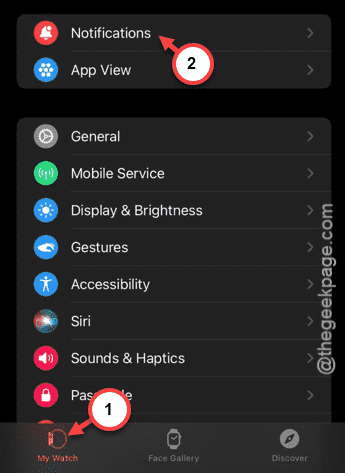
Step 3 – In the Notifications panel, you can find the ‘Mirror iPhone Alerts from:‘ option.
Step 4 – Find the “WhatsApp” from there and enable it in there.
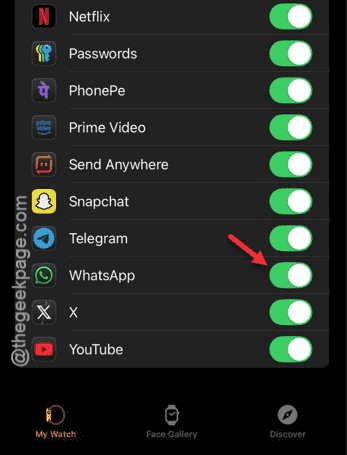
After changing the WhatsApp alert settings, you can expect the same alerts to show up on your watch as well. Check if this works out or not.