The slow, lagged download speed can have a negative impact on the gaming performance with your Steam Deck. Almost all the new game titles, whether it is an AAA offline IP or a MMO RPG, they tend to send regular updates. These updates are usually counts in a few GB’s and sometimes may be in the north of 10GB. So, if the download speed is too low, it will take an insufferable amount of time for the update job to complete.
Why the download speed is too low on Steam Deck?
The download speed is only useful when you are downloading the games or updating the existing games on your Steam Deck. Steam Deck by default places a limiter on the speed limit to halt any abuse of limited network bandwidth. As the deck is heavily dependent on the batteries, it controls the power supply to the Wi-Fi unit of the system, suppressing background Wi-Fi activities.
You can fix the problem very easily on your own just by revoking these two limiters following our guide.
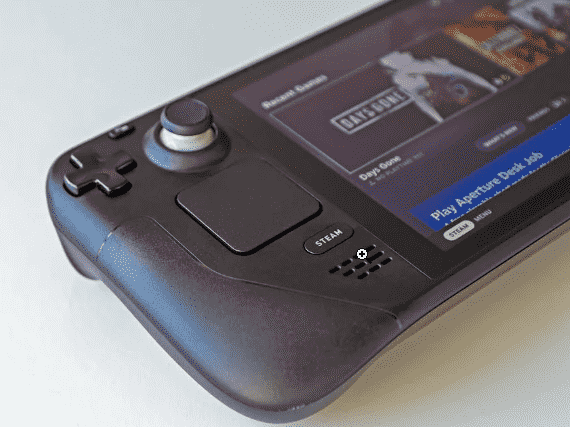
Fix 1 – Turn off the download speed limiter
The speed limiter is turned on by default on the Steam Deck, and you should turn it off.
Step 1 – Press the Steam button on your Steam Deck.
Step 2 – Then, go to the Steam Settings from there.
Step 3 – Go to the “Downloads” tab on the left pane.
Step 4 – Turn off the “Limit Download Speed” option on the right pane.
Once this speed limiter is revoked, the games can be updated or downloaded without any bandwidth restriction.
Fix 2 – Enable the Wi-Fi Power Management option
Turn on the Developer mode function on the Steam Deck to enable the Wi-Fi Power Management option there.
Step 1 – Press the Steam button to load up the Steam settings page.
Step 2 – Next, go to the “Settings” button there.
Step 3 – Later, tap the “System” settings on the left pane and turn on the “Enable Developer Mode” option.
Step 4 – Go back to the main menu page on your Steam Deck.
Step 5 – Finally, reach the “Developer” option by scrolling down.
Step 6 – Disable the “Enable Wi-Fi Power Management” option from there.
This particular toggle controls the background Wi-Fi usage on the Steam Deck. After it is revoked, you don’t have to wait for the updates to get finish to enjoy your favorite games.