Is the Double Tap gesture is not working with your Apple Watch? That gesture is very useful while you are busy doing anything, and you have to take up an incoming call. Solving this problem won’t take many efforts. Just make sure the supplementary features that needs to be turned on for the double tap feature to work.
Fix 1 – Turn on Wake on Wrist Raise feature
You must enable the Wake on Wrist raise feature first for the double tap gesture to function properly.
Step 1 – At first, gently press the crown button on your watch.
Step 2 – You have to open up the “Display & Brightness” toggle.
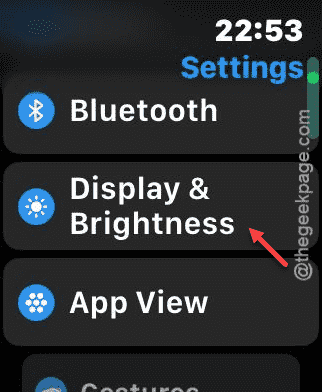
Step 3 – There, scroll down and disable the “Wake on Wrist Raise” feature in there.
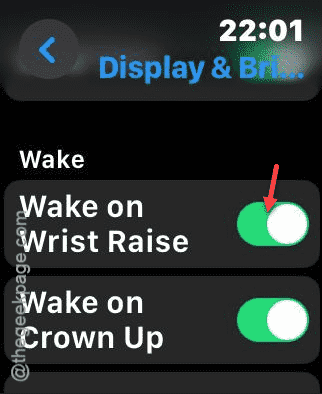
While this feature is enabled, you can use the double-tap gesture again.
Fix 2 – Disable the Low Power mode
The double-tap gesture, like some of the features, gets restricted automatically if the watch is in low power mode.
Step 1 – To check this out, press the side button of the watch.
Step 2 – Next, find the battery level toggle. Tap to it open it up.
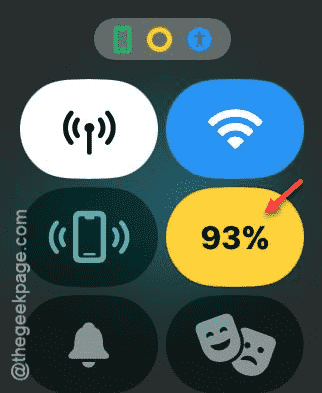
Step 3 – Slide down slightly and see whether the low power mode is on or not. Tap the “Low Power Mode On” to disable it.
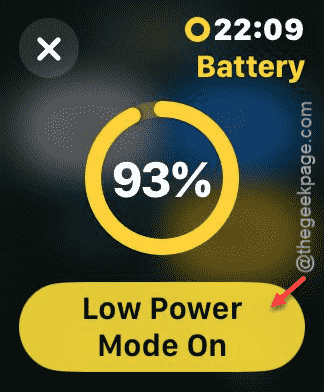
After disabling it, try to use the double-tap gesture once again. See if this works.
Fix 3 – Turn on Double Tap gesture
You have to enable the Double Tap gesture to use it on the watch.
Step 1 – To do this, press the crown button on your watch once.
Step 2 – Next, load up the Settings utility.
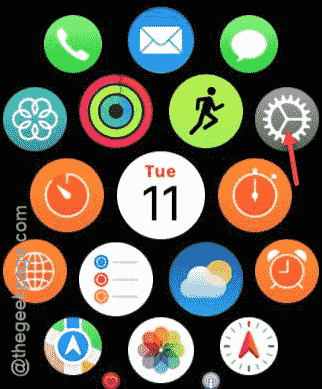
Step 3 – After opening up the Settings page, go to the “Gestures” tab.
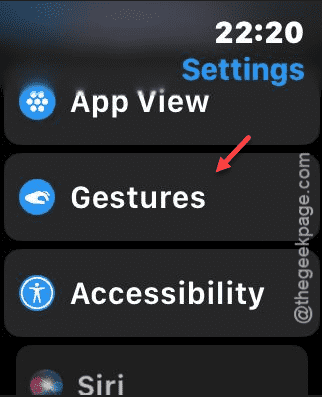
Step 4 – Open up the “Double Tap” gesture.
Step 5 – Enable it from there.
You can also adjust some of the advanced feature of the double-tap gesture as well.
Fix 4 – Restart the Apple Watch
You can just restart your Apple Watch to fix the problem.
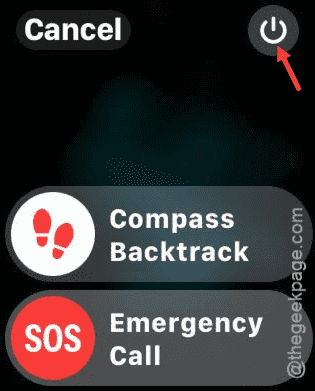
Step 1 – Press and hold the side button on the watch until the power console loads up.
Step 2 – Next, touch the “Power button” there.
Step 3 – Find the “Power Off” slider and use it to power off the watch.
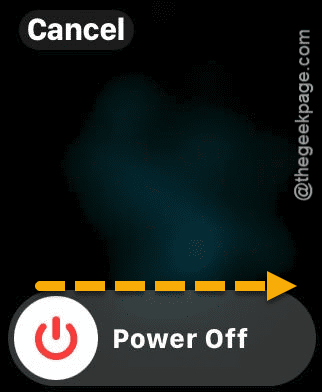
Step 4 – After the watch shuts down, press and hold the same power button to restart the watch.
Check if the double tap gesture is working or not.
Fix 5 – Use the feature correctly
You have to look at the watch directly while using the double tap gesture on your Apple Watch. This is an important part of the gesture, that clears out any chance of mistake.
So, the next time someone calls you, double tap or do the pinch gestures while looking at the watch.