Is your Apple Watch not ringing on incoming calls? Your Apple Watch should be fully capable of responding to the incoming calls. The failure to timely respond to an incoming call can be annoying to the users, which affects their confidence on the self-reliance of the Watch. We have some solutions that you can implement at your end to troubleshoot this problem on the watch.
Fix 1 – Revoke the Silent Mode
The reason why the Apple Watch is not ringing is that the Watch is put in the silent mode.
Step 1 – Wake up the Apple Watch. Press the side button in there.

Step 2 – This should load up the Control Center on Watch. See if the Silent Mode (bell🔔 icon) is enabled on the Apple Watch. Turn it off, if it is enabled.
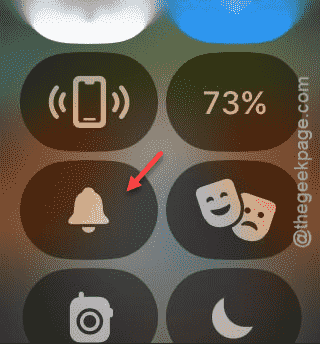
When you disable the silent mode, the Apple Watch should start to ring when you get an incoming call on the device.
Fix 2 – Turn off the Cinema mode
The cinema mode is a quick shortcut that silences all incoming call and alerts.
Step 1 – Press the side button on your Apple Watch once.
Step 2 – When this loads up the Control Center, scroll down and see whether the Cinema Mode 🎭 is turned on your Apple Watch.
Step 3 – Disable it from there.
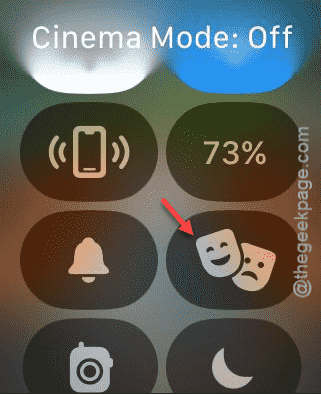
Your Watch should start to ring once you have disabled this. Check if this works.
Fix 3 – Disable the Silent Mode from the Watch App
There is a silent mode toggle in the Apple Watch settings that can silence the Watch automatically.
Step 1 – Open up the search box on your iPhone.
Step 2 – Search and open the “Watch” from there.
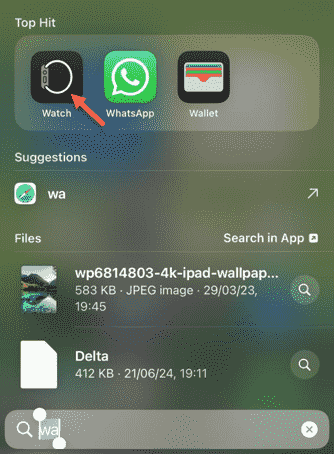
Step 3 – After loading up the Watch app, go to your watch settings panel.
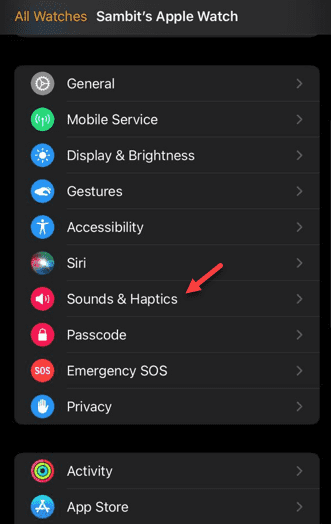
Step 4 – Tap to open the “Sounds & Haptics” module.
Step 5 – There, you shall find a sound toggle. This controls the volume level on the watch.
Step 6 – Make sure to toggle the volume to the maximum settings.
Step 7 – Apart from this, turn off the ‘Silent Mode‘ toggle as well.
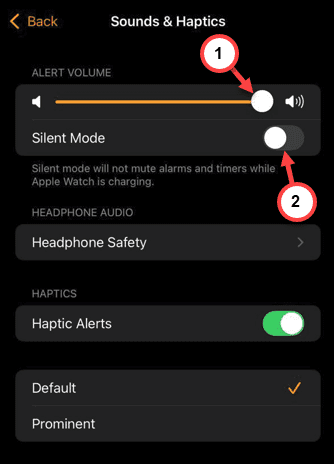
You won’t face the Apple Watch not ringing problem anymore.
Fix 4 – Restart the devices
Still the watch is not ringing up? You should power off both your iPhone and the watch to resolve the problem.
Step 1 – On your iPhone, just scroll down once to open up the Control Center.
Step 2 – Later, you can just long press the Power button.
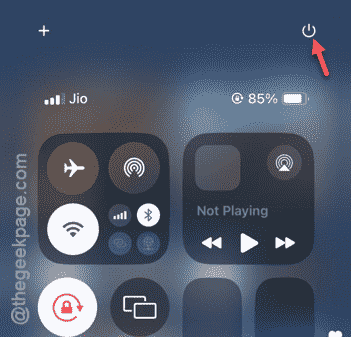
Step 3 – Use the ‘Slide to power off‘ option.

This should switch off the device.
Step 4 – On your Apple Watch, you can just long press the side button.
Step 5 – Doing this should open up a separate console on the watch.
Step 6 – Tap the power button in there.
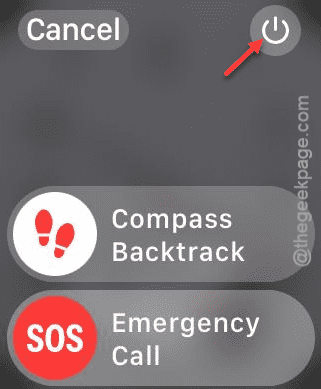
This way, you can easily power off your watch.
Step 7 – Tap “Power off“.
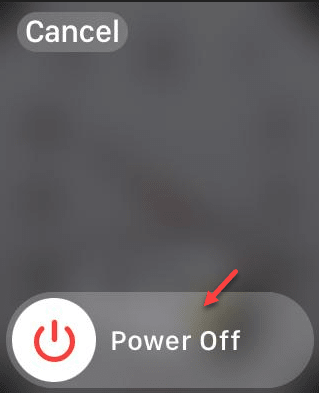
Later, switch on both your devices and connect them. See whether it is ringing up or not.