Having some problems using the digital crown on your Apple Watch? The digital crown on your Apple Watch serves more purpose besides just the rotational navigational in the OS. Apple has integrated this feature across the system. There is a reason why the digital crown is not working, and we have discussed it along with the particular solution to counter it.
Why the digital crown is not working on the watch?
Apple has integrated the rotating crown mechanism well across the system. But, the rotating mechanism leaves a microscopical gap between the actual crown and the watch body. So, dust may accumulate in there with your continuous usage.
Clearing this particular portion of the watch without
Fix 1 – Clean up the watch properly
NOTE – You may only use Apple Watch 2 or later for shallow water activities. We are going to submerge the watch in water briefly.
Step 1 – At first, detach the watch piece from the watch strap. The straps are usually connected to the device directly.
Step 3 – Take a glass of clean, lukewarm water. Water must not be too warm or too cold. If the water is too warm, it can damage your Apple Watch.
Step 4 – After this, submerge the watch into the container filled in water.
Step 5 – While the watch is submerged, just rotate the crown of the watch gently. This should remove any clogged particles from the device.
Once you are done, you can use the crown on the watch.
Fix 2 – Update the Watch
If this doesn’t work, you should update the watch.
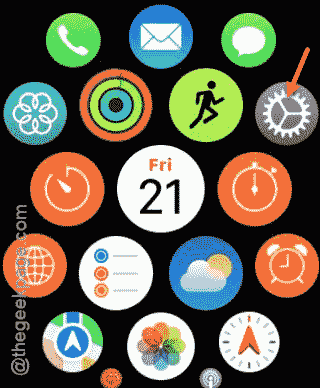
Step 1 – At first, press the crown of the watch once.
Step 2 – While this leads you to the complete list of apps, tap the “Settings” button there.
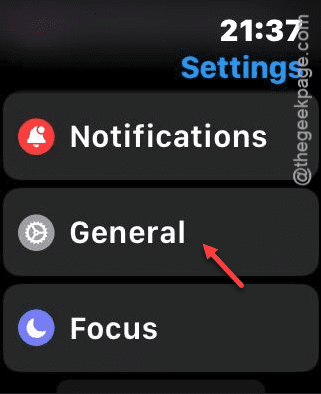
Step 3 – Next, load up the “General” tab.
Step 4 – Then, load up the “Software Update” section.
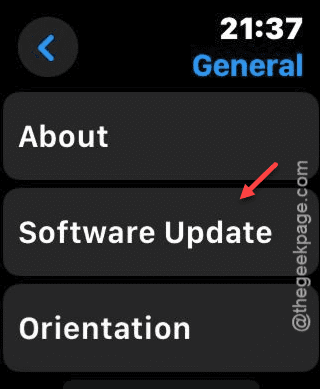
Step 5 – Install the software update if you can found a pending one.
Once you have updated, the watch crown will become functional. See if this works out for you!