Having problem with the band on your Apple Watch? If you are facing some difficulty locking the band on the Apple Watch, this guide will help you out. While Apple provides the best of wristbands with their wearables, some users may face some problem locking that in. There is a particular process of wearing the band on your Apple Watch.
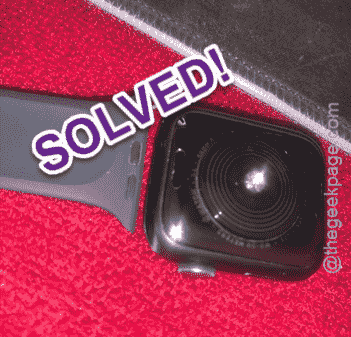
The system of the watch band on your Apple Watch and how to wear it
All the Apple Watch straps has this simple mechanics that allows the straps to lock in correctly to the watch body. It is almost impossible for the watch strap to come loose automatically. There is a neat trick to engage or disengage the straps on the watch.
How to lock-in the Apple Watch band?
There is a lock mechanism present on the watch body. You have to press the lock and latch-in the strap onto the watch.
Step 1 – At first, place the watch body on a clean, smooth surface.
Step 2 – You will notice two small buttons on the watch body. One of these two should be on the upper portion of the watch and, the other on the other half of the watch.
These two buttons are the watch band release buttons.
Step 3 – Press and hold the watch band release button and place the watch band into the strap channel.
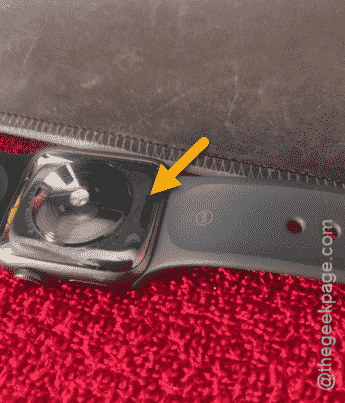
Step 4 – While pressing down the watch release button, place the strap in the slider of the Apple Watch and insert it.
Step 5 – You may stop pressing the button on the watch, once you have put in the strap properly.
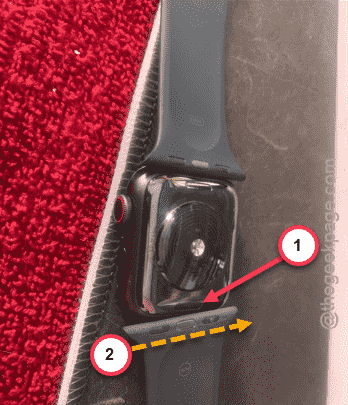
Step 5 – Adjust the watch band equally so that all part of the watch band is attached properly.
This is the way, you can lock in the watch band.
How to disengage the Apple Watch band?
You may disengage the Apple Watch band pressing the same watch band release button on the watch body.
Step 1 – Press and hold the watch band release button.
Step 2 – Apply pressure sideways on the watch band while pressing that button to release it from there.
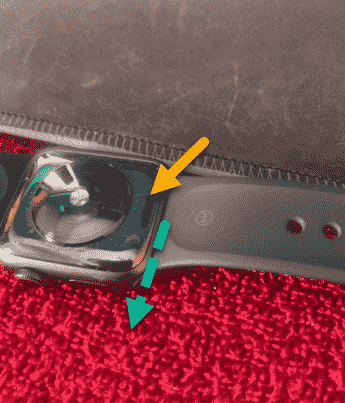
This is the only technique you need to detach the watch band from your wearable.