Getting low volume level on your Apple Watch speaker? The primary usage of the speaker on the Apple Watch is to take up calls or record voice memos. Though you can’t directly play music through the speakers on your watch, lower volume of the watch speaker can cause problems for you if you can’t listen to the caller. So, these solutions can be helpful in solving the problem.
Fix 1 – Rotate the crown
You can increase the volume of the watch speakers just by rotating the crown.
Step 1 – You can only do this during a call. So, just dial up someone from the watch dialer.
Step 2 – During this call, just rotate the crown sideways.
Step 3 – You can track the volume from the green volume level on the watch. Adjust it to the maximum settings.
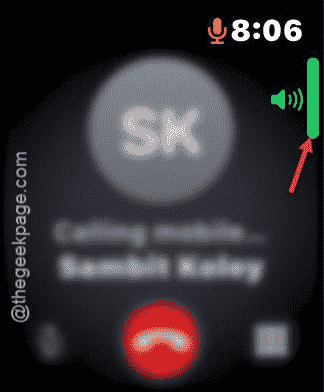
See if this works.
Fix 2 – Increase the Alert Volume
You have to increase the Alert Volume from the watch settings.
Step 1 – At first, tap the crown on the Apple Watch.
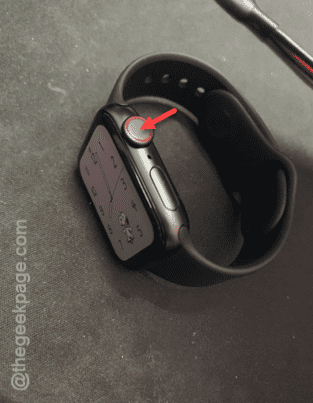
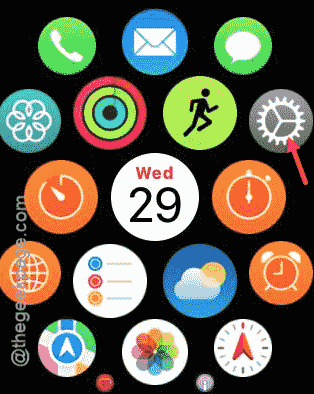
Step 2 – Next, tap the Settings to open it up.
Step 3 – Go to the “Sound & Haptics” option.
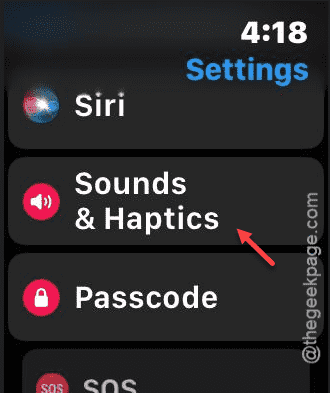
Step 4 – Check out the sound level in the ‘Alert Volume’ section.
Step 5 – Tap the right side to increase the volume there. Set it to the maximum value.
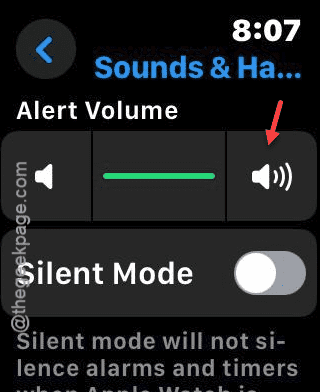
After turning the maximum volume, you won’t face the low volume issue on your watch.
Fix 3 – Adjust the left right speaker balance
You can adjust the left and right speaker balance on the Watch settings.
Step 1 – Load up the Settings page using the crown on your watch.
Step 2 – This time, head on to the “Accessibility” system.
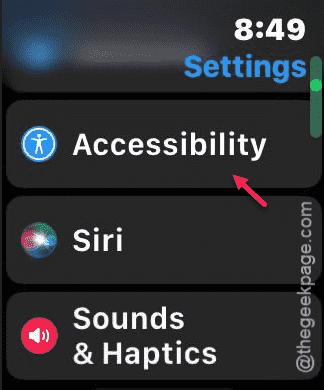
Step 3 – You have to balance the Left and Right channel using the “L” and “R” option in there.
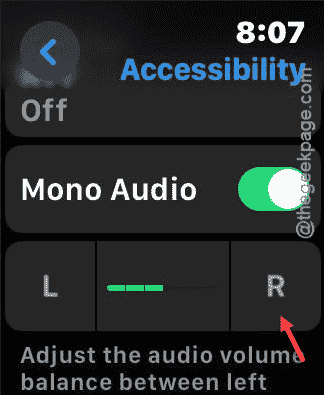
Once you have found a perfect balance, you can resolve the low volume issue.
Fix 4 – Turn on the Mono Audio and check
Try using the Mono Audio feature once to check whether this works or not.
Step 1 – At first, load up the Settings on the watch.
Step 2 – Next, open up the “Accessibility” tab.
Step 3 – Scroll down once more until you reach the ‘Mono Audio‘ option. Turn that on.
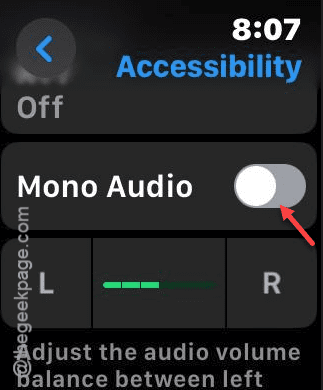
Check the watch speaker volume. See if this works or not.