This one may look like a broken install. Your game files are almost certainly fine, and reinstalling costs you forty minutes. Here’s what actually changed. The latest update moved the matchmaking and lobby servers around, so your PC can end up talking to the old addresses. It added a new DirectX 12 path that hangs right when the lobby hands over to the 3D map. That’s your black screen. The hotfix also brought a nastier bug (yes, really): minimize the game while you’re boarding the plane, and the client crashes outright.
Fix 1 – Stop Alt-Tabbing and Switch to Windowed Fullscreen
The easiest one. Right now, Alt-Tab during matchmaking is a crash waiting to happen.
1 – Launch PUBG and open Settings from the lobby.
2 – Click the Graphics tab at the top.
3 – Under Display Mode, pick Windowed Fullscreen.
4 – Click Apply in the bottom right.
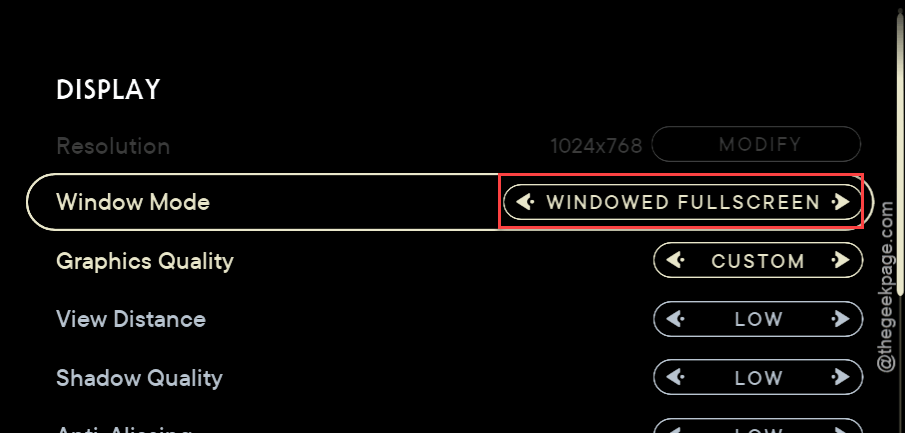
Then just leave the game alone from the moment you hit Play until you’ve landed. Annoying, I know. But it beats a crash on the plane.
Fix 2 – Switch Back to Plain DirectX 11
The DX12 and “DX11 Enhanced” options are where the black screen lives.
1 – In the PUBG lobby, open Settings, then Graphics.
2 – Scroll down to the Advanced section.
3 – Find DirectX Version and set it to DirectX 11. Not Enhanced, just the plain one.
4 – Click Apply and restart the game.
Check if this works.
Fix 3 – Flush DNS and Switch to Cloudflare or Google
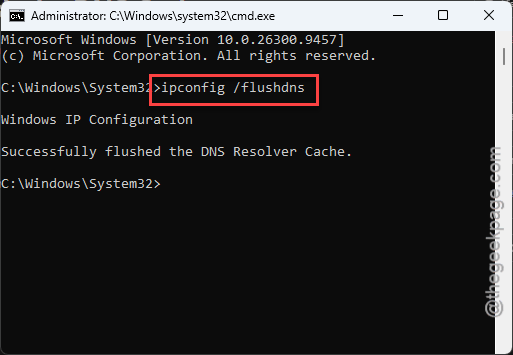
Try flushing the current DNS settings on your system, and check if this works.
1 – Start by right-clicking the Start button and pick Terminal (Admin).
2 – Type this code, and press Enter.
ipconfig /flushdns
netsh winsock reset
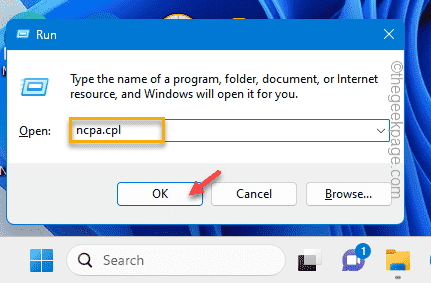
3 – Then, hit the Win+R buttons together.
4 – Later, type this and click OK.
ncpa.cpl
6 – Then, right-click your active connection and pick Properties.
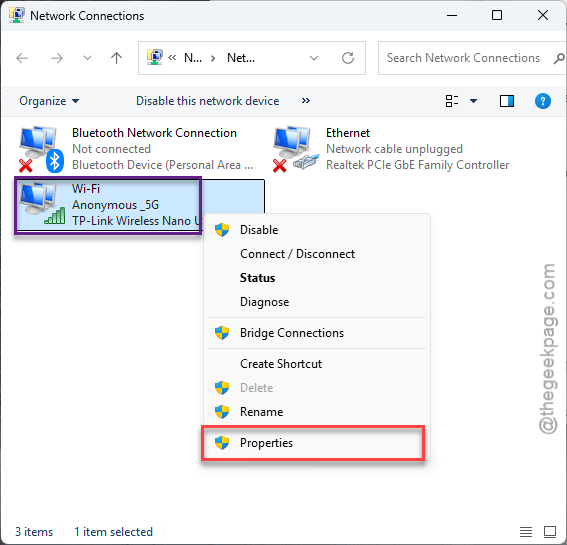
7 – Click Internet Protocol Version 4 (TCP/IPv4) once, then click Properties.
8 – Pick Use the following DNS server addresses. Enter 1.1.1.1 as Preferred and 1.0.0.1 as Alternate (or 8.8.8.8 and 8.8.4.4 if you’d rather use Google).
0 – Click OK and restart your PC.
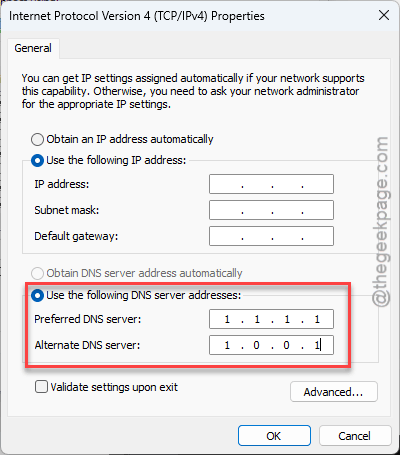
Sounds like a lot? It’s about three minutes once you’ve found the adapter window.
Fix 4 – Clear Out the Saved Cache
A patch download that stumbled halfway leaves broken shader and pak files behind.
1 – At first, close PUBG and Steam completely.
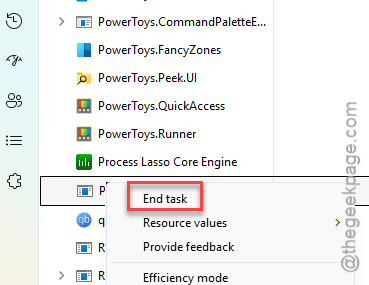
2 – Then, Press Ctrl + Shift + Esc to open Task Manager console.
3 – Later, end any anti-cheat process still running (look for BattlEye, Wellbia, or Zakynthos).
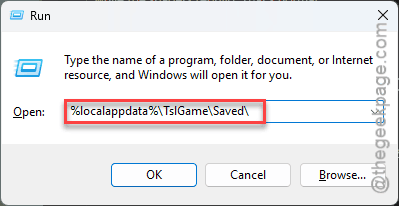
3 – Press Windows + R,
4 – Next, paste this address, and press Enter.
%localappdata%\TslGame\Saved\
5 – Delete the Shaders, Paks, and webcache folders. Leave everything else.
6 – Open Steam, right-click PUBG: BATTLEGROUNDS, and pick Properties.
7 – Click Installed Files in the left sidebar, then Verify integrity of game files.
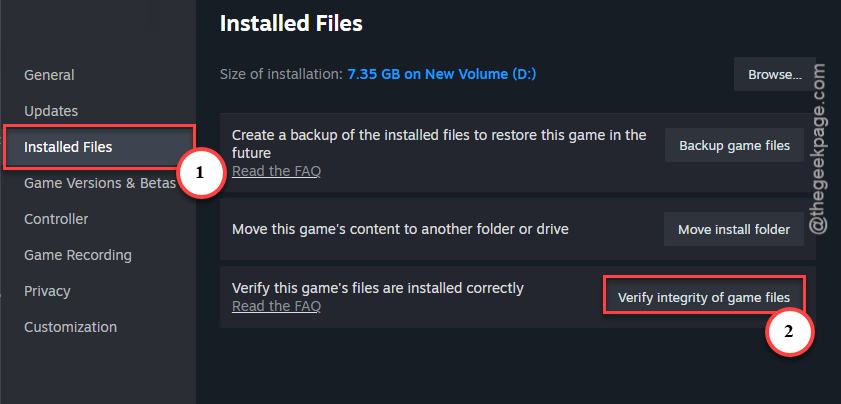
The verify step takes a while (ten minutes or so on a hard drive). Your first match afterward will stutter while the shaders rebuild. That’s normal.
Fix 5 – Set Your Network to Public, Then Toggle Metered
Odd one. Sounds unrelated to a black screen? It isn’t. Switching the network profile makes Windows Firewall redo its handshake with the new PUBG server nodes.
1 – Press Windows + I and click Network & internet.
2 – Click your current connection at the top (Wi-Fi or Ethernet), then click its properties.
3 – Under Network profile type, pick Public network.
4 – On the same page, switch Metered connection on, wait a few seconds, and switch it off again.
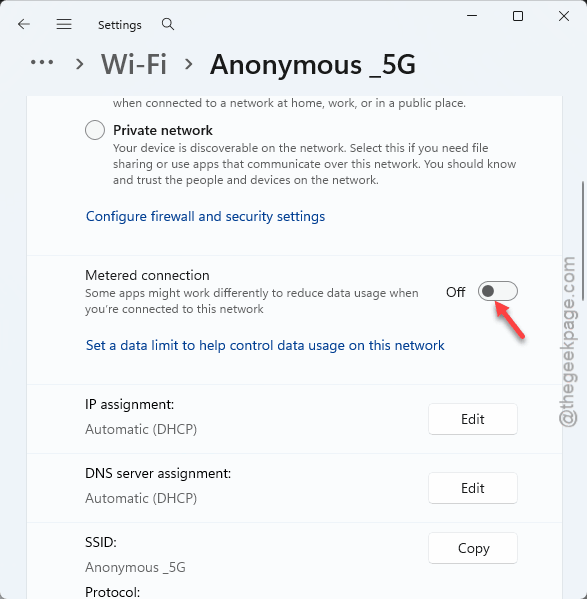
5 – Launch PUBG and queue for a match.
Keep It From Coming Back
- Keep Windowed Fullscreen. Then a stray notification can’t minimize you mid-boarding.
- Leave the Cloudflare DNS in place. It helps with more than PUBG.
- After every big update, clear the Shaders folder before your first match. Thirty seconds, and it heads off most of this.
People Also Ask
How can I fix a black screen in PUBG?
Still happening? Deleting the shader and paks folder from the internal game directory should resolve this problem.
Why does my PUBG keep crashing?
Since 43.1, the common cause is minimizing the game during matchmaking, which crashes the client while you board the plane.