Getting this “Cannot verify server identify” pop-up every couple of minutes on your iPhone? This error message is related to the email setup on your iPhone. But, don’t worry. Just like the other problems on the device, here are the resolutions that you can enact to resolve the problem.
Fix 1 – Check the date and time settings
There are several websites that don’t let you in if you have wrong date and time settings on your device.
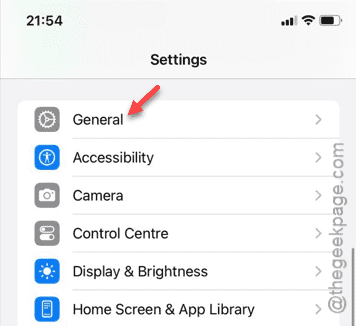
Step 1 – You must check the date and time settings on your iPhone. Go to Settings.
Step 2 – Open the “General” tab, next.
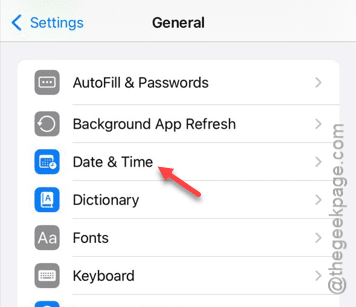
Step 3 – Next, open the “Date and time” settings.
Step 4 – There, you will see the “Set Automatically” option. Make sure to enable that.
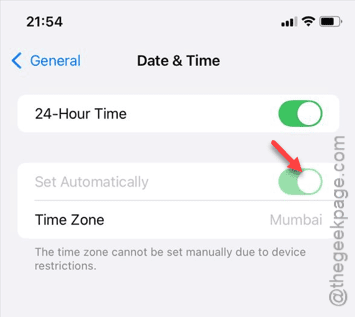
Once you have taken care of the date and time settings, you won’t get the “Cannot verify server identify” pop up again.
If this doesn’t work, and you continue to get the pop-up message, follow the message.
Fix 2 – Delete unknown account from Calendar
It is possible that some other account is trying to access websites using a backdoor on your iPhone. So, you must delete any unknown account that has access to your Calendar app.
Step 1 – Visit the Settings window and open up the “Apps” page.
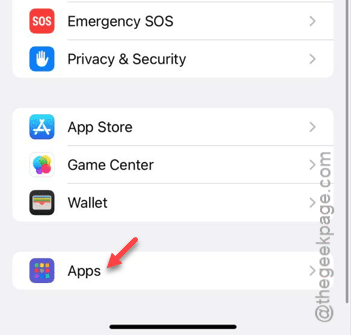
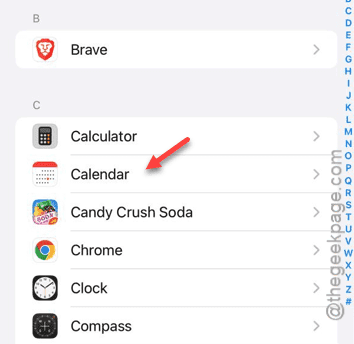
Step 2 – In that Apps page, look for the “Calendar” app and open that up.
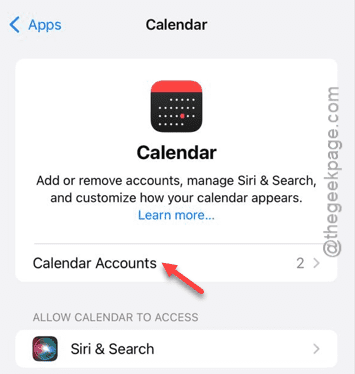
Step 3 – When the Calendar settings load up, touch to get access to the “Calendar Accounts“.
Step 4 – Now, there will be ‘Google’ and ‘iCloud’ or other accounts there.
Step 5 – Open the particular section to view the accounts*.
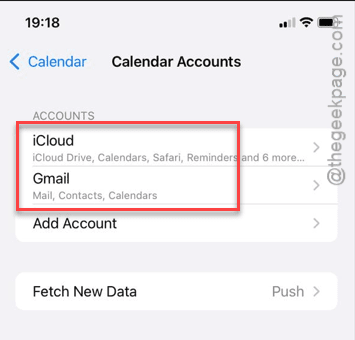
Step 6 – Look whether you can see any suspicious accounts in there.
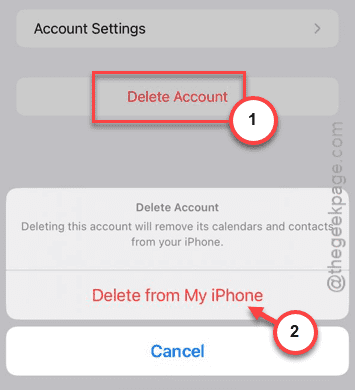
Step 7 – If you can see any of these accounts, tap the “Delete Account” option.
Step 8 – A warning message will appear. So, click the “Delete from my iPhone” option once again.
After removing the account, if you don’t see the annoying pop-up again, understand that email is the cause of this problem.
To avoid the same issue in the future, make sure to check the mail accounts on your iPhone regularly and make sure to remove any unwanted account from your device.
[*NOTE – You may have multiple accounts in one of the sub-categories. Like – If you have multiple mail accounts from other domains, you have to look into each category. Look for the account that you personally have not added to your iPhone. Remove any such account from your iPhone.]