Does the battery indicator on your Apple Watch seems to be stuck at 100% mark? The easiest way to know the current battery percentage on the watch is to check the Control Center of the watch. But, you can in a bit of problem if the battery indicator gets stuck at 100%. You won’t be able to detect the battery percentage of the wearable straightaway.
Fix 1 – Do a power refresh on iPhone, Apple Watch
You have to turn off the Apple Watch and iPhone and leave it that way for a while. Then, restart both the devices.
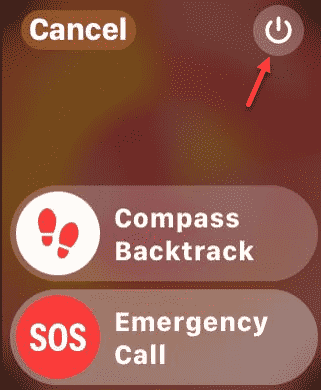
Step 1 – At first, press-hold the side button of the Apple Watch.
Step 2 – As soon as the power console opens up, tap the power sign there.
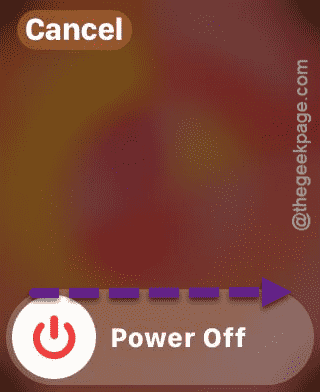
Step 3 – Then, use the ‘Power Off‘ slider to power off the watch.
Step 4 – After switching off the Apple Watch, press-hold the Volume down and Power button of the iPhone.
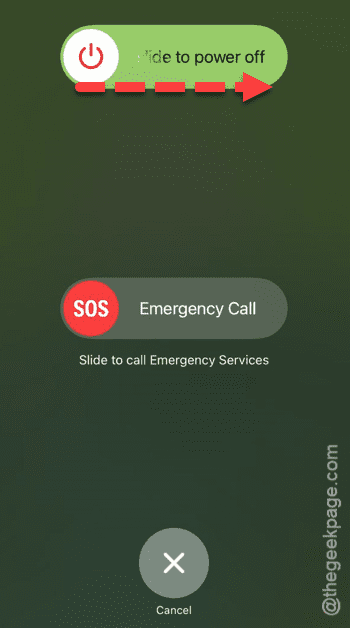
Step 5 – Now, leave the Apple Watch and iPhone turned off for 20 minutes.
Step 6 – After 20 minutes, you can turn on both the devices.
The battery indicator won’t get stuck to 100% again. See if this works.
Fix 2 – Turn off and on the watch
This issue seems to be solving automatically after restarting the watch. The steps to restart the watch we have already discussed in the previous fix. Simply, shut down the Watch while the watch battery indicator is stuck to 100%. You will see the correct battery level once the watch restarts. This is a workaround to your problem, but can be useful in extreme situations.
Fix 3 – Use Find My Apple Watch
Some of the Apple Watch users have solved this problem using the ‘Find My’ feature.
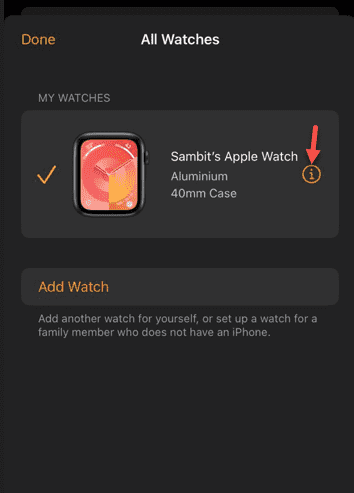
Step 1 – On the Watch app, open the “My Watch“.
Step 2 – Tap the “All Watches” in there.
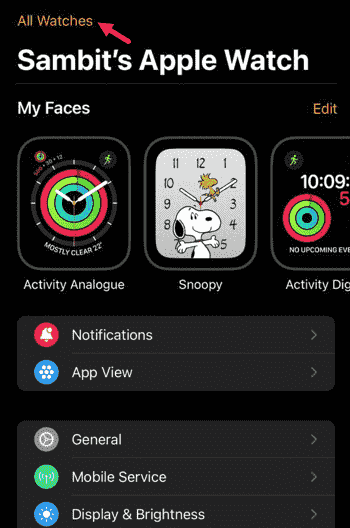
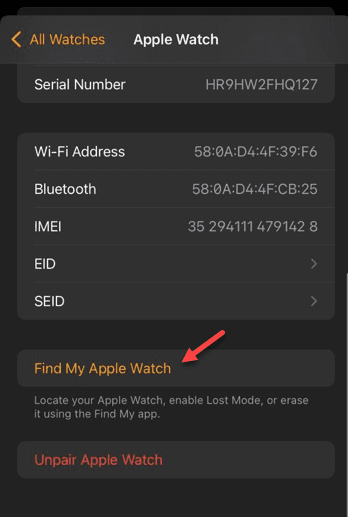
Step 3 – When it reaches the All Watches section, tap to load up the Apple Watch information.
Step 4 – On the next page, tap the “Find My Apple Watch” option.
Step 5 – Tap the “Play Sound” to play the sound on the Apple Watch.
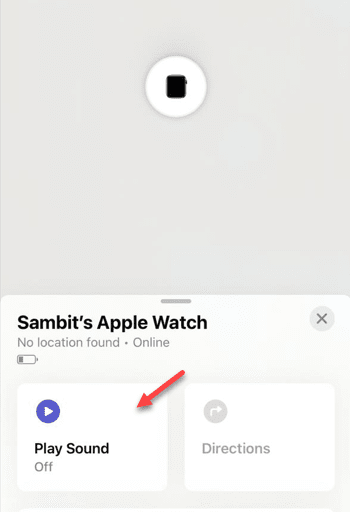
Once the watch starts playing sound, the error message will be gone from your watch.
Fix 4 – Try force-rebooting the watch
If the watch battery indicator is still stuck to 100%, you must force-restart the watch.
Step 1 – Press-hold the side key and digital crown on the Apple Watch.
Step 2 – Holding these two buttons for enough seconds should shut down the watch and restart it.
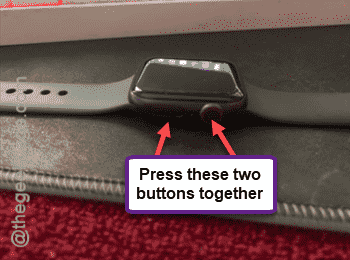
After executing this entire procedure, the battery indicator should become normal.
Fix 5 – Let the Apple Watch die
If the issue has not resolved, you must drain out the Apple Watch battery completely. Draining the watch battery isn’t an easy and may take some time. We recommend you do this over the night, after a day of continuous usage of the device.