Does the AdGuard on Safari keeps popping up on your browser? Getting the prompt of AdGuard for the first few times of using Safari is not the problem, as it needs your permission to start its function. But, the main problem here is the repetitiveness of the prompt, which can be really annoying.
Fix 1 – Permit AdGuard to Run on All Websites
You can permit the AdGuard to be active and operational on all the websites that you visit on Safari from your iPhone.
Step 1 – Open the iPhone’s Settings page. Next, load up the Apps tab.
Step 2 – Find the Safari app in the list and open it up.
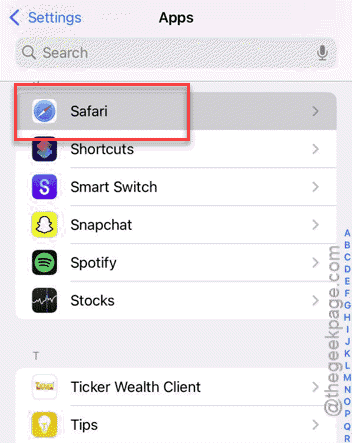
Step 3 – Now, you have to open up the Extensions tab.
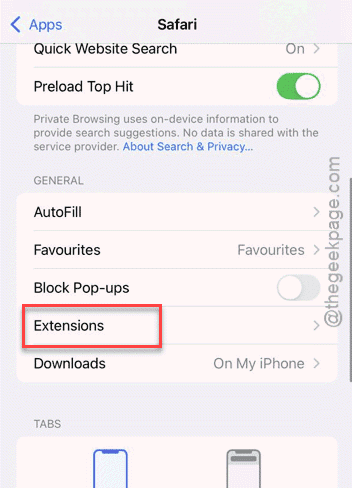
Step 4 – Finally, open up the AdGuard.
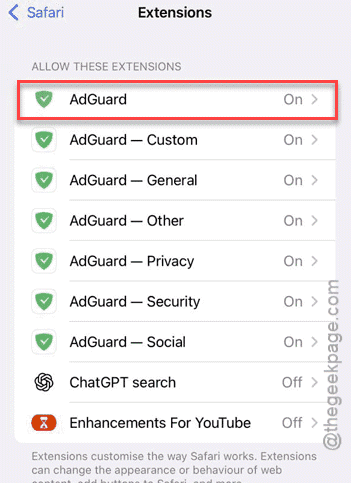
Step 5 – Find the Permissions category. Click the All Websites option.
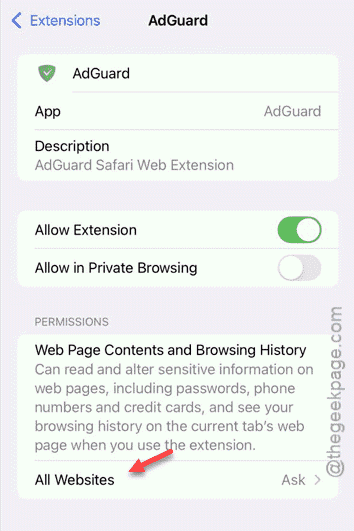
Step 6 – Set it to Allow mode.
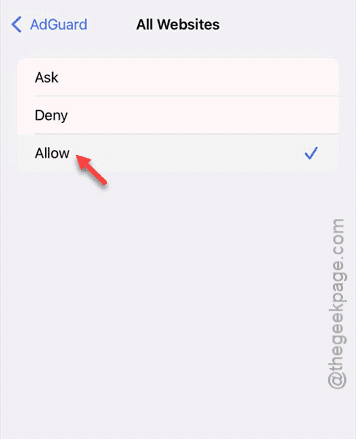
After permitting the AdGuard to run all the websites on Safari, you won’t get those prompts again.
Fix 2 – Disable and re-enable all the AdGuard features
You have to turn off the AdGuard features, and re-enable all of them to sort out this problem.
Step 1 – Open the iPhone Settings and proceed this way –
Apps ⇾ Safari ⇾ Extensions
Step 2 – Now, open the AdGuard extension.
Step 3 – Set the Allow Extension to Off mode.
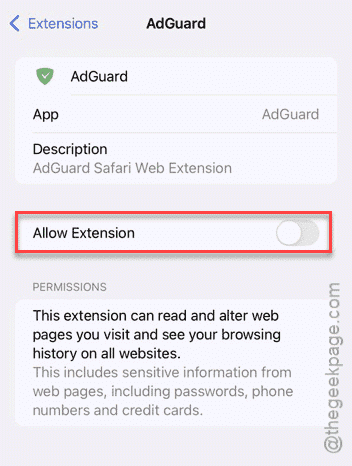
Step 4 – Now, disable all the other part of the AdGuard extension from the list.
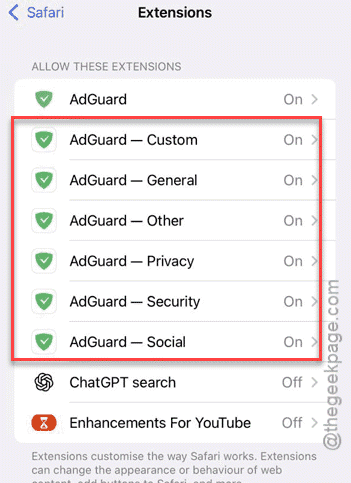
Step 5 – Once you have disabled all of them, wait for a few seconds and re-enable all the disabled components of the AdGuard extension.
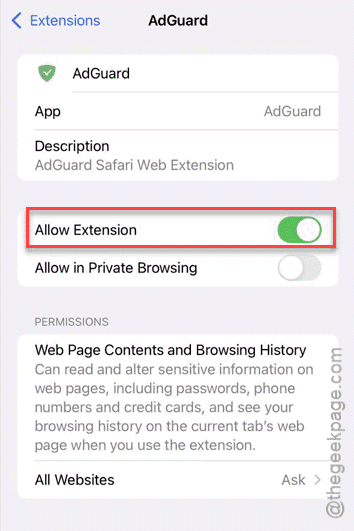
This refresh should fix the repetitive prompt that you are getting in the AdGuard.
Fix 4 – Uninstall and reinstall AdGuard
If the pop-ups are still appearing on the Safari client, you should uninstall it and reinstall it.
Step 1 – Locate the AdGuard utility on the App Library.
Step 2 – Next, hold it down for a few seconds, and tap the Remove app option.
Step 3 – Then, choose to Delete App to delete the app.
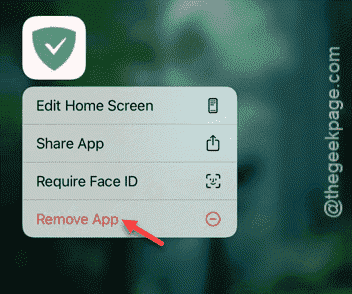
Step 4 – You can reinstall AdGuard on your iPhone from the App Store.
A fresh reinstall will fix your issue for sure.
Fix 5 – Install third-party ad blockers on Safari
Apart from the AdGuard, you can install third-party ad-blockers extensions on Safari to block ads across all the websites. Third-part ad blockers such as Ad Blocker Plus or uBlock Origin lite can block the ads and trackers on the website you try to access.
Step 1 – Open the App Store.
Step 2 – Search for any of these ad-blockers in the list and install it on your device.
Ad Blocker Plus for Safari (ABP)
Ad Blocker Pro for Safari
uBlock Origin Lite
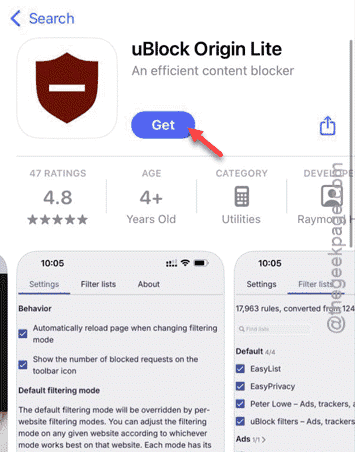
Step 3 – Choose to install any of your preferred ad blocker and enable it from the Safari settings on the iPhone.
See if this offers any help.
What is Adguard on Safari?
AdGuard is a popular ad blocker and tracking prevention utility designed to block ad and prevent trackers from gathering user footprints on the Safari browser. This provides users a distraction-free, safe web activities away and save some network bandwidth costs as well.
Can I use third-party browsers on the iPhone?
Yes. There are many third-party browsers available on the iOS, like Chrome, Firefox, Opera, Brave that users can install and use over the native Safari browser. Brave is highly recommended thanks to it in-built ad-blocker and advanced script, tracker footprint blocking mechanisms.
AdGuard keeps popping up and no longer works.
byu/TandooriPanda inSafari