Skip to content

The Geek Page

  • Windows 10
  • Windows 11
  • Android
  • iPhone
  • Authors

Performance

How to Disable USOCLIENT.EXE in Windows 10

Published on: December 6, 2020 by The Dangling Pointer
Categories Performance, Windows 10

CPU usage is stuck at 100% usage in Windows 10/11 Fix

Updated on: October 27, 2021 by Sambit Koley
Categories Performance, Windows 10, Windows 11

Service Host Local System Network Restricted Causing High CPU Usage Fix

Updated on: December 20, 2023 by Madhuparna
Services right side Names Superfetch or SysMain right click Stop
Categories Performance, Windows 10, Windows 11

Fix CompatTelRunner.exe high disk usage problem in Windows 10/11

Updated on: December 20, 2023 by Sambit Koley
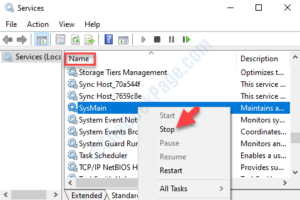
service window
Categories Performance, Windows 10, Windows 11

How to Fix Slow Computer Problem in Windows 10 PC

Updated on: December 15, 2023 by Harshwardhan
virtual memory change
Categories Performance, Windows 10
Newer posts
← Previous Page1 Page2

Recent Posts

  • Storage Spaces ‘Reduced Resiliency’ With Healthy Drives [Fixed]
  • The Real Reason Your Group Policy Changes Keep Reverting
  • Restored Hyper-V Virtual Machine Not Starting? 5 Fixes
  • VirtualBox Can’t Insert Virtual Optical Disk? 4 Fixes
  • M.2 SSD Not Showing Up in Windows 11? 5 Fixes
  • Auto HDR Looks Washed Out on Mini-LED? 4 Fixes
  • Office Not Opening After Update? 7 Fixes That Work
  • Antigravity IDE Not Opening on Windows 11? 3 Fixes
  • App Readiness Service Greyed Out? 4 Fixes
  • CMD ‘Run as Administrator’ Access Denied? 5 Fixes

Recommended

  • 101 Tech Tricks you don't know
  • Windows Run commands
  • Windows 10 Tips and Tricks
  • Windows Keyboard Shortcuts
  • How to Make Windows 10 Fast
© TheGeekPage 2026