The Wide Spectrum mode on your iPhone’s mic can be helpful while taking a group call on FaceTime or WhatsApp. But what if this Wide Spectrum feature is unavailable on your iPhone? If you can’t enable this, the caller will hear only your voice, as the ambient noise (including any human voice) will get filtered out. You can fix this absence of Wide Spectrum issue following these easy solutions.

Fix 1 – Switch to a Wi-Fi network
If you are getting this error while using the Cellular network, you should switch to the Wi-Fi network. The Wide Spectrum and Voice Isolation feature works well when you are connected to the Wi-Fi.
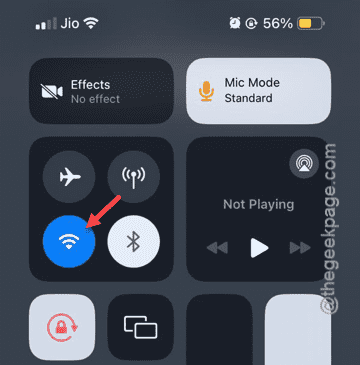
Step 1 – Open the Control Center and reconnect to the Wi-Fi.
Step 2 – Next, dial up the call in Skype or WhatsApp or Phone.
Step 3 – Then, try to switch to the Wide Spectrum mode.

Check whether you can use the Wide Spectrum mode or not.
Fix 2 – Turn off the Bluetooth
The Wide Spectrum mode is supported only by the iPhone’s mic. So, you can’t activate the ‘Wide Spectrum’ mode while you are connected to your iPhone’s Bluetooth.
Step 1 – Go to your Control Center.
Step 2 – Disable the “Bluetooth” directly from there.
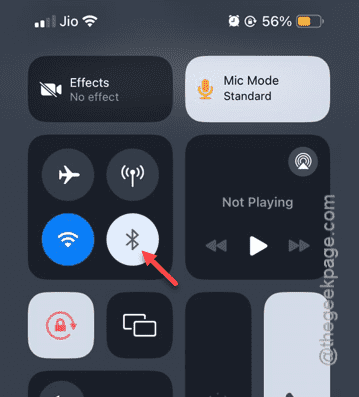
After disabling the Bluetooth feature, you can enable the Wide Spectrum mode on your iPhone’s mic.
Do test whether you can enable it or not.
Fix 3 – Try to change it in a supported app
The Wide Spectrum mode is a call-related feature that you can only invoke or revoke during a call. Moreover, you won’t even find the Mic controls in the Control Center except the time you are engaging in a call (whether it is a video or a voice call). So, you must use a Voice or Video calling app (like FaceTime, WhatsApp, Skype, etc.) and try to re-enact the Wide Spectrum mode.
NOTE – It seems that you can’t enable the Wide Spectrum mode on the WhatsApp voice call, but can do that when you are in a video call. So, start a video call and retry changing the mic mode.

Another limitation is that the feature is limited to the Apple devices with A12 or newer chipset. So, you can’t do this on iPhone X or older Apple iPhones.